Tags custom

Hi ,
When I use the tags elements, I use a blue color
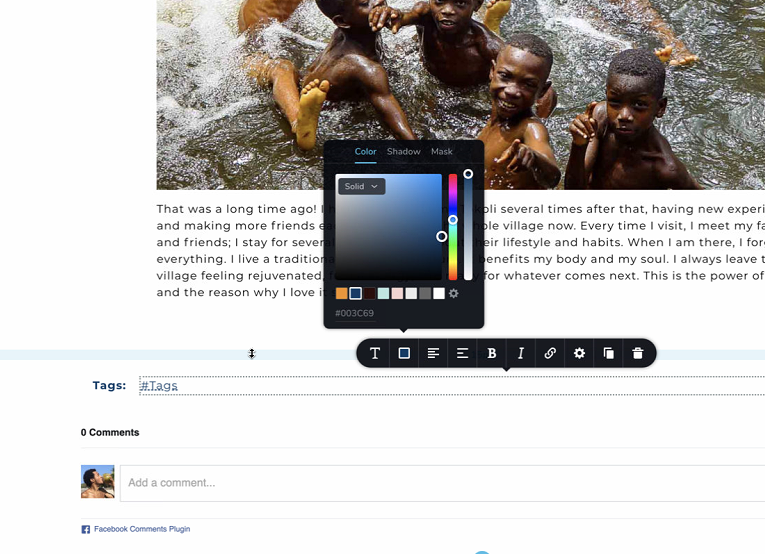
My problems are :
As you can see the tags are orange, and the comas are blue only

And when I click on a tag, it goes on a page with the theme (core from themefuse)
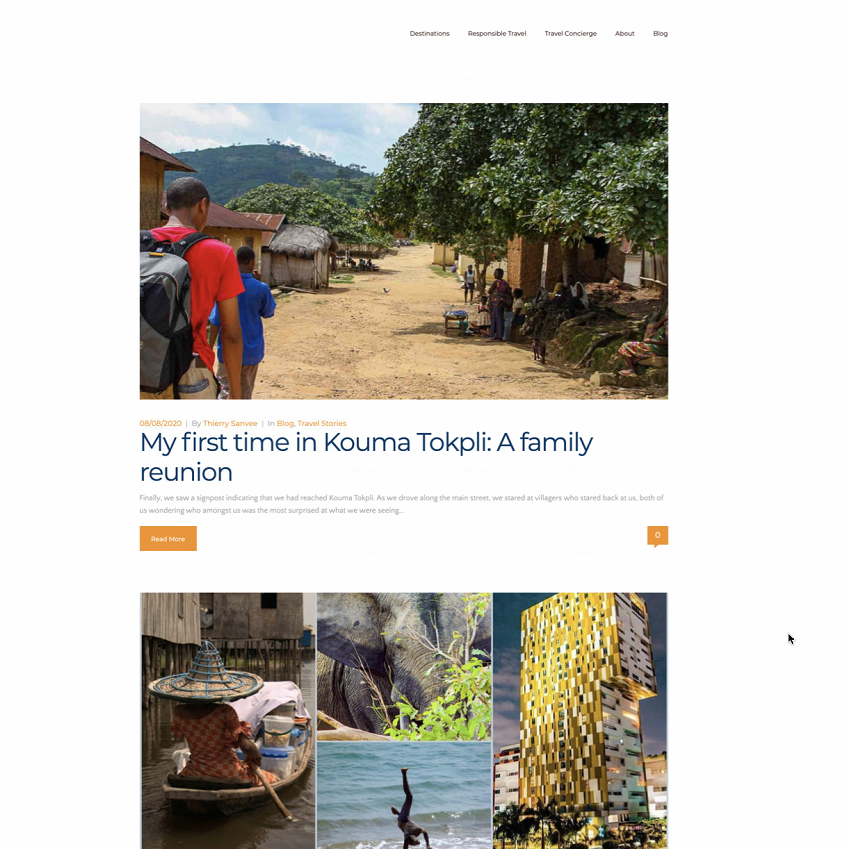
I would like to use a nicer tags, do I have to use a mask? if yes could you please tell me how to use it?
.
Thanx in advance
-

Hi,
Tags colour - you see the colour for tag different than the colour you set in Brizy editor because this setting is overwritten by the theme styling. This happens because the "Tags" are link provided from the theme. If you want to set your own colour for Tags links in Brizy editor, you can add some custom CSS, https://jmp.sh/EvT4TQw
You can use this Custom CSS:element span a {
color: #D52042 !important;
}Instead of #D52042, you can add the code of your wanted colour.
"When I click on a tag, it goes on a page with the theme" - this happens because you open the Archive page of this Tag. When you click on "West Africa", you open the page that contains all posts of this Tag. As you don't have designed the Tag page with Brizy, you receive the design from the theme.
Best regards,
Sandra0 -
Hi Sandra, Thanx for your quick answer and the add CSS code & the screen shoot.
As you can see in the picture below, is no green on my theme setting (The core) in the hoover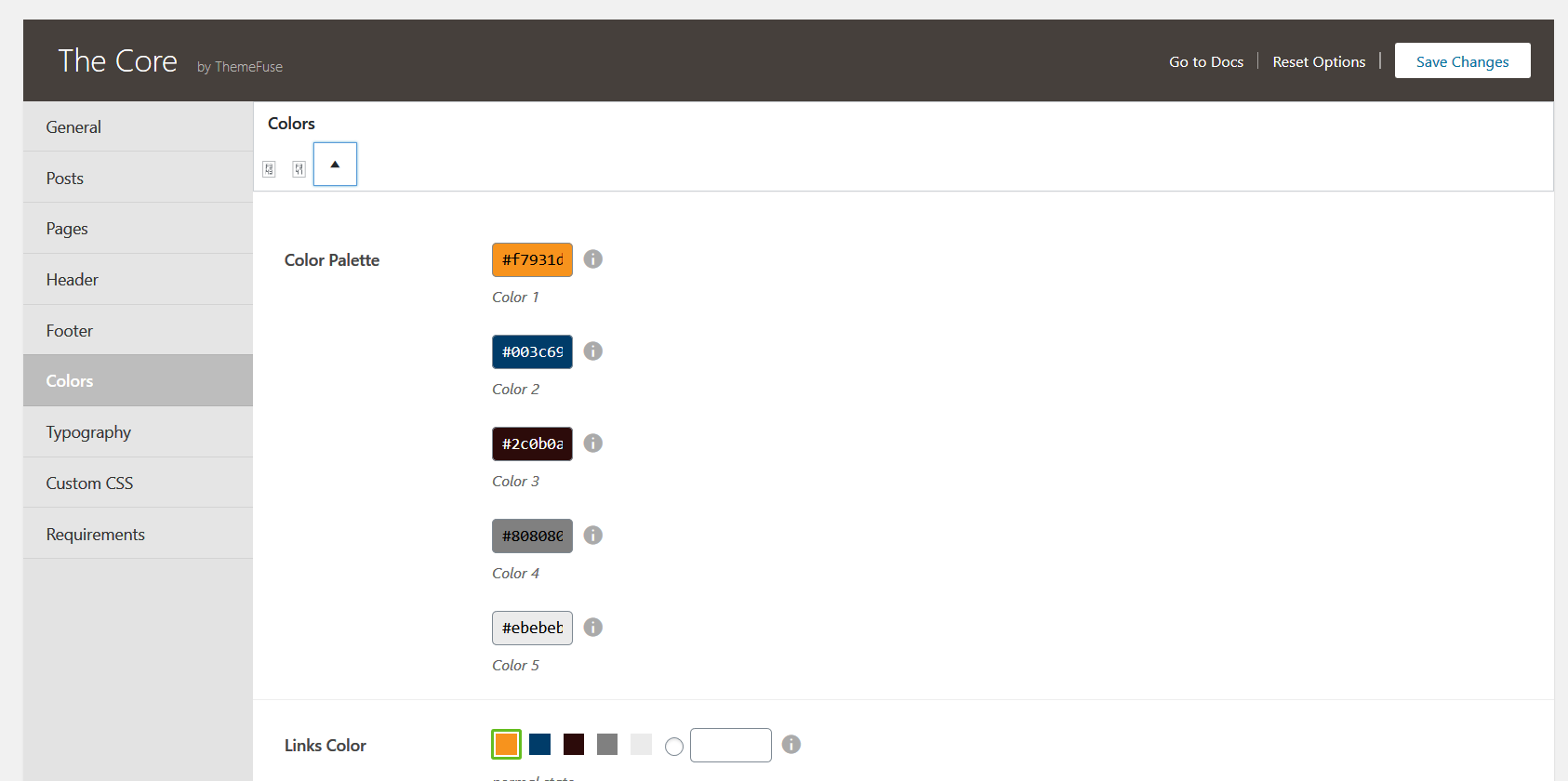
So will I have to add the hoover too on CSS for tags ?
Regarding the tags template, do I have to create one template to each tag?
Thanx in advance.
G.O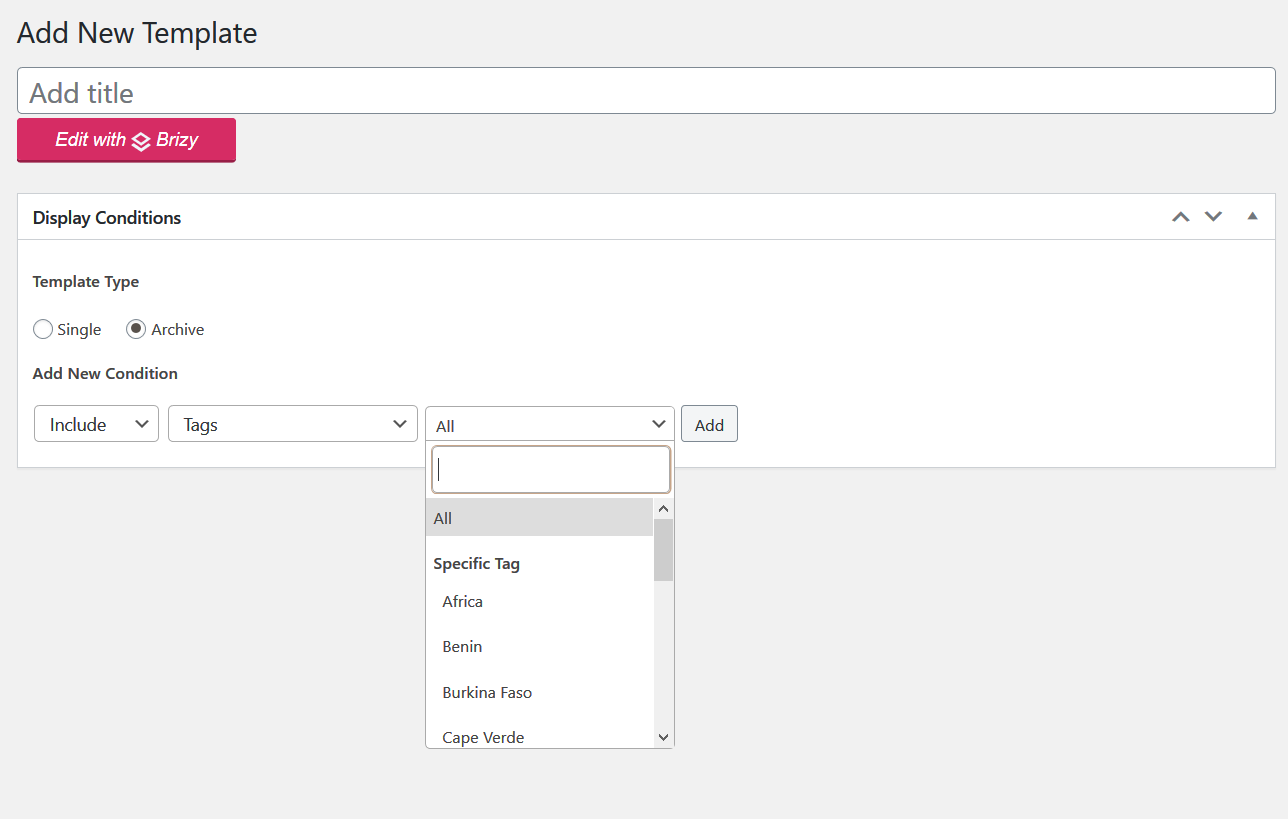 0
0 -
Hi,
Yes, you can add the custom CSS also for hover action.
Regarding the Tags template - you can create a template for all Tags. If you add a display condition Include - Tags - All, in such a way you create a template that will be applied for all Tags. Even if you open the Africa tag page or Cape Verde Tag page, you will have the same design.
Best regards,
Sandra0
Please sign in to leave a comment.
Comments
3 comments