asset page permalink not loading

Hello Brizy team -
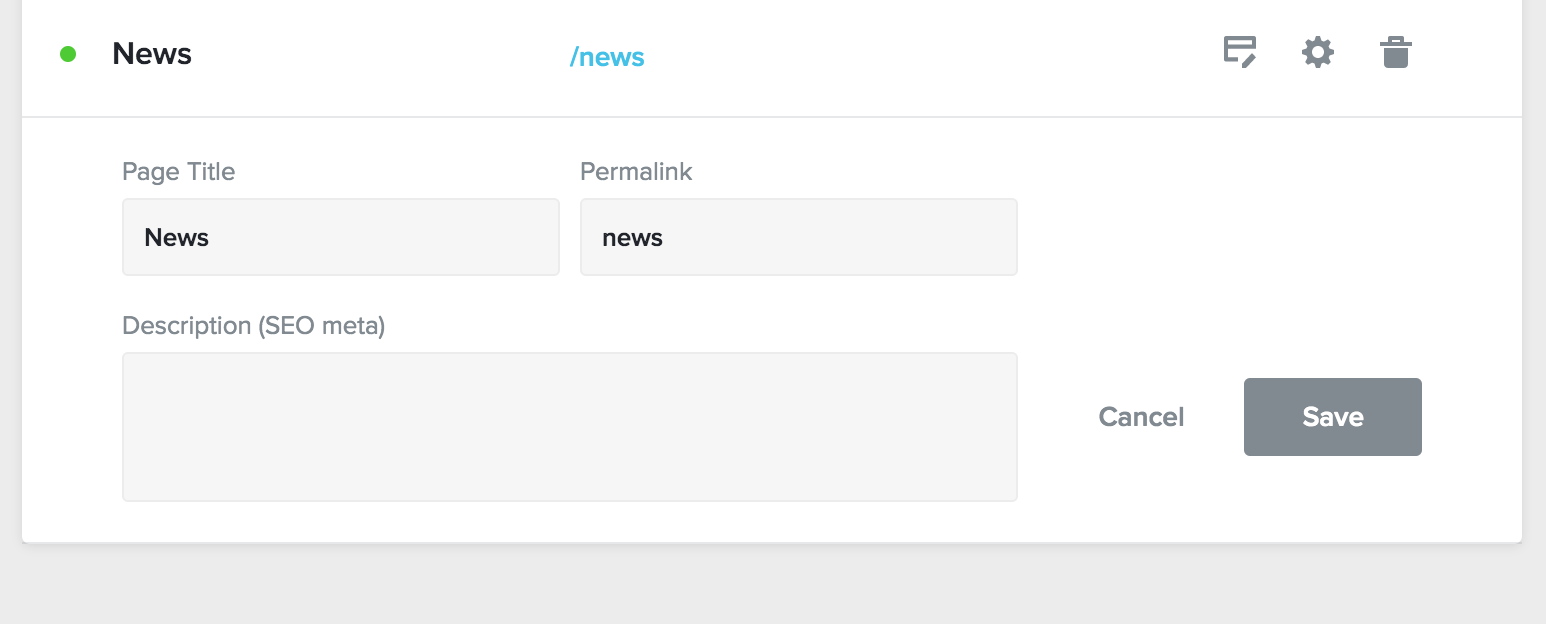
I have created an additional asset page for news articles. I listed the permalink as /news. When I publish the page and test to see it, it does not load.
It works with all the other pages. It just sends the site back to the home page.
http://www.greateirmpacthouse.com/news
I'm also trying to figure out how to make my page https:// instead of http:// so that it is secure.
- Alexander
-

Hi,
I tried to open the page to check this inconvenience but seems that I can't open the site. I receive this error. Seems that you published the site using the Custom Domain method, did you get the domain? Could you please check if you have followed all these steps to publish the site?
Thanks!
Best regards,
Sandra0 -
Thanks Sandra.
Yes, the site is published with a custom domain.
The main page is http://www.greaterimpacthouse.com
I’m also trying to figure out how to make it an https:// site.
0 -
Could you please make some extra checks?
- When did you set the A record and Cname record? Takes up to 24 hours to be installed the SSL.
- Did you follow all these steps to publish the site with the Custom Domain method? https://support.brizy.io/hc/en-us/articles/360041764052-Custom-domain-A-Record-Redirect-
- Are Current data from DNS settings of the project marked with green? https://jmp.sh/yIFSQQm
- Could you send us a screenshot with how did you set the A record and Cname record? (we will delete this screenshot before approving)Thanks!
Best regards,
Sandra0 -
Hey Sandra -
Just getting back to you with updates.
-Set the A record and Cname a week ago.
-followed all the steps in the article.
- current data from DNS are marked green
- Screen shots below:
- Still getting site reading not secure.
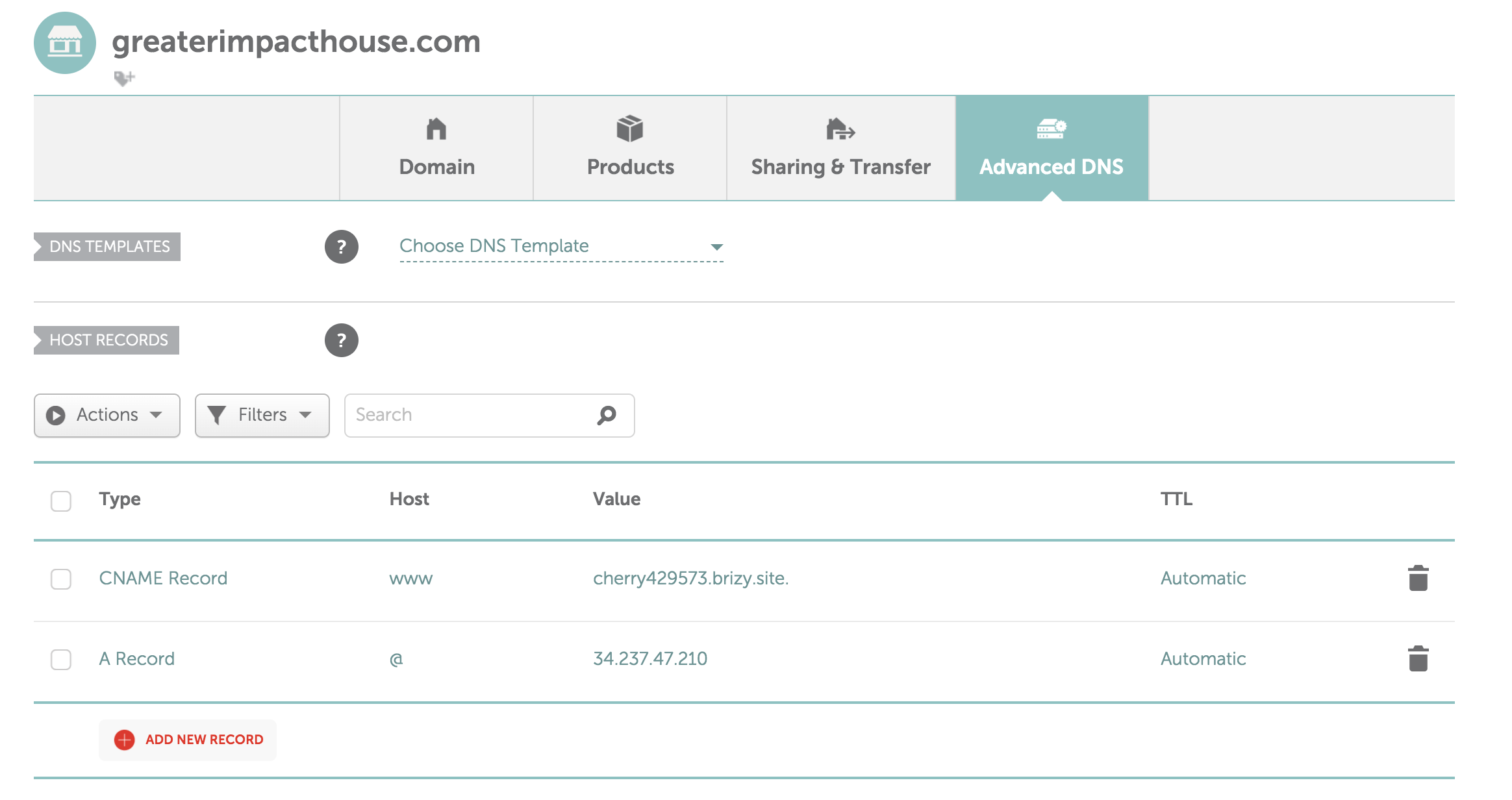
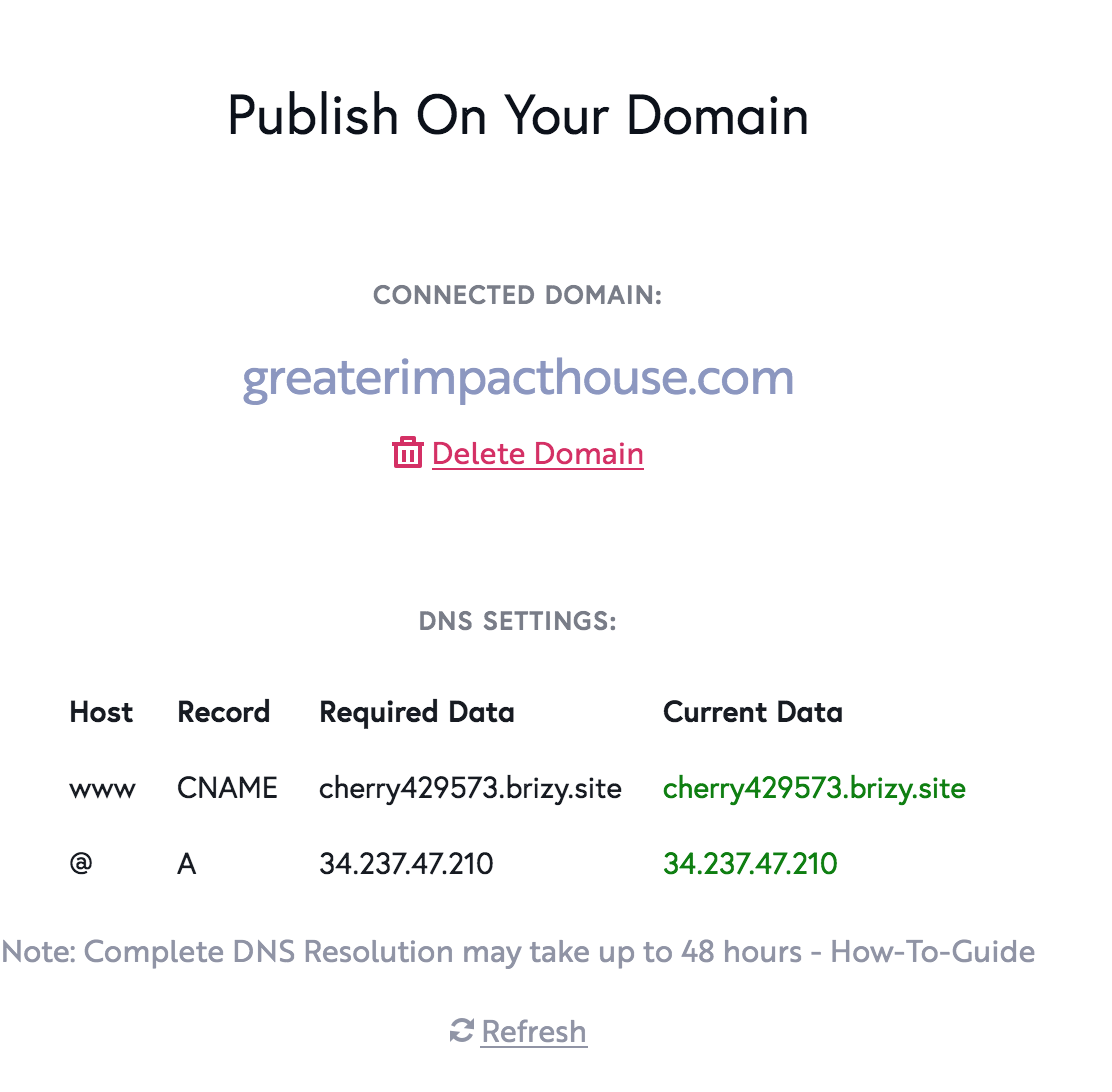 0
0 -
Hi,
Could you please check again the site? It seems to have the HTTPS. See here. Could you please try to delete the browser cache or try to check the site from the incognito mode of the browser?
Thanks!
Best regards,
Sandra0 -
Yes! Solved. Thank you, Sandra!
0 -
It's my pleasure to help you!
Best regards,
Sandra0
Please sign in to leave a comment.
Comments
7 comments