Server Sync not working

We have installed the Brizy folder into the file manager via cPanel.
For 4 hours nothing happened.
The domain is still showing brizy domain instead of our own domain.
There is no error and website load fine on brizy, but we don't see how we can change it to our own domain and it seem it is still hosted by brizy.
How to determine if server sync is working or trouble if there is error?
Do we need to set anything on our domain DNS for server sync to work? As I can't find any tutorial about it.
Thank you.
-

Hi,
Did you try to access the site from the new domain? Could you send us this new URL where you published the project?
Thanks!Best regards,
Sandra0 -

It stopped for us too.
0 -
Hi, John,
Could you send us this new URL where you published the project? When you access the site from the new URL, is all working fine?
Thanks!Best regards,
Sandra0 -
Yes, it doesn't work.
This page isn’t working
xxxx.sg is currently unable to handle this request.
HTTP ERROR 5000 -
To understand the problem and find a solution for it, we need to check the site. If you receive the 500 error, this can be caused by your hosting provider or by us, therefore we need to check the site to make sure about this. Could you send us the URL of the site? (if you don't want to make it public, let us know about this and we will delete the URL link before making it public)
Thanks!Best regards,
Sandra0 -
Hi Sandra,
It is for *** project now.
I've done it right but nothing work -
domain:
Yes, I do not want it to be public.
Thanks.
0 -
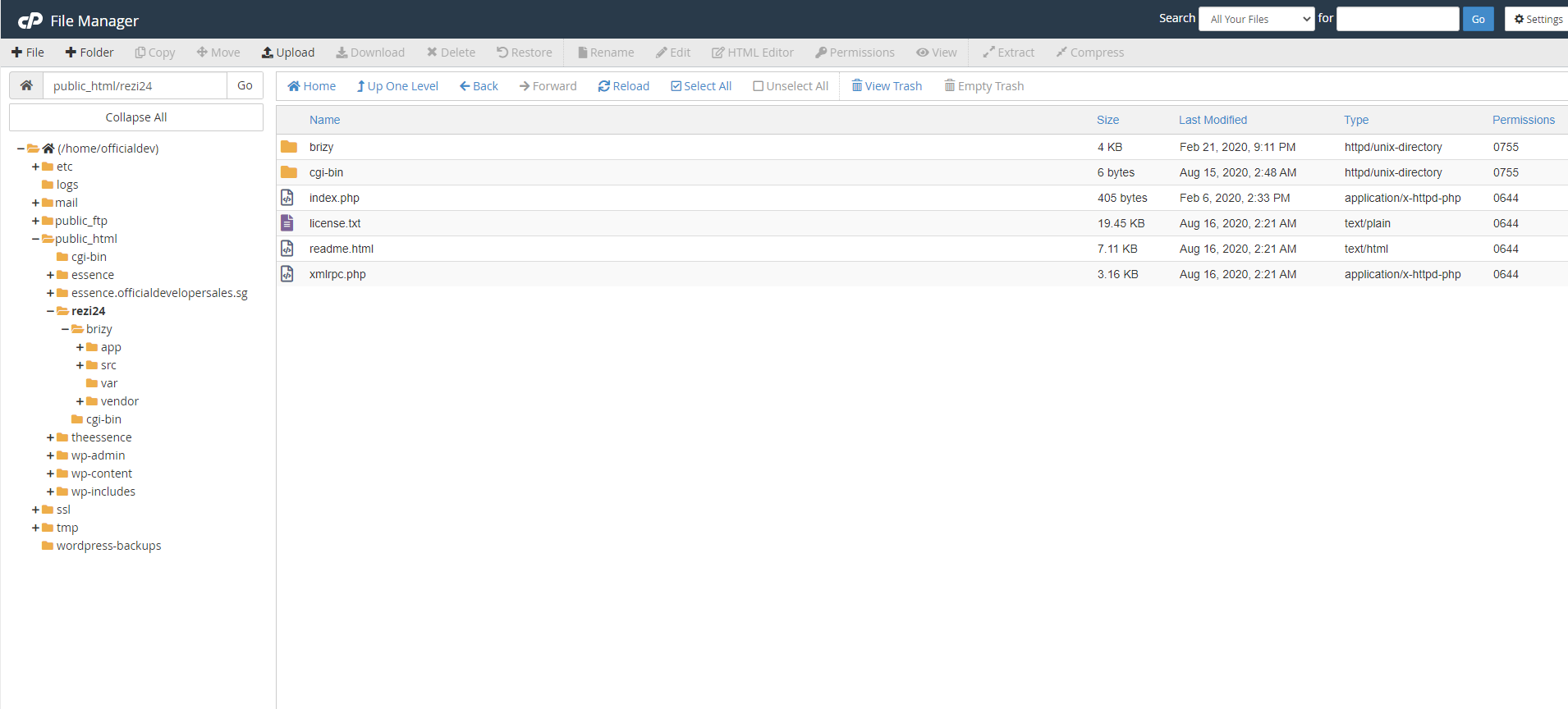 0
0 -
Hi,
I see that the folder is named rezi24, therefore, if I access rezi24.sg, all is working fine and the site is loading as in the Brizy Cloud https://jmp.sh/P8LMZg6. The URL you send us and that you try to access isn't invalid because it isn't registered.
Best regards,
Sandra0 -
rezi24.sg is not our website.
What do you mean it isn't registered?
Is there any steps I'm missing?
0 -
Hi,
I suppose that the folder should be named rezi24.*** because you unzipped the Brizy folder in the rezi24 and therefore when you access this domain it is showing not in the rezi24.***.
Best regards,
Sandra0 -
Hi Sandra,
Can I have a guide on this server sync?
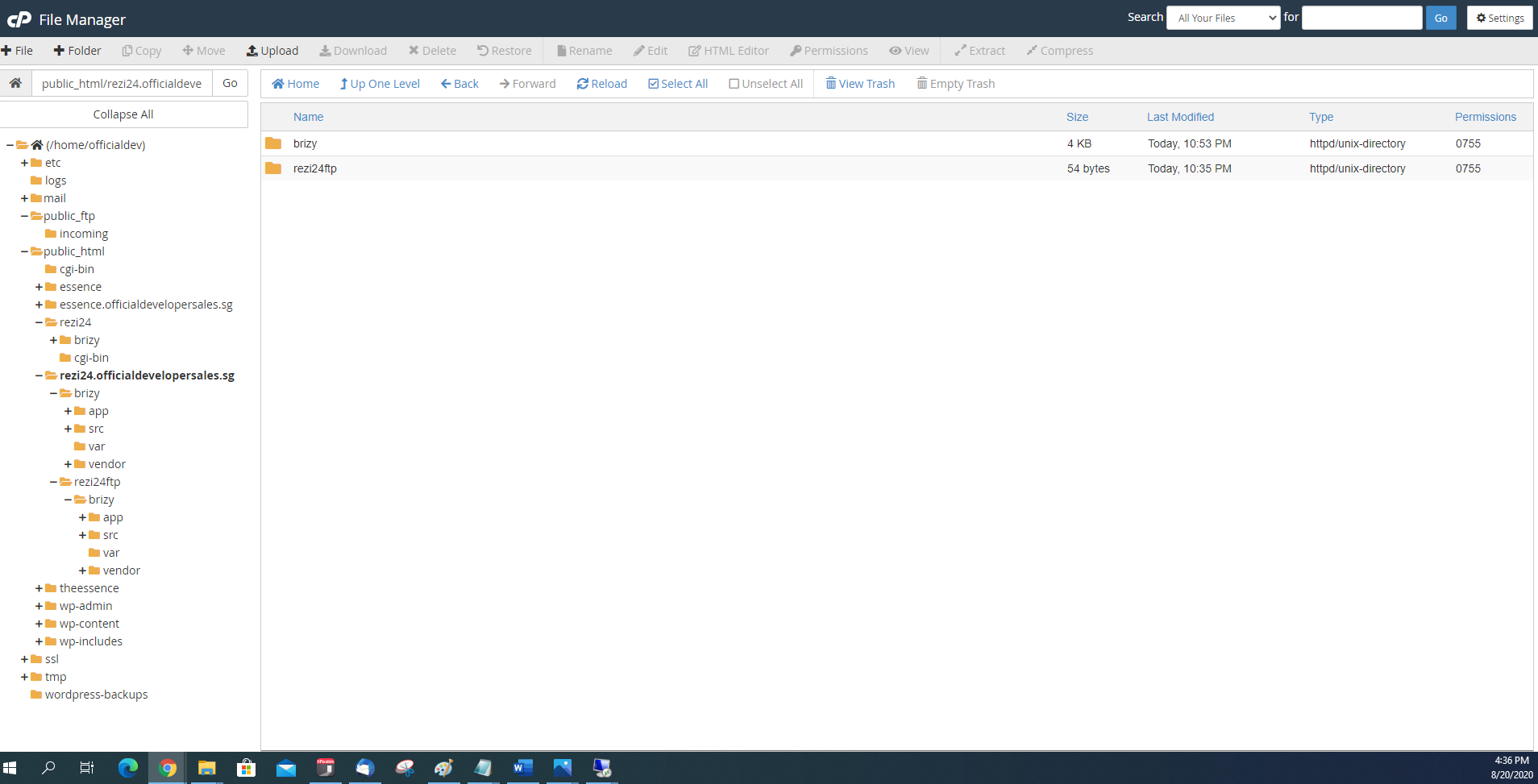
As shown I've created an FTP and place brizy file in.
Did I miss any step like setting the domain? If so, please guide me accordingly.
Is there a full-fledge guide on setting up this server sync?
 0
0 -
Hi,
You try to add the Brizy folder in a subdomain (rezi24.officialdevelopersale.com), therefore you have to register this subdomain in your hosting provider. Seems that you have the rezi24.sg (and it is working fine, as we could notice the Brizy folder attached successfully) but not also the official developers.sg. The "rezi24" from rezi24.officialdevelopersale.sg is the subdomain of the "officialdevelopersale". https://www.wpbeginner.com/glossary/subdomain/
I suggest talking with your hosting provider about this aspect or to investigate the documentation of your hosting provider. There seems not to be our inconvenience.Best regards,
Sandra0
Please sign in to leave a comment.
Comments
12 comments