Block Background Image Pixelated on Tablet when Rotated

Hello support!
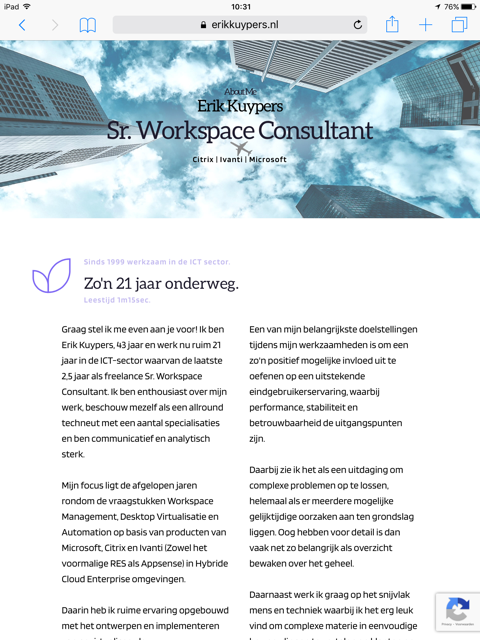
When using the Layout Advisors / About, the background image on my tablet (iPad in this case) is very much zoomed in and pixelated when the iPad is rotated. This happens only on tablets, and it seems to have to do with the size of the tablet too. On some iPads the issue also occurs when it is in portrait mode, and on some only when rotated / in landscape mode.
Removing and adding back the the background image doesn't solve it. And even when the background image is removed, the image appears pixelated when the iPad is rotated!
Any idea how to solve this?
Thanks very much!
-

Hi,
Is this happens also when you change the image? Could you check please if you have the latest versions for Brizy Free (2.0.5) and Brizy Pro (2.0.2)? At the moment in the Brizy editor, we don't have the landscape tablet/mobile mode. We have the portrait mode for both tablet and mobile. Therefore it is a bit difficult to control how is displayed the site in these modes.
Could you please send us the URL of the page you found this inconvenience?
If you deactivate all plugins (except Brizy free and Pro) and activate a WP default theme, do you have the same problem?Thanks!
Best regards,
Sandra0 -
Hi Sandra,
I found the condition which triggers the issue, when the parallex mode is set to "Fixed" the issue occurs. When set to "None" is doesn't. But of course I would like to use the Parallex effect.
I have the latest versions of Brizy Free & Pro. The issue also occurs on some iPads in Portrait mode, for instance a somewhat old iPad Air.
The URL on which the issues happens: www.erikkuypers.nl (Will set Parallex to Fixed the reproduce the issue.)
Will also try to deactive all plugins and activate the WP default theme and get back to you.
Thanks,
Kind regards,
Erik
0 -
Issues still occurs when deactived all plugins and activated the WP default theme (Twenty Seventeen Version: 2.4).
What is the most compatible underlaying WP default theme? Should I use TwentyTwenty?
0 -
Hi, Erik,
I want to inform you that we are investigating the issue reported by you. At the moment, we are working at home and it is a bit difficult to find a tablet to check this problem live. When we test your site in our simulators all is working fine and we can't see and inspect the error.
Best regards,
Sandra0 -
Hi Sandra,
Any updates on this issue?
In the changelog i saw this entry:
2.0.9 – 2020-09-11
Fixed: Blured imagesHowever, the issue still occurs on my iPad. This fix is not related to my issue?
Thanks for your reply!
Kind regards,
Erik
0 -
Hi,
I'm sorry for the late response. Yes, the fix isn't related to the problem you encounter. It is a bit different situation. At the moment, we are still waiting for the response from our developers regarding the problem you have. When we will receive some notifications, we will inform you too.
Thanks!
Best regards,
Sandra0 -
Hi,
I'm sorry for the late response! We could check the problem you reported on the tablet but we didn't find some inconveniences. See here the portrait mode and here the landscape mode. Both seem to be displayed fine.
Thanks!
Best regards,
Sandra0 -
Hi Sandra,
The issue still is occuring on my iPad. Take a look:
Portrait mode:
Landscape mode:
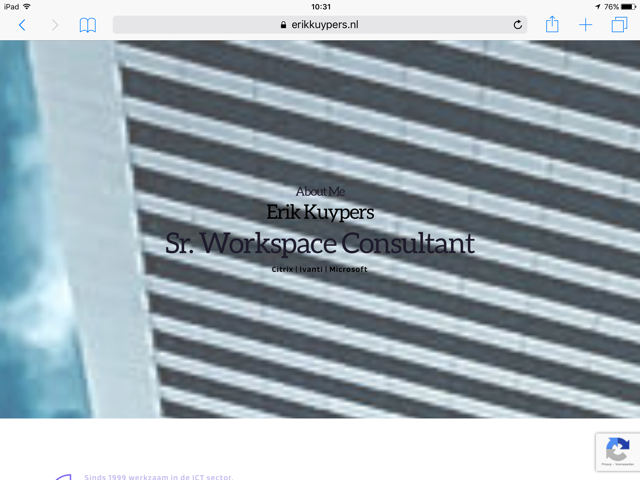
Maybe this issue only occurs on iPad.
Hopefully it can be resolved,
Kind regards,
Erik
0 -
Unfortunately, we can't reproduce this issue. Could I ask you what iPad do you have?
Thanks!
Best regards,
Sandra0 -
I've experienced this issue on 3 different iPads. Old ones and a new iPad Pro too. I haven't tried it on any other iPads. I figured if it happens on these 3 different types, it happens on all of them, but that doesn't seem the case as you guys can't reproduce it.
The one from the screenshots above is a really old iPad 3 (Model MD513NF/A) with iOS 10.3.3.
But the issue also occurs on an iPad Air (Model MD785HC/B) with iOS 12.4.8.
And it occurs on an new iPad Pro (Model MY2H2FD/A) with iOS 13.7.
Does this help?
Thanks very much,
Kind regards,
Erik
0 -
Some additional info: it happens both with the Safari browser, and also with Microsoft Edge browser!
0 -
Hi, Erik,
Could you please activate again the parallax? Our team are investigating this problem and now they informed us that the parallax was deactivated and they can't continue the investigation.
Thanks!
Best regards,
Sandra0 -
Hi Sandra,
The parallax effect is enabled once again.
Best regards,
Erik
0 -
Any updates on this issue?
Best regards,
Erik
0 -
Hi, Erik,
Thank you for enabling the parallax. Our team continue to investigate this problem. Please allow us a bit more time. We are doing all the best to provide you with a response as soon as possible. When we will receive a notification from them, I will inform you too!
Thanks!
Best regards,
Sandra0 -
Hi Erik,
Our team investigated this issue and encounter that in such a way was built the touch interface and for these cases we recommend not using the parallax for blocks if the majority of users access your site from iPads landscape mode. I'm sorry for this inconvenience and thank you for understanding!
Let us know if we can help you with something else.Best regards,
Sandra0 -
Hi Sandra,
Too bad. Now i just turned of the animation effect completely. So no animation and no pixelated images either.
Hopefully, in the future with newer versions this issue will be resolved, because animation looks a whole lot better and more professional!
Thanks for your help anyway,
Kind regards,
Erik
0 -
Hi,
Thank you too for understanding. We will strive to improve this aspect in the next updates.
Let us know if we can help you with something else.Best regards,
Sandra0 -

Hi, I do have the exact same problem as Erik has. Is there by now any chance of a solution?
Best regards, Leslie
0 -

Hello Leslie,
Thank you for your message!
Regarding what you have said, can you please give us more details about the issue that you encounter? Describe it please! Hope to hear from you soon!
Kind regards,
Doina
0 -
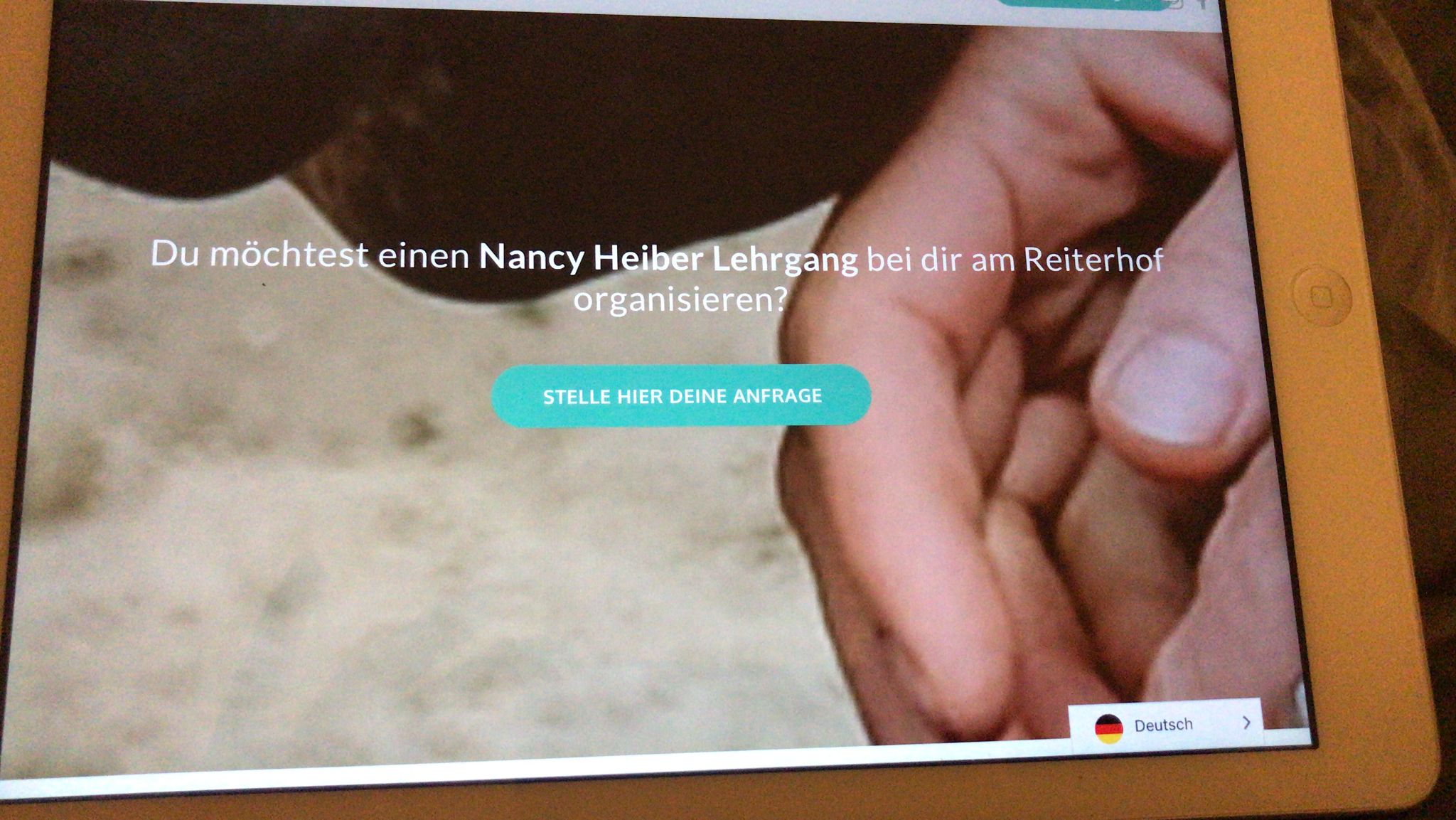
Hi Doina, I could copy exacly what Erik said.
If I use Paralax Effect on the page, it will work on desktop beautiful, on mobil it will make a nice 100% picture without paralax effect – BUT for Tablets: it will zoom the Backgroundfoto to probably 500% and that looks not acceptable at all. So now we cancelled the paralax effect overall, because it is important that the page will look fine on tablets.
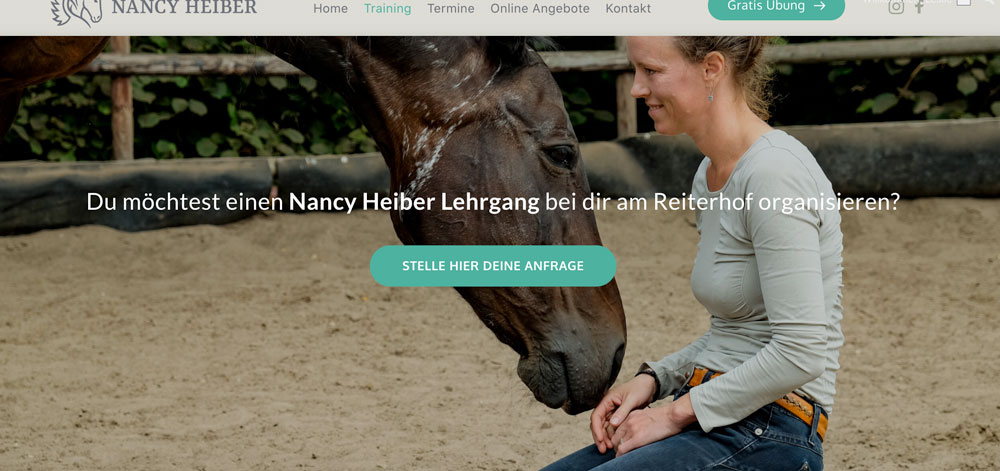
and this is the zoomed look on tablet:
 0
0 -
Hello Leslie,
Thank you for your message and the information provided!
Regarding what you have said, we know about this issue and we are working on it! As soon as it will be solved we will let you know! Sorry for the waiting and thank you for the understanding! Till then, if you have any other problems or questions, please feel free to ask! We will be happy to help!
Have a nice day and best regards,
Doina
0 -

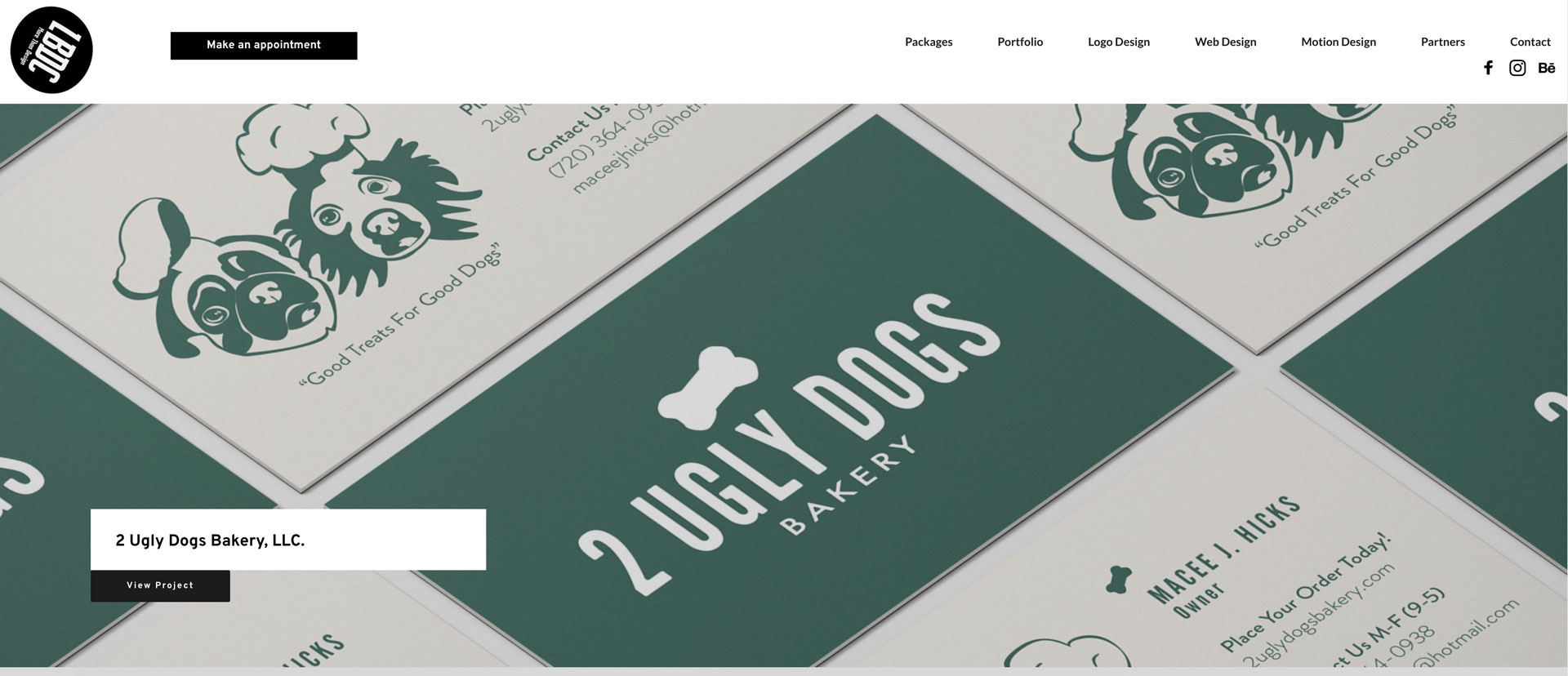
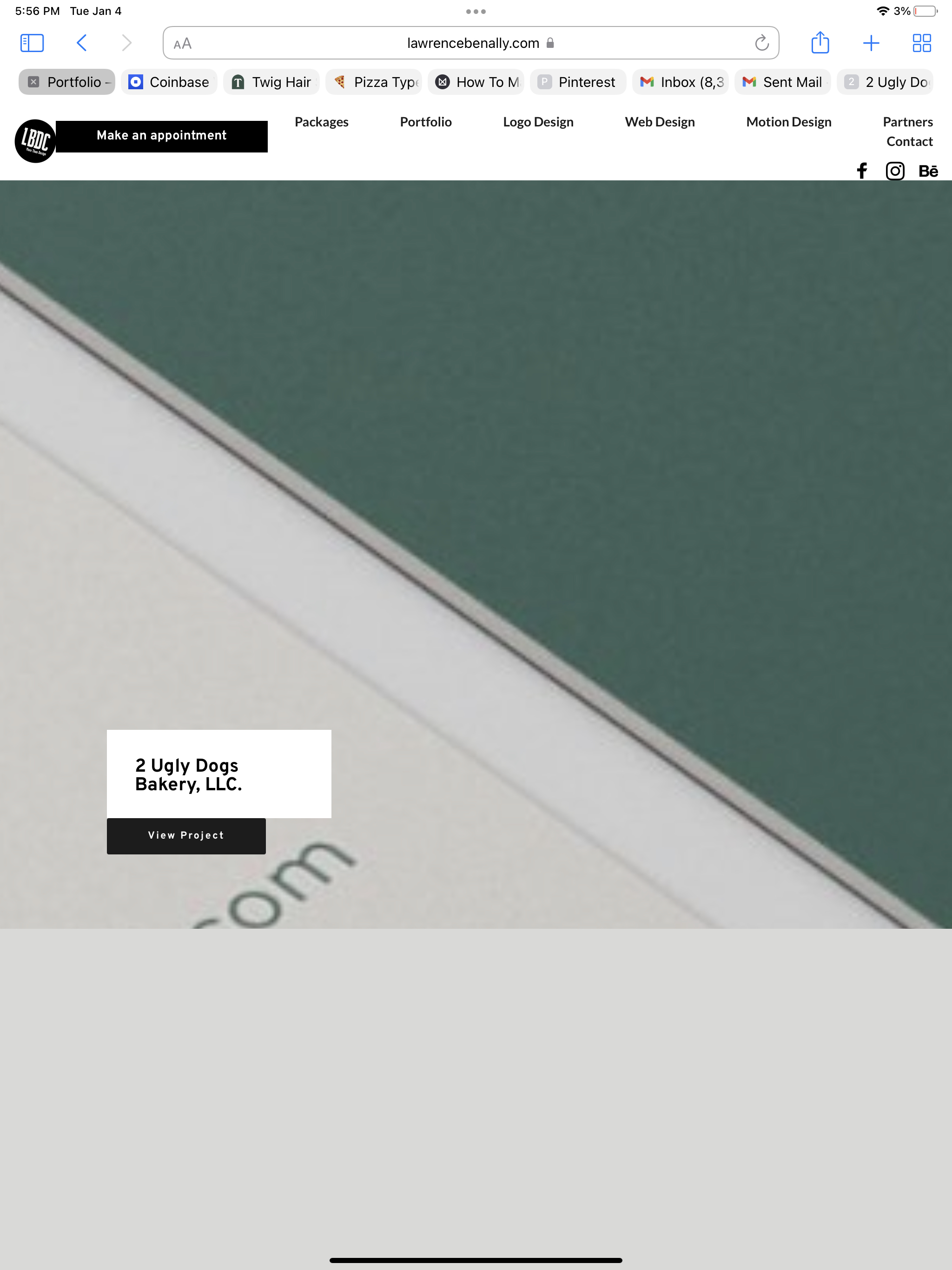
How is this still happening 3 months later =(
I followed this awesome tutorial and was really happy with the results until I looked at it on my iPad and its zoomed in like 500% like everyone else's. Looks great on mobile and desktop though.
I really wanted a cool dynamic page with the parallax effect but I guess I'll remove it and be normal like everyone else =,(
By the way. I did the regular troubleshooting stuff like updating plugins, deactivating, reactivating, etc.
If there is a solution though... lmk!!!
 0
0 -
Hello Lawrence,
Thank you for your message!
Please send me the link to the website where you encounter this problem. Thank you and hope to hear from you soon!
Kind regards,
Doina
0
Please sign in to leave a comment.
Comments
24 comments