Global color change on update

Helo,
I have problem with update Brizy anad Brizy Pro. When I try to update all global colors chnage to default.
How to update without changeing colors?
Best regards,
Dusan
-

Hi,
Could you please guide us on how to reproduce this problem? Do you have the latest version of Brizy Free (2.0.5) and Brizy Pro (2.0.2)?
Thanks!Best regards,
Sandra0 -
Hi,
I can't update to newer version of Brizy or Brizy Pro because global color change. I have licenced for Brizy Pro and Astra theme. Web site is www.sovastudio.pro.
If you wont I can give you access to wp-admin area. I have backup of current site, so I can test anything. :)
0 -
Hi,
Thank you, we will create a private ticket but first I want to ask you some other questions.
- Do you use one specific style? When you update the Brizy plugin this Style isn't changed to the Default one? If you change to the Style you used before, is this problem happen?
- What version of Brizy Free and Pro do you have at the moment?Thanks!
Best regards,
Sandra0 -
Hi,
I customized some default style. When I update it change to efault values and look.
I have Brizy 1.0.126 and Brizy Pro 0.0.41
 0
0 -
Unfortunately, it is a strange issue for us and we didn't encounter it on other users or in our tests. Therefore we can't understand where can be the problem. Could you please deactivated all plugins except Brizy Free and Brizy Pro, activate one WP default theme and try to update the Brizy Free and Pro plugins? After this make sure that you have activated the Style where you make all the changes. After this activate all other plugins and theme. If you will still find this problem, let us know and we will create a private ticket on this request.
Best regards,
Sandra0 -
I found in Brizy Community on Facebook people have same issues.
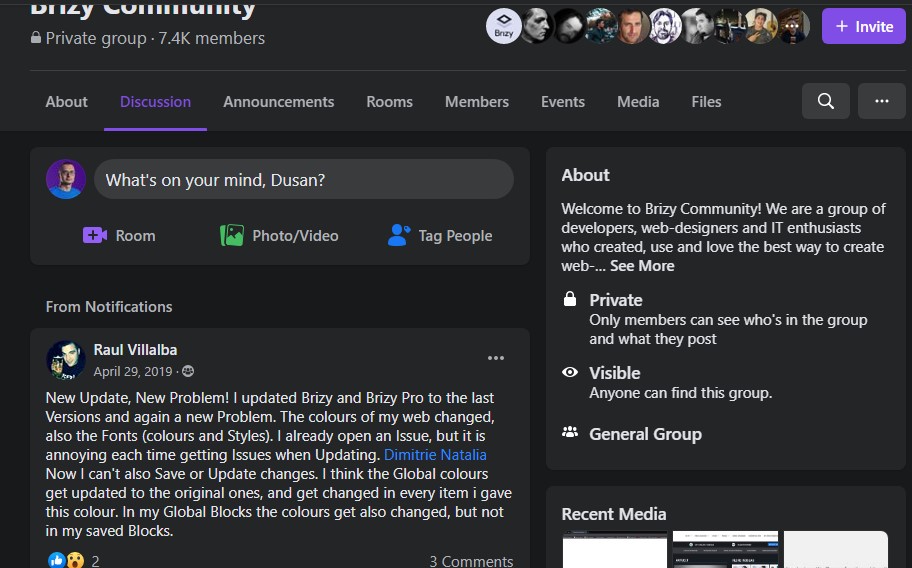 0
0 -
Hi,
Raul found a similar problem last year, on April 29, 2019. Since then, we release other updates.
Best regards,
Sandra0
Please sign in to leave a comment.
Comments
7 comments