Blog Post in Classic Block Turns to One Block of Text

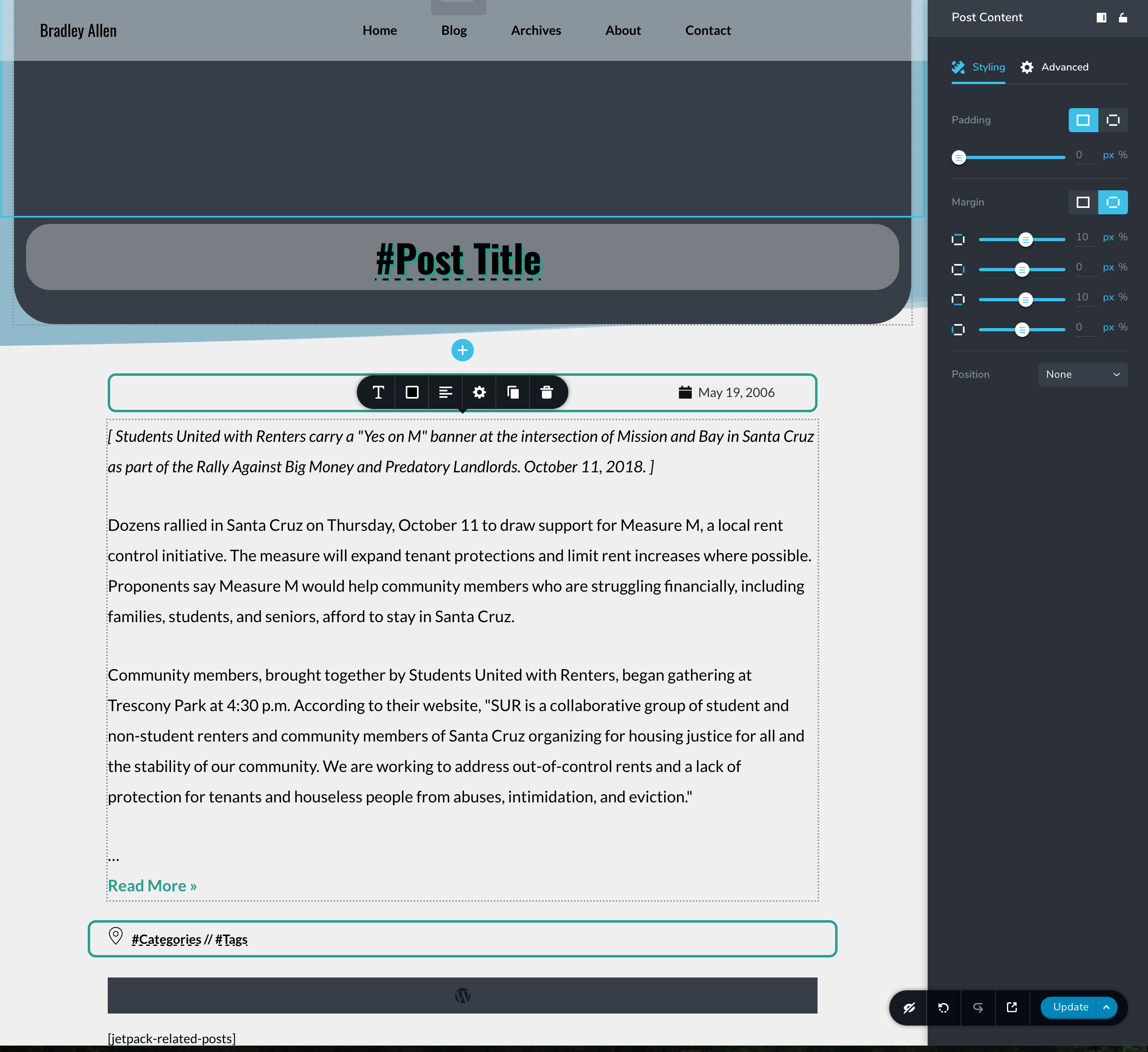
After updating to Brizy 2.0.2 and Pro 2.0.1, older blog posts which have not been converted to blocks, and are thus in one Classic block, are displaying as one block of text.
Before the update, older blog posts using one classic block displayed correctly.
Example:
Blog post with one classic block (looks bad):
https://bradleyallen.net/2001/06/beyond-biodevastation/
Thanks,
Bradley
-

Hi,
Could you please check if you are using the Post Content element or the #Post content title? We recommend using the Post Content element because it is an advanced version of the #Post Content and for this element was fixed some of the problems of #Post Content element. The problem you have, it is fixed by the Post Content element. This element you can find here.
Best regards,
Sandra0 -
Hey Sandra,
I should have clarified that yes, I am using the Post Content element.
I updated to Brizy 2.0.4 and Pro 2.0.2, and the issue is still happening.
Sincerely,
Bradley
 0
0 -
Hi,
Could you please give us some details regarding how did you create these posts? Did you use the WP default editor?
Thanks!Best regards,
Sandra0 -
Hey Sandra,
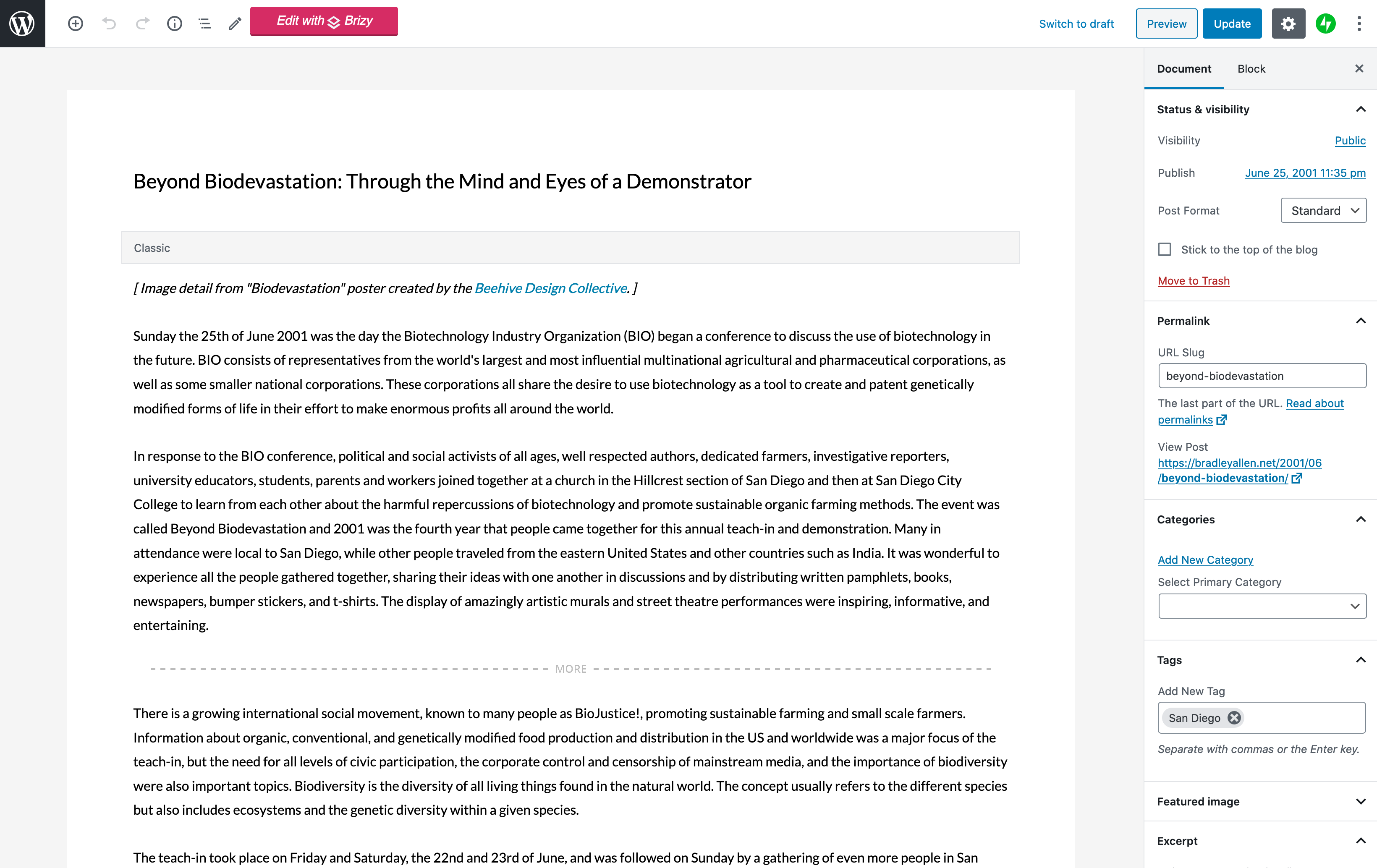
These are old posts created with the default text editor, before the block editor was released. When I began using the block editor on my site, all the old posts were each converted into a classic block:
https://wordpress.org/support/article/classic-block/
Now the site is using Brizy 2.0.5 and Pro 2.0.2 along with Astra 2.5.2.
Note: I understand that it is possible to convert a classic block into Gutenberg blocks, and that it can either be done one post at a time or in bulk using a plugin. In my experience, each post needs to be updated one at a time (or at least inspected after a bulk conversion) to make sure the photo gallery is displaying correctly. There are over 500 posts on the site, so it would take a while to ensure that each post is converted correctly.
Thanks for your support.
Sincerely,
Bradley
 0
0 -
Hi,
We could reproduce this issue and already send it to our developers to fix it. When we will receive some details regarding this issue, we will inform you too! I'm sorry for this inconvenience.
Best regards,
Sandra0
Please sign in to leave a comment.
Comments
5 comments