Brizy Templates in Block Conditions Broken After 2.0

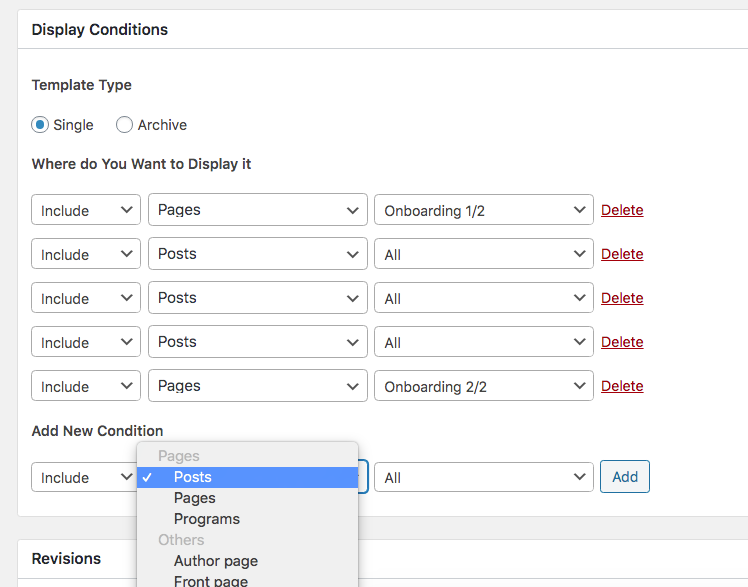
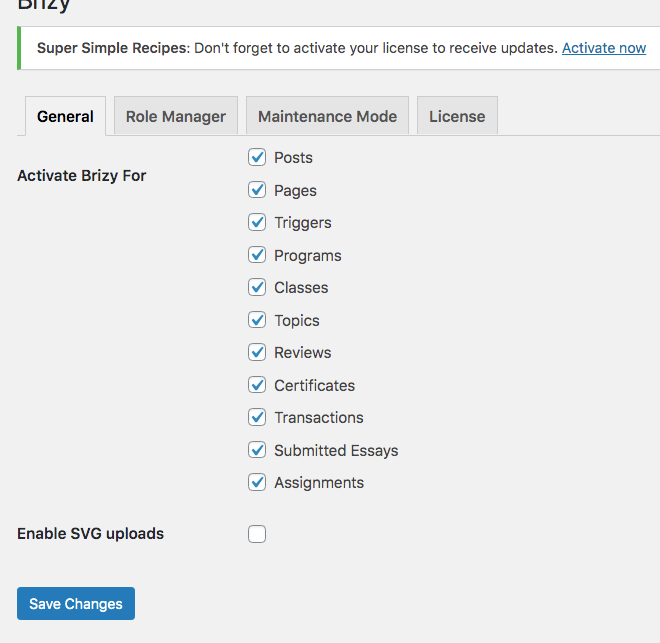
Brizy template conditions used to work just great till the 2.0 update. Now I can no longer select a "Class", "Topic", or "Review" I can only select a Post, Page, or Program under "Single". FYI, Brizy>Settings has them all activated. Also some things started showing up as "All" in display conditions. I have Brizy Pro plugin.
-
Classes Categories, Topic Categories, etc do show up under "Archive", it's under "Single" that they've vanished.
0 -

Hi,
Previously, before the 2.0 update, when you created the template for Category -> Classes, you created an Archive template for the category "classes" and "topic". Yes, it is a page but isn't a single page. The single-page means a page from a group of page, for example, a single post. You create the template for Posts - All, but you design how you would like to look a post.
Therefore, if you want to create a template for Category "Classes" or "Topic", you have to search them in the Archive option. Also, I want to note that at the moment isn't possible to create a template for posts from a specific category.Let me know if I can help you with something else.
Best regards,
Sandra0 -
Hi Sandra,
Thanks for your response. So what you're saying is that Classes, Topics, and Reviews are now under "Archives" even though they are single pages. Yet, under Archive I can find class categories and class tags (and same for topics and reviews) but I can't find the individual class page. I'm not looking for the class category page, I'm looking to edit specific classes, specific topics, and specific reviews. I used to be able to do that in the previous version and now this ability is gone.That is also obvious from the fact that all the template display conditions I had set for specific classes have now vanished and show as "Posts>All" when in fact that's not what has been happening! See this example with "FR Whole Without Feat Image" template.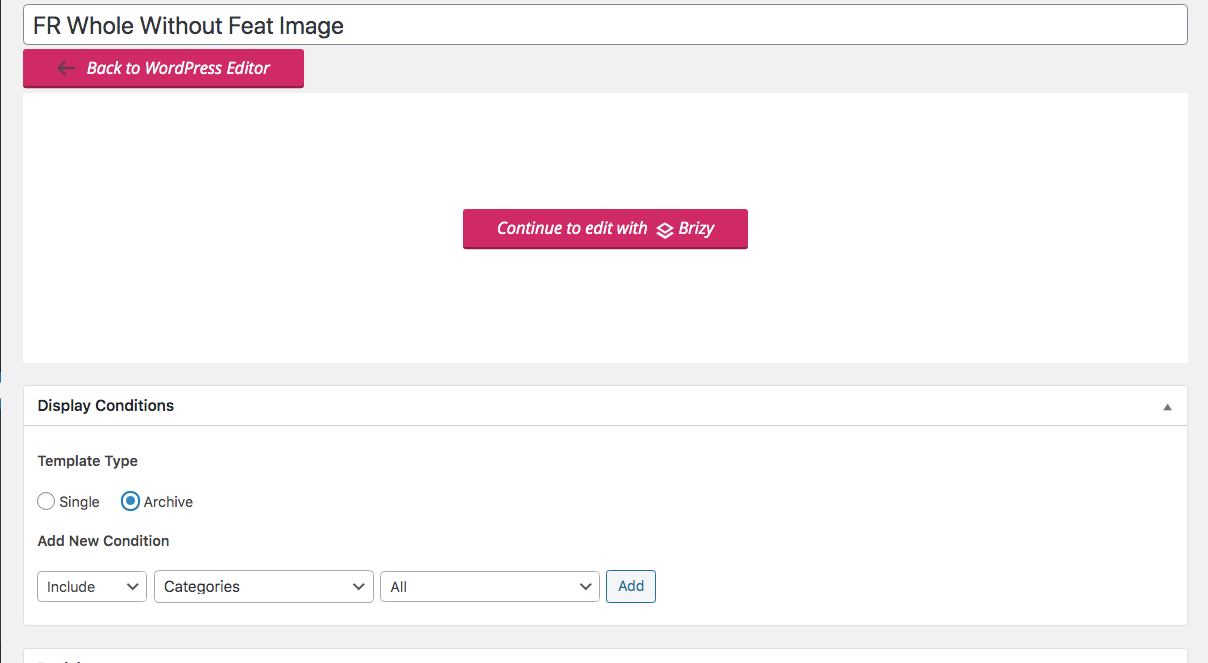
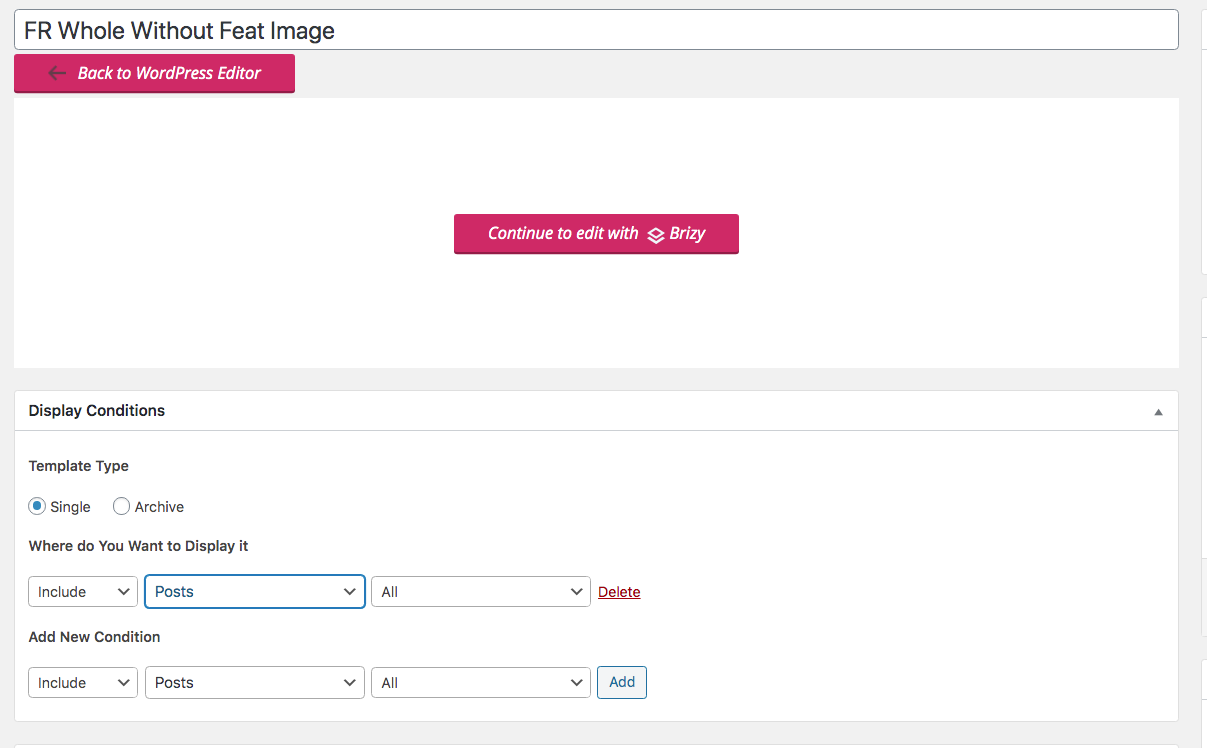 The template seems to be set for "Posts>All" so you'd think this is what is set for my blog posts. Nope. My blog posts have been assigned a different template and that works just fine. This template has been assigned to some classes, but that no longer shows, and instead you see the generic "Posts>All"In fact, I now have "Posts>All" under the display settings of multiple templates, and it only shows up like that because that is really referring to classes, topics, or reviews, not the actual blog posts.Please forward to the development team if they're not already aware of that. Also, let me know how I can revert back to the latest Brizy version that came up before the 2.0 update.Thanks.0
 -
Hi,
I'm sorry to say but we can't reproduce the problem you encounter, but we will strive to investigate it. Thank you for all these details. At the moment, I can recommend going to those templates that have a wrong display condition and chose the correct one. The "Classes", "Topic", "Review" are Custom Post Type? How did you create them? Is a difference between an Archive page and a Single page from a group of pages and for this reason we separate them. In Google, you can find a thousand article that explains what is an Archive page.
Unfortunately, we don't recommend to revert to the previous version of the plugins because it can generate some problems.
Thanks!
Best regards,
Sandra0 -
Hi Sandra,
Programs, Classes, Topics, Reviews are automatically generated by the Learndash plugin, and by the way, an integration with Learndash is your most requested one in your Wordpress Roadmap with over 20 votes.
The out of the box naming in Learndash are Courses, Lessons, Topics, Quizzes. I've renamed these as Programs, Classes, Topics, Reviews.
Template conditions work fine for Courses/Programs (you can see the "Programs" showing up in my screenshot under "Single") but no longer for the rest of the post types.
You can easily troubleshoot by installing the Learndash plugin, or I could give you access to my website and check out the issue on your own.
This update effectively would make Brizy unsuable. Plus all the work I've put in designing Templates for individual classes goes to waste with the 2.0 upgrade.
Will you please review?
Thanks.
0 -
Hi,
At the moment we don't have integration with Learndash plugin and therefore we can't guarantee 100% that it is possible to edit with Brizy the content created in this plugin. We don't have a connection with the content created with this plugin and for this reason, is not possible to create a template for them.
Best regards,
Sandra0 -
Hi Sandra,
I used to be able to create templates for these custom post types, and I'm no longer able to do that after the Brizy 2.0 update. You don't need to create an integration to fix this bug that was generated with the 2.0 addition. Can you please pass this to the development team so they fix the bugs?
Thanks.
0 -
Hi,
Could you please make sure that Custom Post Type is set as publishing? When the post type is register it has a parameter "querying" and "publicly_queryable" https://jmp.sh/bSs1IfW. Could you check if the Custom Post type you use has them and check them with Public value?
Thanks!Best regards,
Sandra0 -
Hi Sandra,
I don't know how to check that. Can you give me step by step instructions? Also, I can give you the credentials of my website and then you can see the errors by yourself.
Maria
0 -
Hi, Maria,
Ok, thank you! I created a private ticket on this request. You had to receive a notification regarding this on email. Could you send to us in that private message the WP credentials to this site?
Thanks!
Best regards,
Sandra0 -
Thanks, I sent my credentials. This is a bug so please have your developers identify it so they fix it.
0 -
Hi,
Thank you for your credentials. We already send them to our developer's team and we will investigate this inconvenience. When we will have some notifications or questions, we will inform you too!
Thanks!Best regards,
Sandra0 -
Hi,
We have inserted the fix on your server. Please check if all is fine now and all the conditions of the templates, some of them may have been lost.
Thanks!Best regards,
Sandra0
Please sign in to leave a comment.
Comments
13 comments