Title field indicator not visible in a blog article template

Hi experts,
I didn't think I found a solution in the knowledge base for this:
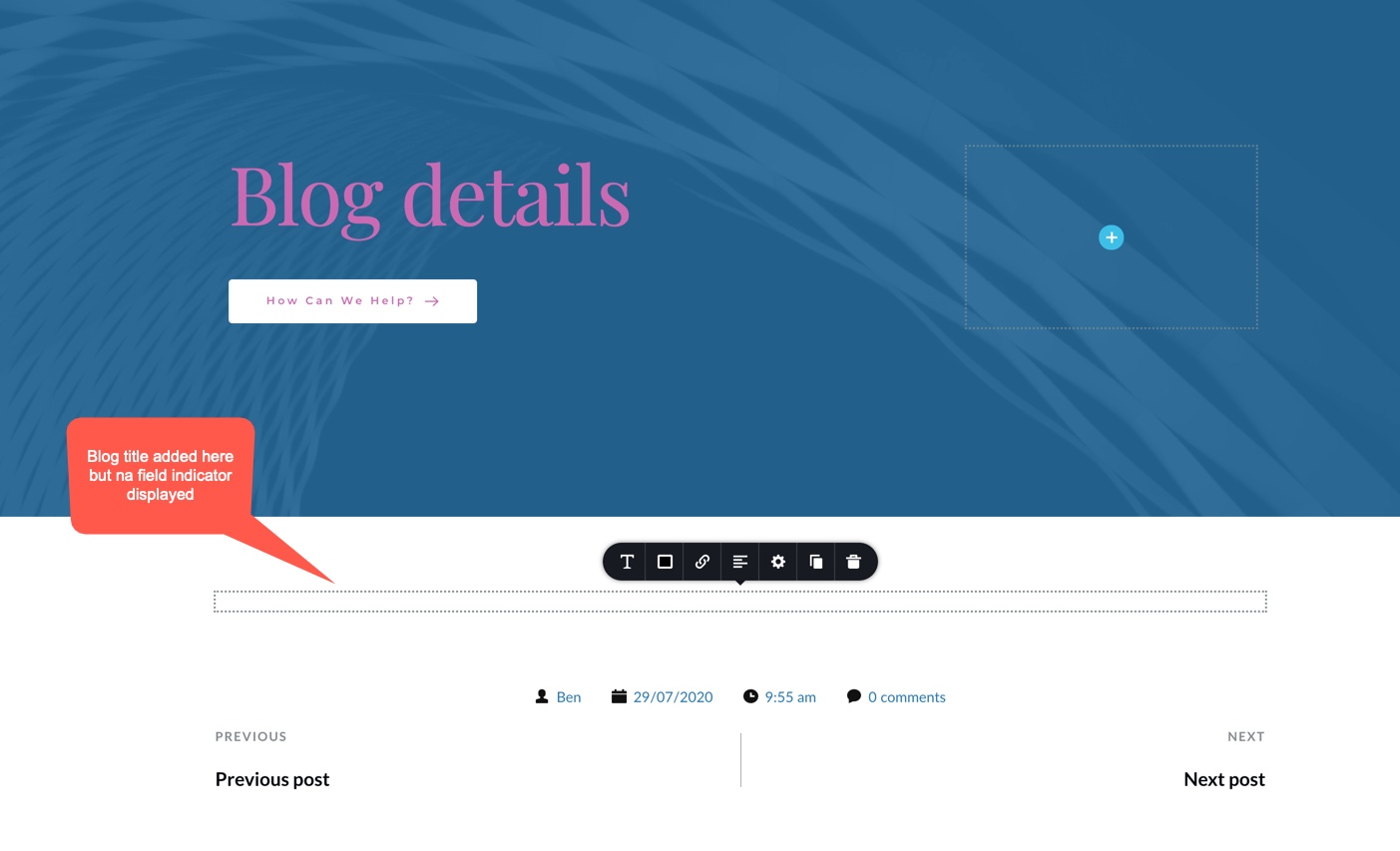
When making a blog article template, some fields like the Post Title, is not showing up on the template.
I see only a dotted empty area, although this must be placed here by dragging the Post Title.
In the YouTube video from Dimi on this topic, it worked with his example, but when I do the same I got this below.
What do I wrong?
-

Hi,
Did you add the Post Title element or the #Post title tag? We recommend using the Post Title element https://jmp.sh/CKvFjhO. What display conditions did you set for the template? Did you have set the template not only for Posts?
Thanks!Best regards,
Sandra-1 -
Hi Sandra,
I followed your instructions, but I couldn't get it fixed.
If I drag Post Title to the page, it shows up a second and it disappears.
Post Comments and Post Navigation does work!
I made a video of it. It's in my Dropbox,
https://www.dropbox.com/s/z74e9jjvygwsu13/BlogTitle.mp4?dl=0
0 -
Hi,
Could you please check what display conditions did you set for the Posts? I noticed that when you added the "Post Info" element the date is showing 12/06/2020 but both of your posts are created on 28/07/2020. Therefore I suppose that you set a different display condition. Could you please check this little details?
Thanks!
Best regards,
Sandra0 -
Hi Sandra,
First, thx for allways this quick responses ;-)
I do not know where Brizy gets those dates. OK, the posts were made on 28/07/2020. No idea where this 12/06/2020 is coming from. I used a saved blog post from Brizy itself as an example. Maybe it was the date of adding this post-template online by Brizy?
As you can follow in my video, I do exactly what Dimy is demonstrating in his YouTube.
I did not set display conditions.
Thanx again for checking this out, Sandra
A pro-user and beta-user
Ben
0 -
Hi, Ben,
If you want to attach a template to all posts, you need to add a display condition. Could you please add it? You should have this display condition https://jmp.sh/wRwcM7Y.
Best regards,
Sandra0 -
Hi Sandra,
I did previously added the condition rule, but it won't help. The post title comes up a second and disappears. When you view the posts on the front-end, the template from Brizy is also NOT added. You will see just the Wordpress basic template.
There must something missing ...
Very strange... If you want to take over ... just call me.
Txs Sandra,
0 -
I'm sorry but it is a bit confusing for me too. Did you add the display condition for the template you created for all posts? I set the display condition I show you in the screenshot and all is working fine inside the template and it is also applied in the all posts. If the template doesn't have the display condition it will not be applied anywhere and the posts will be displayed with the theme design.
Thanks!
Best regards,
Sandra0 -
Hi Sandra,
is there a way to share a screen? (Teamviewer ?)
Maybe, it's faster fixed that way...
Txs, Ben
0 -
Hi,
I created a private ticket on this request. You had to receive a notification regarding this on email. Could you send to us in that private message the WP credentials to this site? Also, indicate please the name of the template you find this inconvenience.
Thanks!
Best regards,
Sandra0 -

The same issue accrued to me. Is there documentation to fix this issue?
0 -
Hi, Aliko,
Could you please give us more details regarding the template you create? What display conditions did you set? What elements did you use on the template? Could you send us a video or screenshot that will illustrate this problem? Could you please check if you have the latest versions for Brizy Free 2.0.13 and Brizy Pro 2.0.6?
Thanks!
Best regards,
Sandra0 -
Hi Sandra,
Every time I tried to add the Post Title element and Post Content element to the canvas area, all I got was the blank field. You can check it in the screencast I recorded here https://jumpshare.com/v/qBqqAhJRgMwAwhsJNvut.
And here is the display condition I set https://prnt.sc/uy2rvq
Note: Brizy Free version 2.0.13 and Brizy Pro version 2.0.6
Regards,
0 -
Hi,
Thank you for all details!
I created a private ticket on this request. You had to receive a notification regarding this on email. Could you send to us in that private message the WP credentials to this site?Thanks!
Best regards,
Sandra0 -
Hi Sandra,
Is there still progress on this issue? Many users have the same problem.
We need to write blogs but we can't because we can't mention a title element.
Txs, Ben
0 -
Hi Benjamin,
I'm sorry but we can't initiate a TeamViewer session but if you will send us the WP credentials we will be able to check the template in your dashboard and found where is the problem. If you will want to send us the WP credentials, please let us know or can send directly in the private ticket is already created for you (Ticket number 8770).
Also, I would ask you to check if you have the latest versions for Brizy Free 2.0.16 and Brizy Pro 2.0.8. Could you also send us a screenshot of what display conditions did you set for the template you receive this problem?
Thanks!
Best regards,
Sandra0 -
Hi Sandra,
I will send you the credentials, but how can I reach the ticket number 8770? In other words, how can I be sure this conversation is just between you and me? This conversation can also be consulted by others (=community)
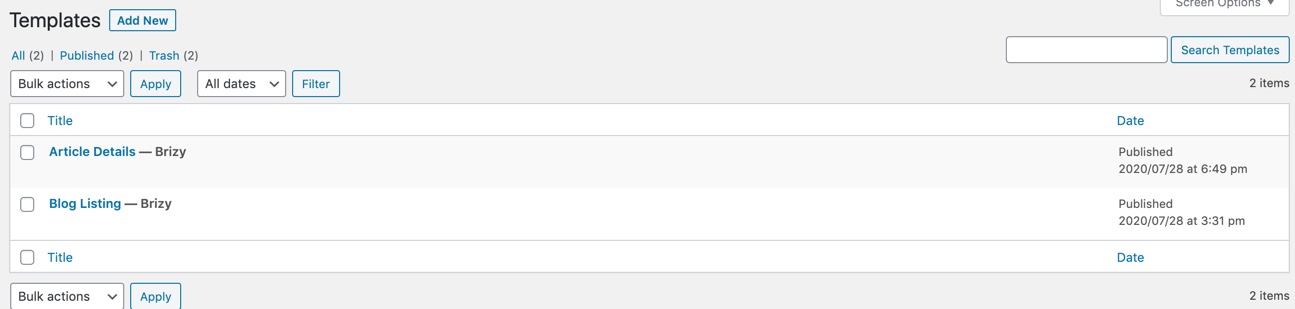
Brizy is up-to-date. Enclosed, I send you a screenshot of the 2 templates. I do not know how I can display the conditions again of these templates. When you create one, it was asked yes.
Txs for helping us out. Other people are also struggeling with this issue. I followed exactly a Youtube file of Dimi in which he demonstrates a template. It does not work on our website
Ben
0 -
Sorry, forgot the screenshot
 0
0 -
Hi,
Yes, here isn't the private ticket and it isn't recommended to share here the WP credentials. You have to share us on the private ticket. I notice that you could encounter the private ticket and you send us there a message. Could you please send us there the WP credentials?
Unfortunately, this screenshot doesn't help us at all because we can't see the display conditions you set for the template. Could you please send us such a screenshot?
Thanks!
Best regards,
Sandra0 -

I've got the same problem. Is there a solution?
0 -

Hello Michiel!
Could you please give us more details regarding the template you create? What display conditions did you set? What elements did you use on the template?
Thank you!
Kind regards,
Mihail
0
Please sign in to leave a comment.
Comments
20 comments