Brizzy Pro is installed but not Premium

Hi Guys, I have a premium subscription and update to a new version of brizy.
First it said: Empty License Key, then i installed new again via download the zip data.
Now I have the problem that i am not premium anymore - my subscription is active till June 2021 - can you please help? Thank you
-

Hi,
If you have the Brizy Pro, you should also activate the Brizy Free plugin because the Brizy Pro is an extension of Brizy Free, therefore you have to activate both.
If you receive the error "Empty License Key" this means that you didn't activate a Brizy license for the site. To activate the license please see this video (minute 02:58).Thanks!
Best regards,
Sandra0 -
Hey Sandra, it did not work I enter the license key copied from my dashboard
Then this messages comes up Invalid API Credentials!What should I do? Thanks0 -
Hi,
Could you please send us a screenshot with this error?
Thanks!Best regards,
Sandra0 -
Hey, sorry I wrote via Mail and didnt hear something - i try now on this forum:
here is the screenshot: Please help :)
 0
0 -
Hi,
On what mail did you send the message?
Could you try to upload manually the Brizy Pro plugin and after this activate again the license key? For this, you have to:
1 - Delete the current version of Brizy Pro;
2 - Go to your Brizy account;
3 - Download the latest Brizy Pro version (2.0.4) - don't unzip the folder;
4 - Go back to WP dashboard in Plugins -> Add new -> Upload plugin;
5 - Upload the zip folder you downloaded from Brizy account;
6 - Activate the plugin;
7 - Activate the license.Also, I want to add that you have to install and activate the Brizy Free plugin too. Make sure you have the latest version of the Free plugin (2.0.7).
Thanks!
Best regards,
Sandra0 -
Hey Sandra, I did so everything - now the emtpy license key is not appearing anymore but brizy pro has now this problem issue after i give in the license key to activate - you know how to solve?
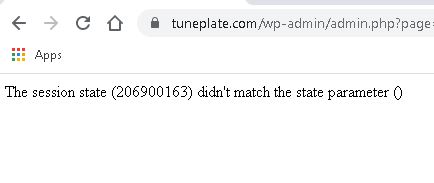 0
0 -
Hi,
Do you have installed the Brizy Free version too? It should be up-to-date too. Could you please check if you have the 2.0.7 version for Brizy Free? The Brizy Free and Brizy Pro should both be installed and activated on the dashboard because the Brizy Pro is an extension of Brizy Free.
Thanks!
Best regards,
Sandra0 -
Hi Sandra, yes both versions of Brizy are activateed (Free and Pro) and both are up to date with the latest versions - but still not working :(
0 -
Could you please describe where did you receive this problem? When open the Brizy builder? When opening the page in the preview?
Thanks!
Best regards,
Sandra0 -
When I open the Brizy Builder almost every template or header, footer is only available in PRO (i cannot click or choose, as Brizy thinks i am not in the pro version mode, even the pro is activated) - so I gave in the license key from my dashboard and after i fill in the license key this message appears - and it doesnt get pro
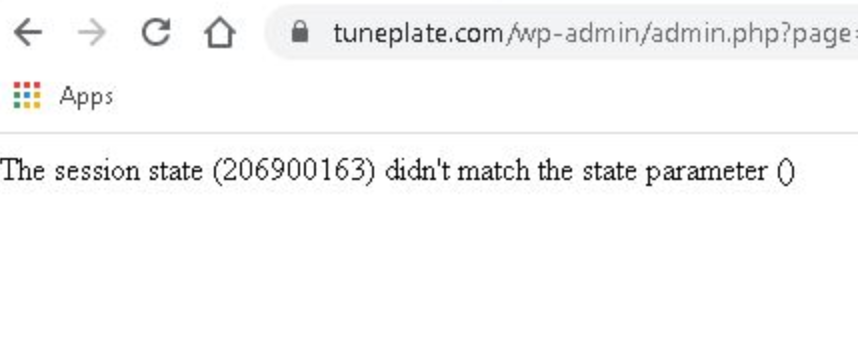 0
0 -
I created a private ticket on this request. You had to receive a notification regarding this on email. Could you send to us in that private message the WP credentials to this site and the license key you try to add?
Thanks!
Best regards,
Sandra0
Please sign in to leave a comment.
Comments
11 comments