WP Brizy Pro Failure

Hi guys, I was trying to update the Brizy Pro Plug In in the WP Plug Ins page and I received this when trying to update:
Update Failed: No activation found for this installation
Can you please let me know what to do to fix this problem?
Thank you,
James
-

Hi,
Could you please generate a license key and activate it for this dashboard? Here is an interesting and useful video regarding this. You can skip to the 02:58 to see only how to activate the license.
If you can't generate the license, this may mean that your license is expired and you have to update it.
If you can't activate the license in the WP dashboard -> Brizy -> License, could you please delete the Brizy Pro plugin and upload it manually? (in the video I recently send, at the beginning you can see how you can do this)Thanks!
Best regards,
Sandra0 -
Hi Sandra, that worked, thank you very much!
James0 -
Hi,
Thank you too! It's my pleasure to help you! If I can help you with something else, feel free to ask us and we will be happy to help you!
Best regards,
Sandra0 -
Hi Sandra, again thank you , you guys are awesome.
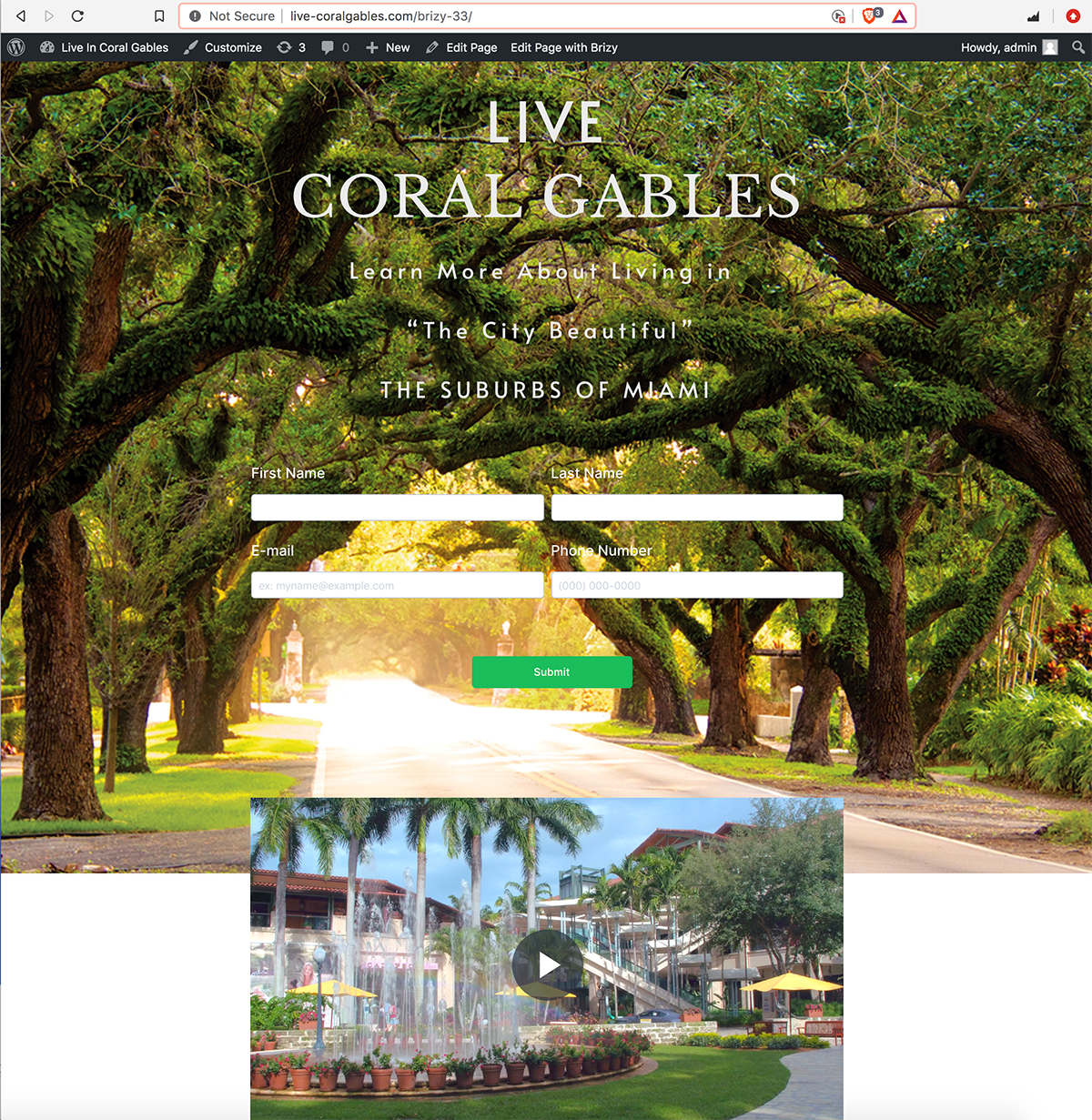
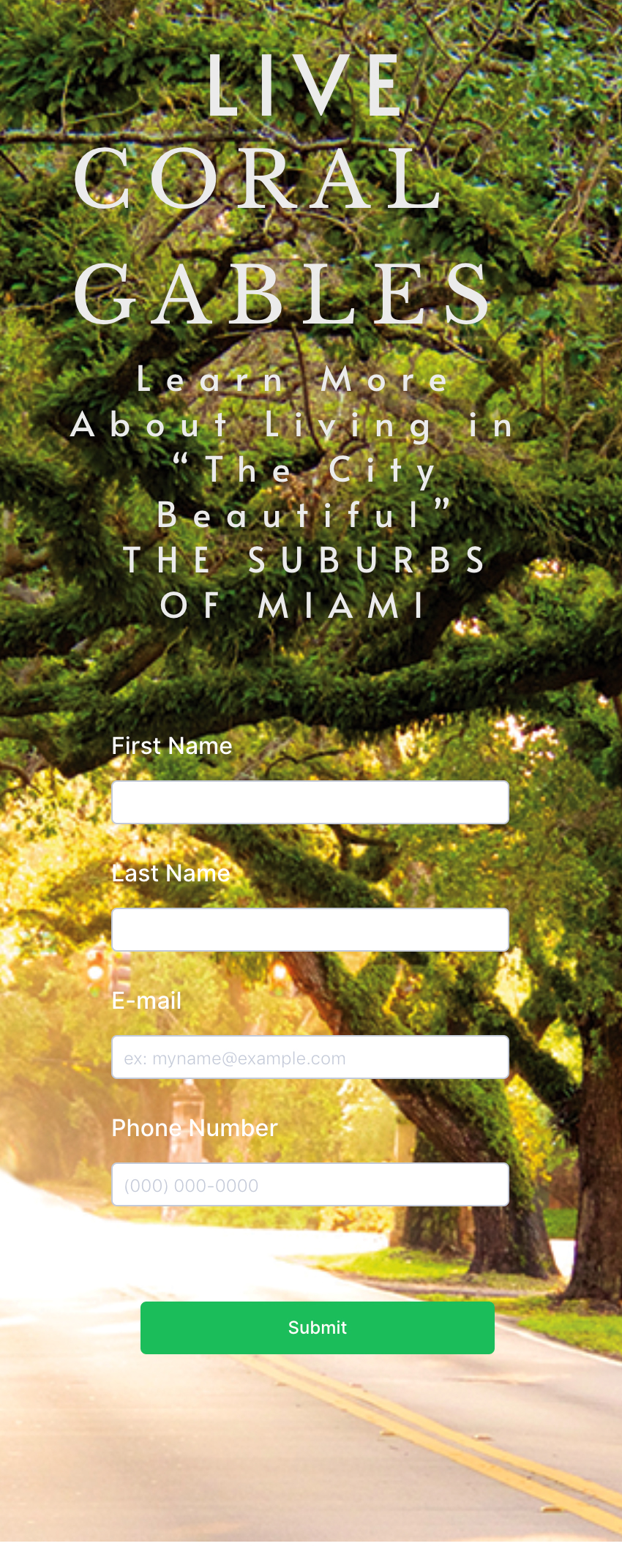
I do have a small problem with my landing page, it looks perfect in Desktop mode, but when I place it on Mobile mode, the headline titles are not centered and space correctly, if I fix it in mobile mode, it affects the Desktop mode and it misaligned everything.
My question, how can I make changes in Mobile mode, that only applies toMobile mode without affect the Desktop?
I am attaching the screenshots and url so you could see it your Mobile device, this way you could see the problem.
Thank you again for all your help, much appreciated.
James
http://www.live-coralgables.com/brizy-33/
 0
0 -
Hi,
How did you add the text? Did you use a single text element where you placed the entire text? Could you please try to add in different text elements? For example to add the "Live" in a text element, the "Coral Cables" in another and the next text in another one.
Thanks!Best regards,
Sandra0 -
Hi Sandra,
It worked, having all the text in individual lines, it behaved correctly in Mobile, THANK YOU.
One more question and I am done with this project, can I add social network icons, like Instagram, etc. I see in "Add Elements" 2 social but is not what I am looking for, I need the icons, what do you recommend?
James
0 -
By the way Sandra, I know about the Icon in Elements but I don't see it, I only see Icon Box. Was it removed?
0 -
Thank you too! Great to know that all is fine now with the text element. Yes, we have the icon element, here you can find it. Also, you can use it for social networks icons. You can the Facebook/Instagram/YouTube/etc. icon and add for it the link to your Facebook/Instagram/YouTube/etc. profile. See here.
Best regards,
Sandra0 -
Got them all done, thank you.
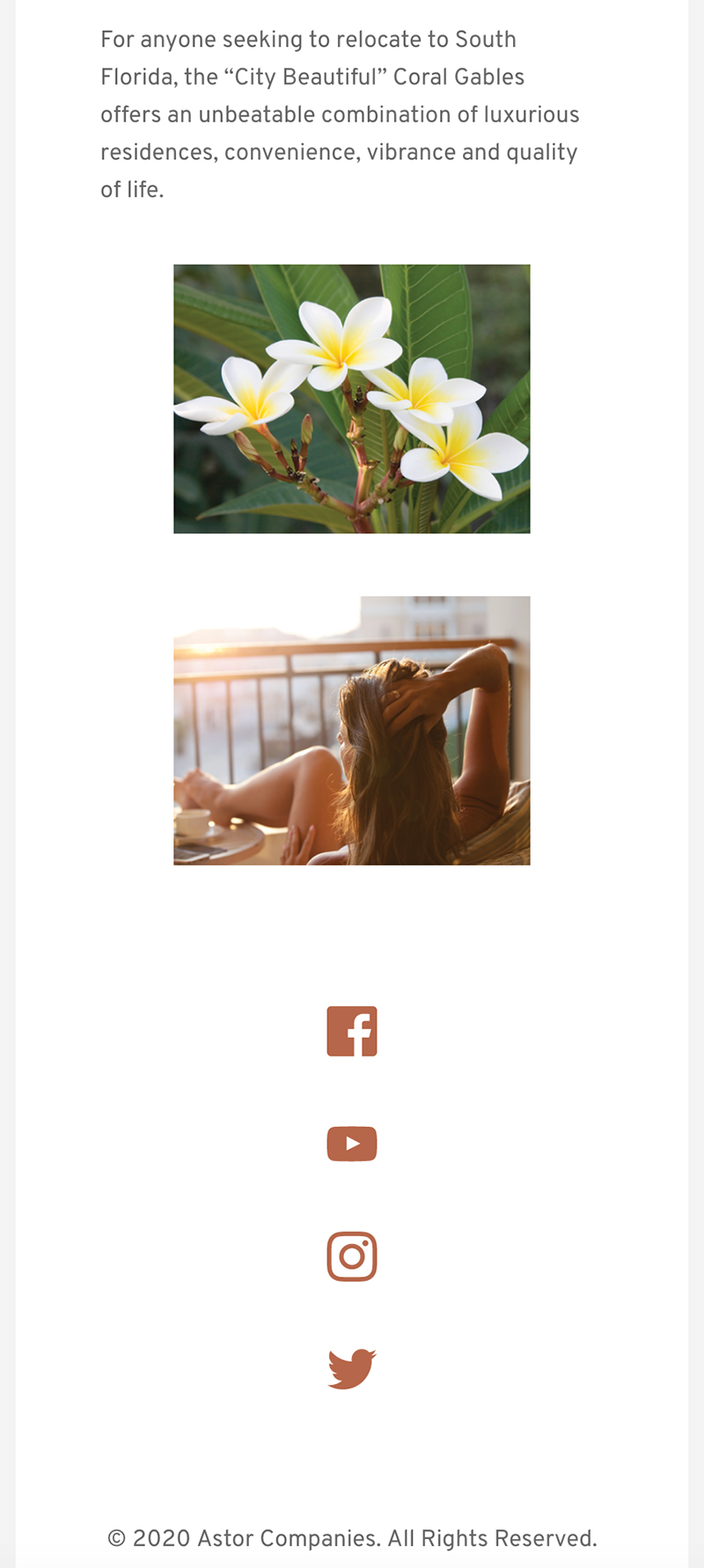
Is there a way in Mobile to have the icons side by side, they are stacked right now and also my photos cannot get them a bit larger to fill the screen?
If you have a mobile phone you can see it at:
http://www.live-coralgables.com/brizy-33/
Also, the screenshot is below.
Desktop I am finished, thank you again.
James
 0
0 -
Hi,
I see that you added all icons in different columns. To have them looking side by side in the mobile mode, you have to decrease the width of the columns. Something like that (yes, there are other elements but the process is the same).
Regarding images - could you please open the mobile mode and go to the block where is placed image. Go to settings and from there set the Width option with 100%. Like here.
Thanks!Best regards,
Sandra0 -
Hi Sandra, I am finished with my landing page, how can I make it my home page, right now is:
http://www.live-coralgables.com/brizy-33/
And I want it to be:
http://www.live-coralgables.com/
Thank you for all your help, you are wonderful.
James
0 -
Hi Sandra, I figured it our with one of the Brizy tutorials in YouTube, have a wonderful and safe weekend!
James
0 -
Hi,
I'm sorry for the late response, we had a crazy weekend after the new update. I'm happy to hear that all is fine now and you could figure out how to make a page as the homepage.
Let us know if we can help you with something else.Best regards,
Sandra0 -
Thank you Sandra, you guys are the best!
Stay safe!
0 -
Thank you too!
Have a great day!Best regards,
Sandra0
Please sign in to leave a comment.
Comments
15 comments