Added posts to global footer but it breaks when I style typography

I am trying to create a footer for a site I'm building. In it I have some basic links, but I'd like to include a news feed that pulls in recent posts from the site's blog.
I have done this successfully on the home page using the "Wordpress Posts" element. From what I could tell, the best way to do the same thing in the footer is to use the same element, but then to delete all the bits I don't need (i.e. leave behind only the post titles one below another).
I have done all this and it is working, except that it imports it in the Heading 4 style:
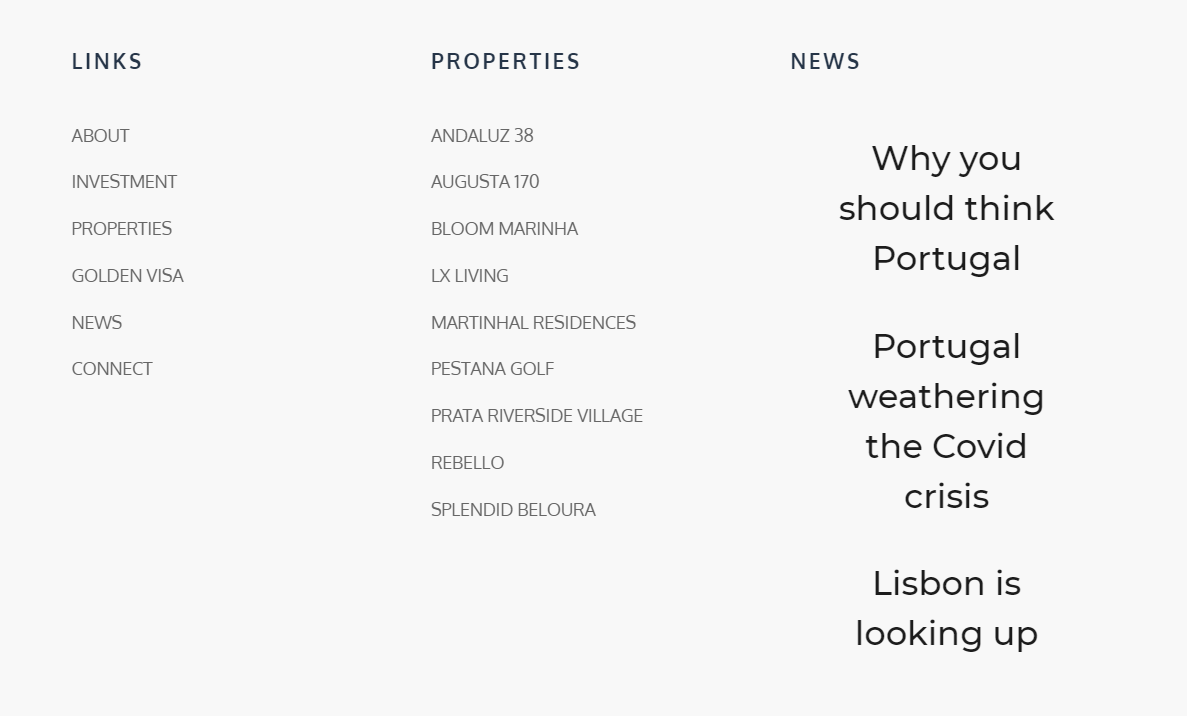
Anything I change from this point on breaks it. If I change the style, or font size, or justification, it reverts to a list of lines that say "#Post Title".
How do I style the text without breaking it?
-
EDIT: The same thing happens when I adjust these titles to link to Post URLs (which is essential). The links appear, but the post titles break.
0 -

Hi,
Did you try to change the Typography of the Post title like here? If the #Post title appears in the editor mode and it is underlined, all is ok, it is dynamic and in the preview, it will display the right title.
Best regards,
Sandra0 -
Hi Sandra,
Thanks for the response. Yes, that is what I was doing, but any changes that I made to the typography would make "#post title" appear also on the actual site, not just on the builder view.
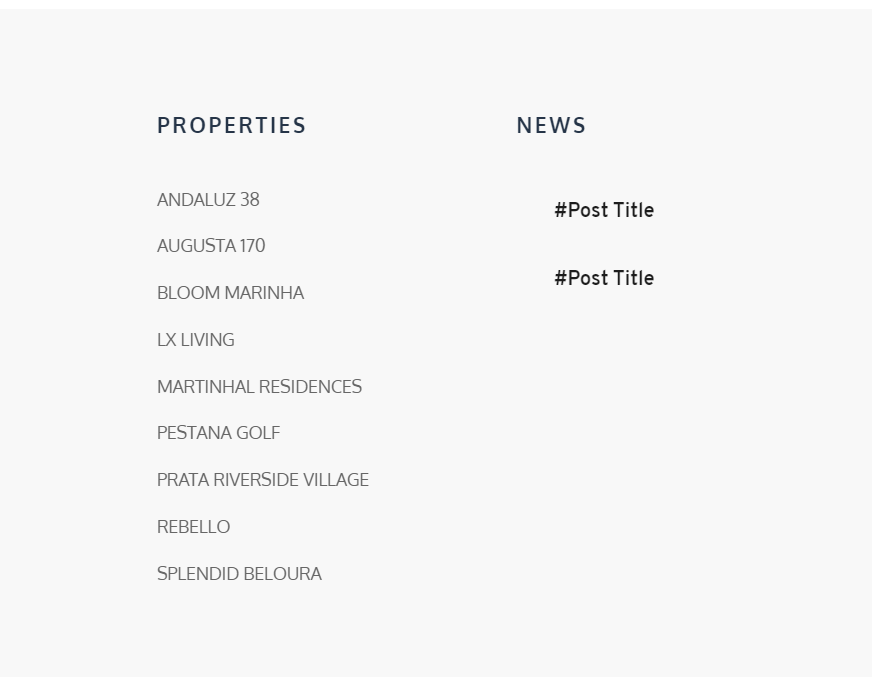
I have tried it again (I removed it earlier because the site is live). This is what it looks like live when I have removed the image and post excerpt fields:

When I change any of the typography or try to get the post titles to link to the posts it breaks. Here I changed the style to Heading 6 and range left (in the builder I have it set to display 5 rows, but there are currently only two sample posts up, so it is correctly displaying only two entries):
 0
0 -
Hi,
Thank you for these details. Could you please try using the Post title element instead of #Post title like in this screen video?
Thanks!
Best regards,
Sandra0 -
Hi Sandra,
It works if I do it as you have in the video (though it doesn't work to only insert the Post Title element, which I tried earlier). Thanks for the work-around, much appreciated.
Jordan
0 -
Hi,
Yes, thank you for concretisation. The Post title element is an improvement for the #Post Title tag. We found some other problems with some dynamic tags and for this reason, we created these dynamic elements that works great.
Thank you too! Let me know if I can help you with something else.Best regards,
Sandra0
Please sign in to leave a comment.
Comments
6 comments