Drawer position missing

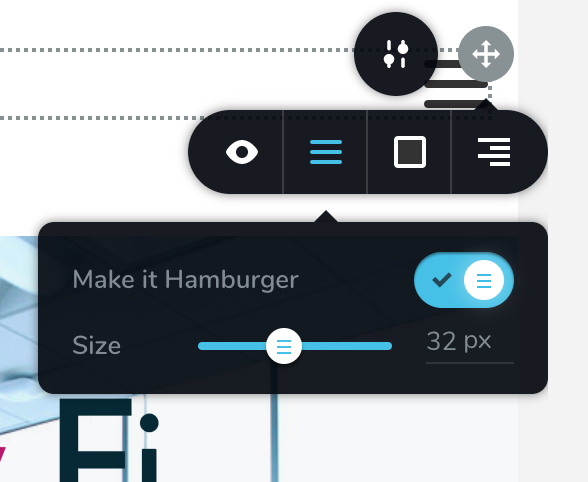
Hi. when using hamburger menu, i cant find the drawer position for aligning to the right?
In this tutorial the hamburger drawer has an option to align right or left: https://support.brizy.io/hc/en-us/articles/360043774672-WordPress-Menu-PRO-
-

Hi,
Thank you for your message.
You have to hover the Hamburg menu and find the grey dot in the top right corner. Click on it and here you will find the Align option. See this video.Best regards,
Sandra0 -
Hi Sandra. I think you misunderstood the issue. I want the drawer/menu that slides in from left to slide in from right. That option is missing as you can see from my attachment. You can see the drawer position option in this video at 2:57
https://support.brizy.io/hc/en-us/articles/360043774672-WordPress-Menu-PRO-
0 -
Hi,
Thank you for concretisation. In the next update for Brizy, we will re-add these option for tablet and mobile mode. At the moment if you want to change the drawer position you have to
1 - go to desktop mode,
2 - set the menu as hamburger,
3 - set the wanted drawer position,
4 - set of the hamburger menu for desktop mode,
5 - check the menu for the tablet and mobile mode (it should look with the drawing position you selected).Thanks and sorry for this inconvenience!
Best regards,
Sandra0 -
Great and thanks for the reply. The new features in next update(Exporting Layouts) will make this an awesome builder :)
0 -
Hi,
Thank you too! It's our pleasure to help you! Have a great week!
Best regards,
Sandra0
Please sign in to leave a comment.
Comments
5 comments