missing H1

Hi Brizy Team
Even though I included the HTML Tag H1 but many SEO programs said I do not have H1 setting and it impact SEO negatively.
Somehow, it catches H2, H3.. but not H1
How can I fix this?
-

Hi Bomi!
Thanks for reporting this problem, however, I will need some additional details:
Do you have a project URL? What SEO programs do you use right now?
Thanks!
Natalia
0 -
Hi Natalia
I am using ubersuggst for SEO https://app.neilpatel.com/
example of missing H1 page : https://mocomscreens.com/products/simulation-curved-projection-screen/
It is saying that H1 is missing..but I set html tag as H1. and Typography H1 too since I am not sure which one toward to H1 heading.
Generally which one toward to SEO H1 heading,, typography? or HTML tag?
0 -

Hi,
I checked the page you send us and I found that it has the H1 tag https://jmp.sh/O3JVcsU
Theoretically, when you create a page in WordPress, the title you set for that page has the H1 tag, therefore, we suggest not adding in the Brizy page some text with H1 tag.
Also, we can suggest adding an SEO plugin in your dashboard, for example Rank Math or Yoast SEO, they are working fine with Brizy.Thanks!
Best regards,
Sandra0 -
 Heading — HTML has six different heading tags — h1, h2, and so on. The h1 is considered the most important tag, and the h6 is the least important. The tags are often formatted from large (or most important) to smallest (or least important ScreamReality).The <H1> HTML tag is usually used for the title of a page or post and it is the first header visible on a page. The formatting of an h1 usually differs from the rest of the header tags found on a page (h2, h3, h4).0
 -

Hi jiins sajirn,
sorry for not getting back to you sooner.
For some reason, your comment reached the SPAM folder and we did not receive any notification from you. Normally you would have received an answer in less than 24 hours.
Since it's been a while since you commented, please let me know if the problem is still actual and you still need our help, and I'll take care of that.
0 -

Hi Brizy
I'm also having the same issues with the H1 tag. Although I have set it up correctly on each page.
I have attached a screenshot and link as a reference.
https://topnotchseo.co.nz/ecommerce-seo-agency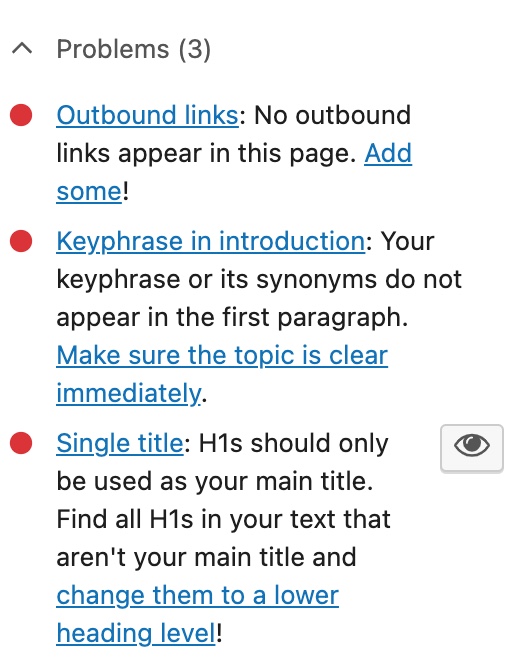
Appreciate your help!
0 -
Hi,
from what I see your main title is not set to h1: https://jmp.sh/9tyuMCK Can you please confirm that you are making these configurations from the correct option: https://jmp.sh/9VZgVtF ?
0 -
I'm also having the same issue with My website when it comes to H1. Could it be to do with the theme I use?
0 -

Hello Eddie,
I checked your website at https://toolsaday.com/seo/heading-tags-check and it shows this result
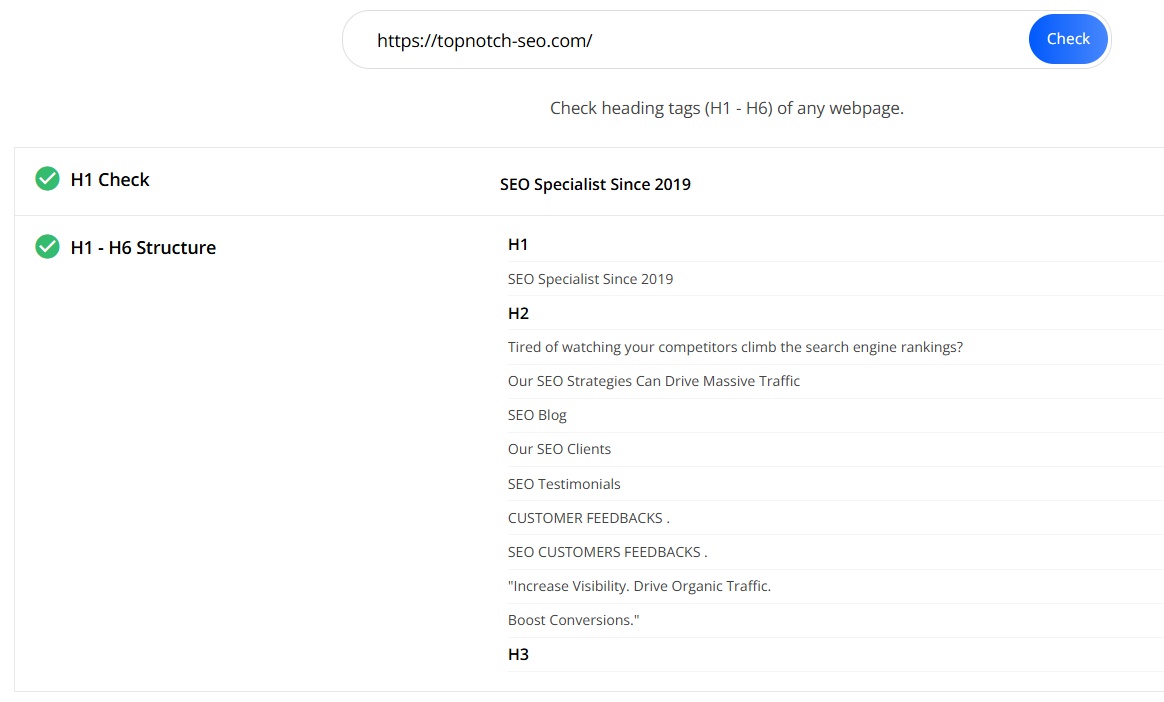
Your hero section heading "SEO Specialist Since 2019" is assigned H1 tag. If I did not understand your question, please elaborate.
0
Please sign in to leave a comment.
Comments
9 comments