slider problem

I have a WordPress site, with Astra Theme and using Brizy Pro, and I have a problem with the Slider, because it appears empty!
How do I solve the problem?

-
I discovered that this problem appears when WordPress settings are in Arabic, while the problem does not appear if the language is English!!!
0 -

Hi,
I tried to reproduce the problem you encounter but for me, all worked fine. See here (I'm sure if I selected the Arabic language, but I suppose it is ok).
Could you please say what elements do you have on the slides? Could you send us the link of this page to check this problem?Thanks!
Best regards,
Sandra0 -
Hey Sandra
Yes the slider works correctly in brizy , but when the page is displayed nothing appears
look
0 -
Hi Fahad,
Thank you for this update. Yes, I can confirm that I could reproduce the problem you mention. Our developers said that in one of the next updates will be added the fix for this problem. I'm sorry for the created inconveniences.
Best regards,
Sandra0 -

Same problem here. I'm using Arabic as website language. I'm able to create the slides in edit mode, but nothing shows in preview.
I hope you can fix that ASAP!
0 -
Hi, Tobias,
Yes, our developers are working on this issue and in one of the next updates, we will release this fix. I'm sorry for this inconvenience!
Best regards,
Sandra1 -

Hello,
Same problem here: https://winnerscodecoach.com/#team
I also have an RTL website and the slider is empty. I had a quick fix by using element css {direction: ltr;}
But after the latest Brizy update it is not working anymore...
--- Uri
0 -
Hi,
Could you please check if you have the latest updates for Brizy Free (2.0.4) and Brizy Pro (2.0.2)? We fixed this problem in the last updates.
Thanks!Best regards,
Sandra0 -
Thanks Sandra, it works fine now
0 -
Yes I do. still slider is empty: https://winnerscodecoach.com/#details
0 -
Hi,
Fahad A Alfifi, thank you for your confirmation. Great to know that all is fine on your site!
Uri Lev, could you please delete the browser cache? Also, could you try to log-out from WP dashboard and after this log-in again? Check if you have the latest version for Brizy Free (2.0.4) and Brizy Pro (2.0.2), go to the page where is the slide, make a refresh, after this an update and preview the page.
Let us know if in your dashboard the problem is the same solved.
Thanks!Best regards,
Sandra0 -
Hi Sandra,
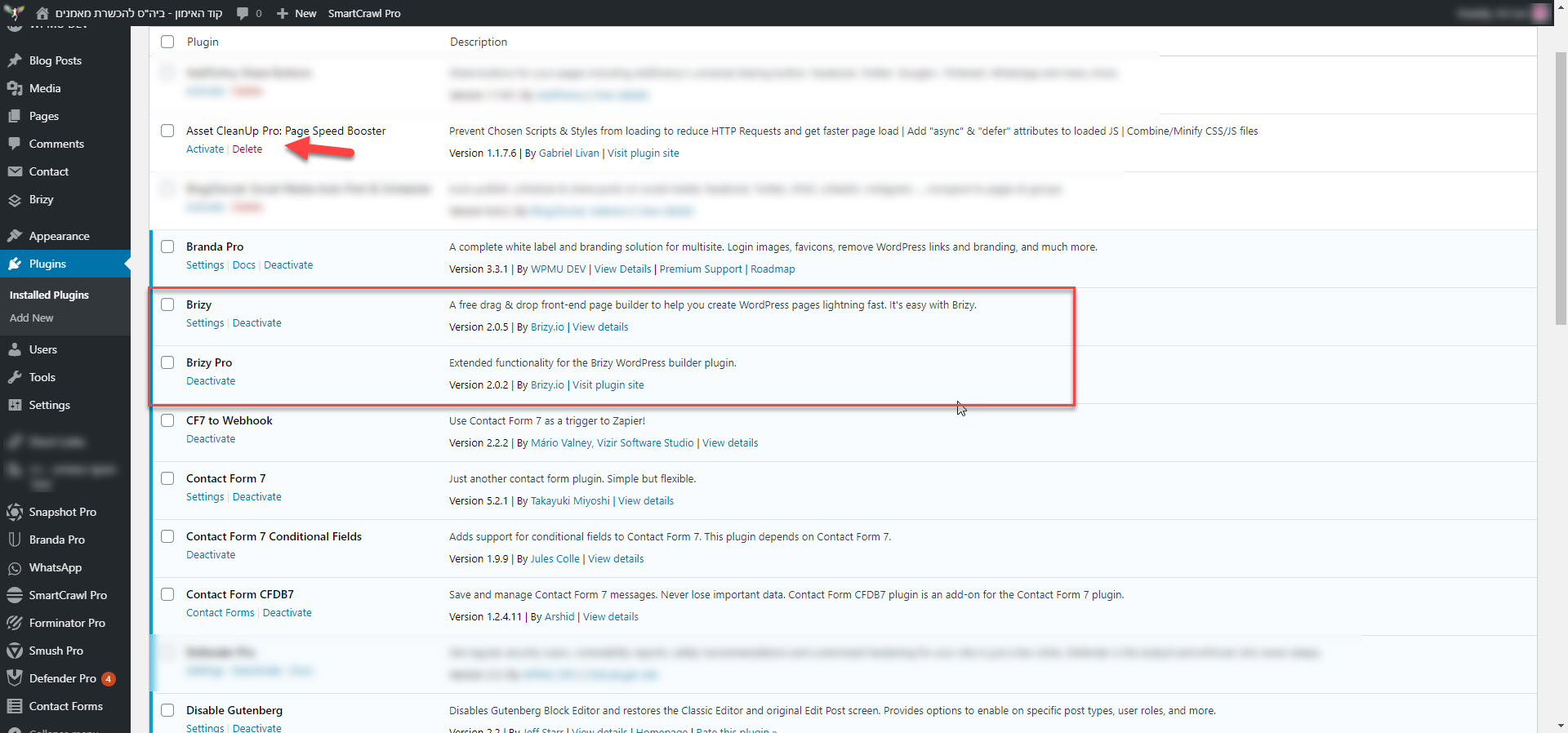
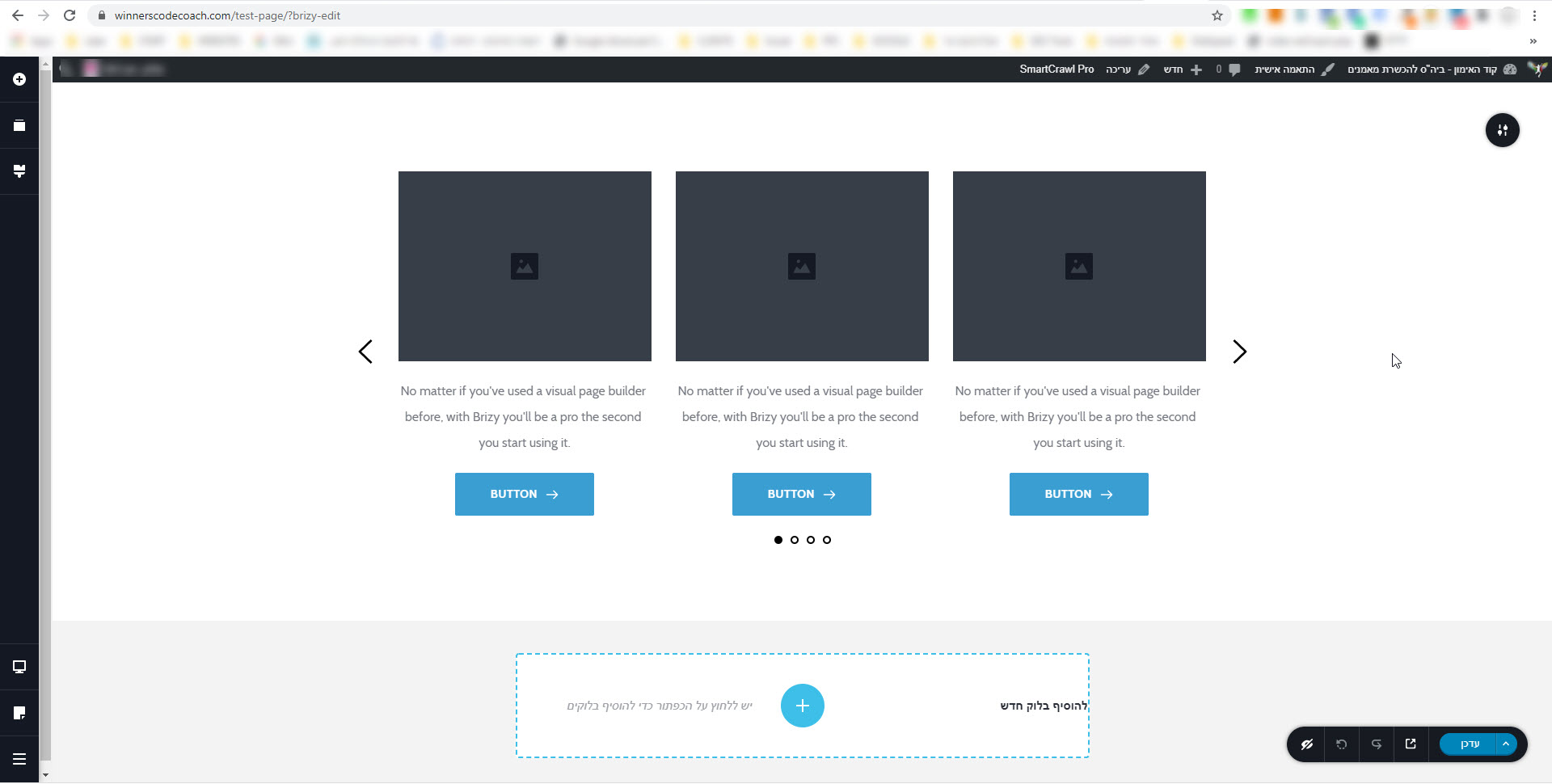
I have created a new Test Page with just a demo carusel: https://winnerscodecoach.com/test-page/
Brizy Free (2.0.5) and Brizy Pro (2.0.2)
NO Caching plugin active.
Still not working :(
 0
0 -
YES! Found it :))))
before your fix i had (deep in css)
.brz .brz-carousel {
direction: ltr;
}now i delete it. wll is fine!
keep up the good work,
Uri
0 -
Hi, Uri,
Thank you for these details and for informing us! Great to know that all is fine now!
Best regards,
Sandra0 -

Hi,
Using Baseground layout as example is there a way to adjust the slider block's height so it will only cover 80% of the page height on initial load? I already tried deleting the spaces and removing margin but no luck.
Thanks.
0 -
Hi,
A slider element is an option integrated into the Block, therefore isn't possible to make it cover only a part of the block. If you want a slider that covers only 80% of the block, I can suggest recreating this slider with the Carousel element https://jmp.sh/42DwyHf. Also, you can set the Carousel with one column on a slide https://jmp.sh/FQQHqyT.
Best regards,
Sandra0 -
Thanks Sandra. Appreciate the help but looks like the 2nd link is broken. Cheers.
0 -
Hi,
I'm sorry for this inconvenience. Could you please check this link? Now all should display fine.
Thank you!
Best regards,
Sandra0
Please sign in to leave a comment.
Comments
18 comments