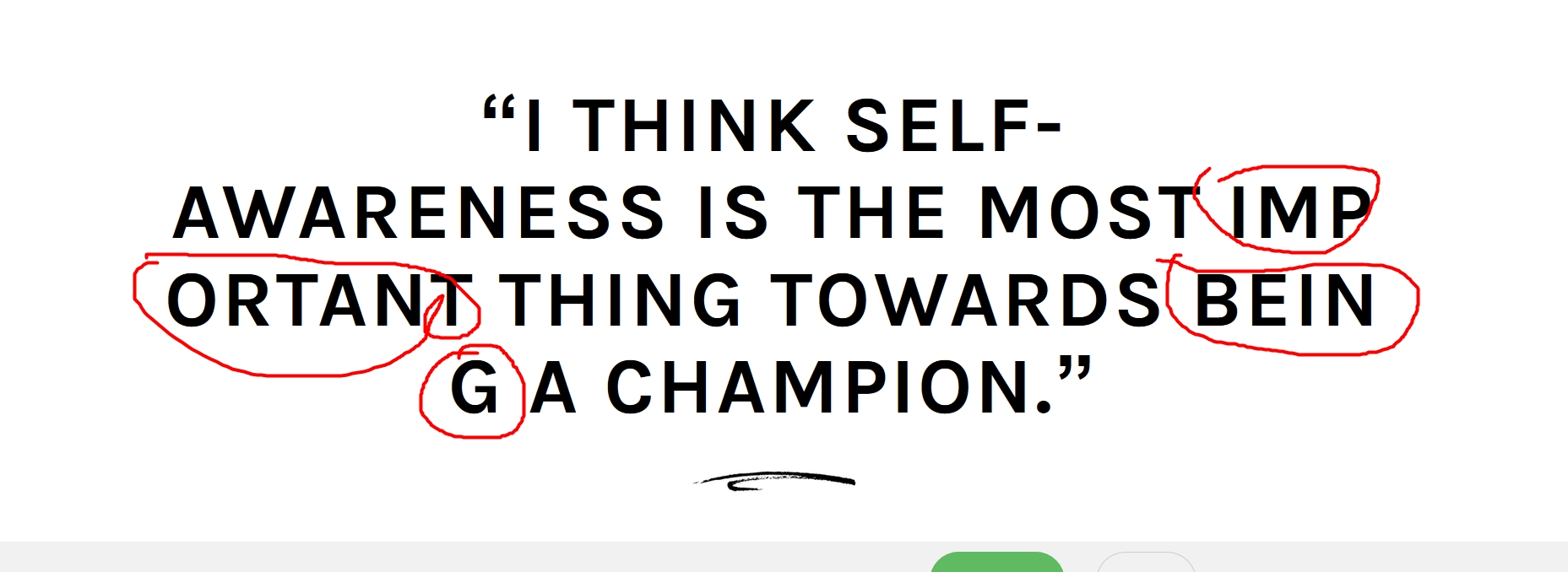
It's breaking the words

The Brizy bilder is breaking the words and make them ugly to read.I want to show full word and if it's large then container then show in next line
-
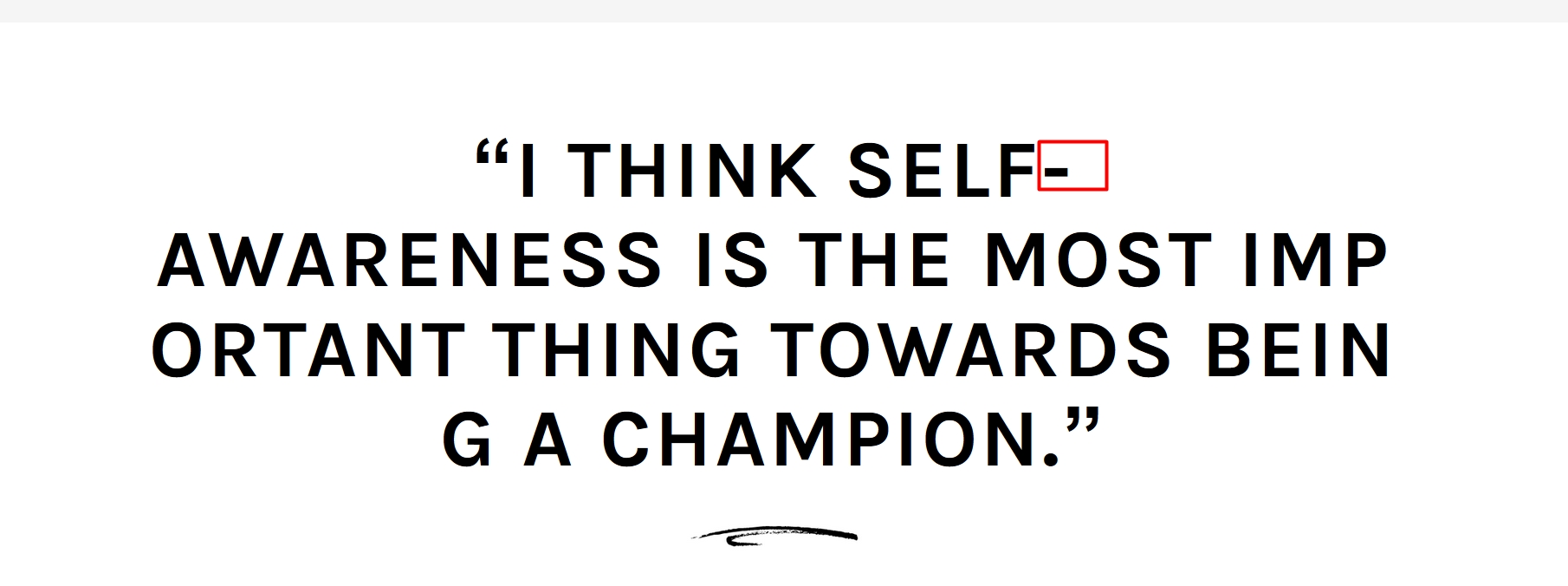
One more, It break the line after hyphen (-), see in the image. I tried to fix this by reducing the font size but not working
 0
0 -

Hi,
can you please activate a default WordPress theme and check again? This could be a CSS style that comes from the theme.
0 -
I have checked, there is not any css, I am using just Brizy.
One more, You didn't give answer of my second question. Please check above reply by me
- One more, It break the line after hyphen (-), see in the image. I tried to fix this by reducing the font size but not working
0 -
Both of your questions are about the same cause. There is a break-word style that determines this: https://www.w3schools.com/cssref/css3_pr_word-break.asp That doesn't happen to me, so there's something on your site that re-writes Brizy styles: https://jmp.sh/r3hNgD2
btw: you added the post in Brizy Builder topic and it is not clear to me if the problem is in Brizy Cloud or Brizy WordPress. If you are on WordPress can you please confirm you have this issue with the latest Brizy version - Free 1.0.126 and PRO 0.0.41? Also, do you have the same problem if you disable all your external plugins? Did you check this with a WordPress default theme?
0 -

Hi Alex, thanks for your link.
I am facing the same issue described by Nirmal, and I tried Neve and Suki themes, on different WP installations.I checked the W3 Schools link and, I'm note sure but I think my css it was supposed to work, or not?
Can you please give me a hint?
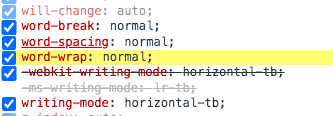
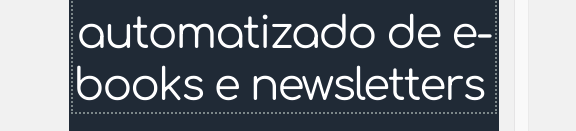
Thanks!
0 -
What is the source of these styles? You can see where they come from: from the theme files, from Brizy or from a plugin. Do you have a cache plugin or autoptimize? Please disable all your external plugins and check again. Also, please check with a default WordPress theme, not a commercial one.
0 -
Hello Alex,
I found the cause of breaking words and hyphen (-). Neither external theme style nor plugin style conflicting with this. It's your own page build issue.
If we can type the text in Brizy, then no issue with hyphen (-) and break words like in image which I shared. I have tested it.
It causes the issue when we copy/paste from another website/text editor, It break the like after hyphen (-) and not instead of showing the word in new line, it breaks the word in chars.
Because We can't type single line. we have to build the sites from PSD, copy the website. So we just copy/paste the content in the website.
Do you have solution for this?
0 -
Hi,
that's the point. I tested with a typed text. There is a problem with the text copied from other sources and we still don't have a fix for that.
Try to copy the text, paste it in a text editor (so that the styles are canceled) then copy it and paste in the Brizy editor. It's just a theoretical idea that could work. I haven't tested this because I don't have a psd project right now but you could try.
0 -
 I had the same problem. My mistake was copy and paste from Visual Code editor, with Notepad++ everything works fine. I hope this helps someone. And maybe text must be inside a column...Best theme ever; )0
 -
Hi,
thanks for your message. I hope it will help the people in the community.
0
Please sign in to leave a comment.
Comments
10 comments