Website is down editing specific page

Hello.
My website is taken down whenever I try to edit a specific page on brizy. It is about 15 minutes down.
I spent a few hours putting this page together and now I don't know what to do.
My versions are:
WordPress 5.4.2–pt_BR
Brizy Version 1.0.126
Brizy Pro Version 0.0.41
The edit page loads in the browser but it starts not to load the images, after that the website goes down.
What should I do?
-

Hi Kenny,
you should give us more details and we will help you :)
Do you have any error messages? Do you have the same problem if you disable all external plugins and activate a default theme? Does it happen on a specific page? Do you have any external code on this page?
Will you be able to send us a screenshot of the errors that appear in the browser console? Here's an article on how you can open the console.
0 -
Hi guys,
We are still testing brizy to see if we go to the pro version.
However, we are facing problems with the pages we start to scratch.
Our profile is in the name of kenny@genialcare.com.br and we are using it as wordpress plugin.
Description of the problem:
- In brizy, I select the page to edit. It opens normally, however, some images do not load. When I try to edit the page, it starts loading infinitely and I then, my whole website crashed, which means that If I try to access my homepage from the browser, it doesn’t load. Meanwhile, in brizy edition mode, it doesn’t load any change I want to do, but I don’t see any error message…
- My website keeps around 4-5 minutes crashed.
Answering the questions:
Do you have any error messages?
-No error message, it doesn't load the images and the website goes down (it's in a GoDaddy host)Do you have the same problem if you disable all external plugins and activate a default theme?
-I can't turn off all my plugins right now, but it was working with the same plugins until now.Does it happen on a specific page?
-Two specific pages that worked before, and after tons of changes it started to makes the site go down everytime I edit this page.Do you have any external code on this page?
-I just started from scratch creating a new page and used only Brizy.Will you be able to send us a screenshot of the errors that appear in the browser console? Here's an article on how you can open the console.
-After editing the page it has 3 errors with crazyegg.com
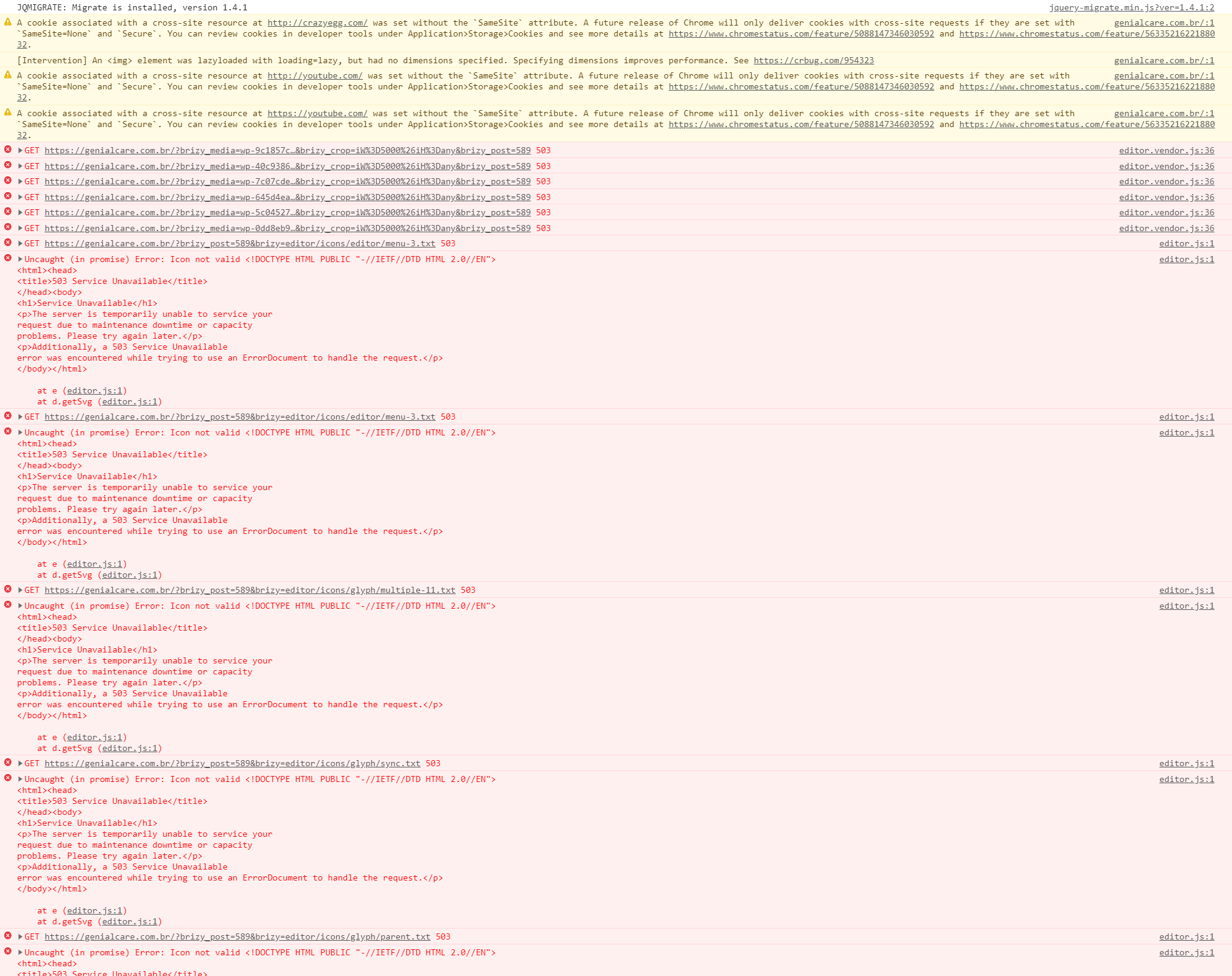
-After I click in any image on the editor it appears massive 503 errors and the site is down.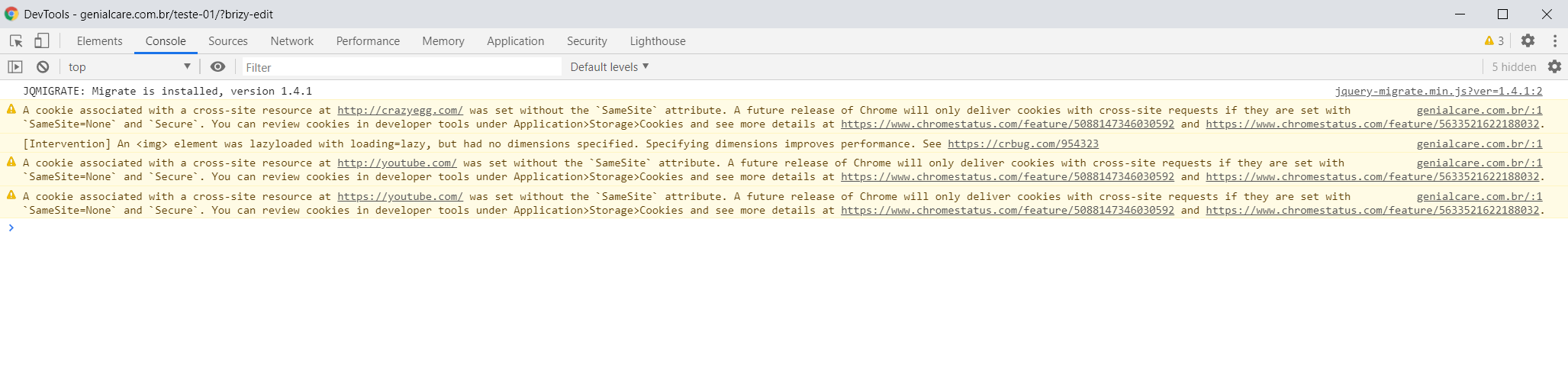
After clicking any image:
 0
0 -
Hi,
as you can see from the error message, there is something related to your server. Looks like the server is busy processing the Brizy request. I would recommend to contact your hosting provider and ask them about this. They could check the error logs and find more details. Here's an article about the error you have.
0 -

Hi Alex, this is Thomas, who work with Kenny.
I just checked that my server plan is the simple one:
- 250MB shared RAM
- 30GB storage
- low traffic
Is there a minimum requirement in terms of these specifications for using Brizy?
thank you,
Thomas
0 -
Hi guys,
I contacted my server and upgraded my plan with them.
After that, everything was fine and I was able to edit the website via brizy.
However, today we are facing the same problem again.
I'm reeally worried because we are planning a lot of updates via brizy and also to keep the plan with you.
Can we make a call to get a deeper understand of that? Or if you have any other suggestion or information to help me, I appreciate that.
Best,
Thomas
0 -
Hi Thomas,
sorry for not getting back to you sooner.
we recommend that you have at least 1GB of RAM. Also, please make sure that your server meets these minimum requirements: https://wordpress.org/plugins/brizy/#installation Now that you have updated your package, do you have exactly the same errors in the console?
Generally, this means that the server does not handle the requests on the site and here your hosting provider should know the cause. Did you contact them about this problem?
0
Please sign in to leave a comment.
Comments
6 comments