About managing default wordpress pages

Hi, I've this problem: I'm setting up a real estate site. I've purchased a plugin (Estatik) for properties management, that comes for stand alone use, it comes with a free theme too.
I want develop my own theme with Brizy PRO, and I've just done some things, but now I'm facing a serious problem, related to the way this plugin is developed, and I'm aware of this issue just and only now, when I've faced it: I've realized that this plugin generates property list USING STANDARD WP ARCHIVE LIST (or whatever), so automatically generating links to properties!
Problem is this:
-> I do not find any way to manage with Brizy the property's target page, as it's not included in manageable pages, it is an automatic one! <-
So I don't know how to put header and footer there! Please note that NO shortcode is provided to manage target pages, except one shortcode that generates SPECIFIC pages (just and only with target page code included, no useful for daily management).
You can check issue with links I provide below, a work in progress home page where you find (just scrolling a little little bit) 1 property named: TRILOCALE AMPIA METRATURA. This page is made with Brizy:
https://savellimmobiliare.easywebsolutions.it/home/
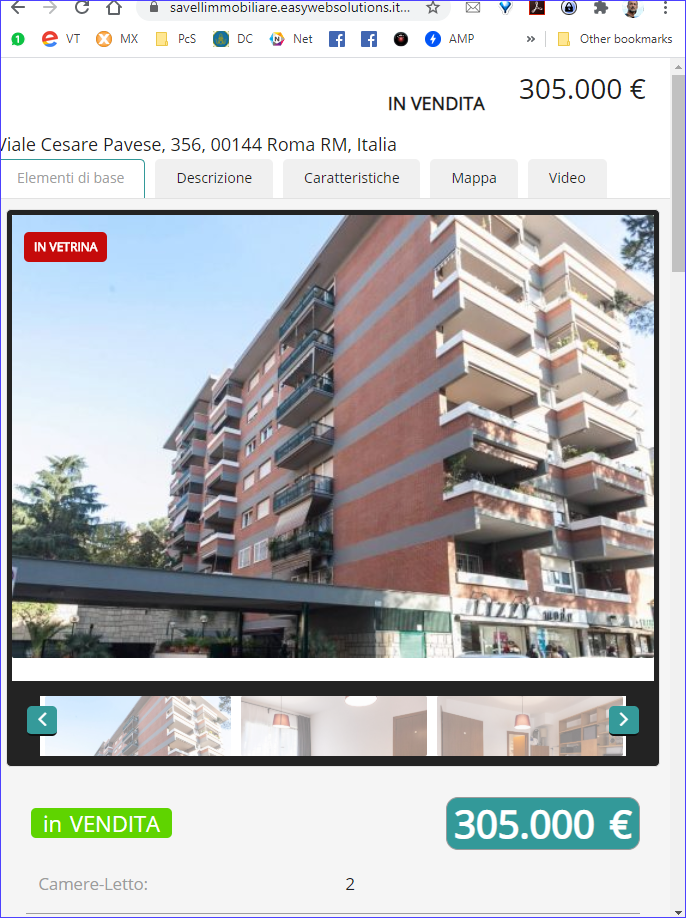
Now, if you click on DETAILS (hovering image) or on TRILOCALE AMPIA METRATURA you are sent to this automatically generated link: https://savellimmobiliare.easywebsolutions.it/annuncio/trilocale-ampia-metratura/
This target page about property's details is NOT made with brizy, it has default theme's layout, but I don't find the way to set it up with Brizy...
Any workaround?
-

Hi,
Unfortunately, we do not use this plugin and it has not been tested with Brizy. There is a chance that they will not be able to work together.
You can try to play with the Brizy templates but I'm not sure if the posts of this plugin will appear in the list or if it will work. It's just an idea you can try. Here's a video about dynamic content in Brizy: https://youtu.be/cWJEetL4f-s
0 -
Hi, a big thanks, your advice helped a lot.
I just suggest you next time to advice also to check well URL as it's totally involved - and most of all quite different from the one you find in templates; so when you're struggling with issues it's easy to check the wrong url and do not realize that tempalte is working fine... but you have to call it with the proper url!! I've faced this situation, that's way I'm telling it to you.
I mean that the really working url to check in most cases will be for example: https://yourdomain.com/category/whatevercategoryHowever thanks and have a good day
0 -
However I've a question about templates, that is about templates made including PAGES
What I get now is ALMOST what I need, as I obtain page's CONTENT with proper URL and that wonderful,
but i DO NOT get header and footer (and whatever else) I put into template...It seems that template calls content, but it is quite overwritten from it, not added inside template.
So... any workaround in this situation to compel content to get at least Brizy's global header and footer?
 0
0 -
Hi,
did you add the header and footer to the created template and it does not appear on the page: https://jmp.sh/wB8YANM ?
0 -
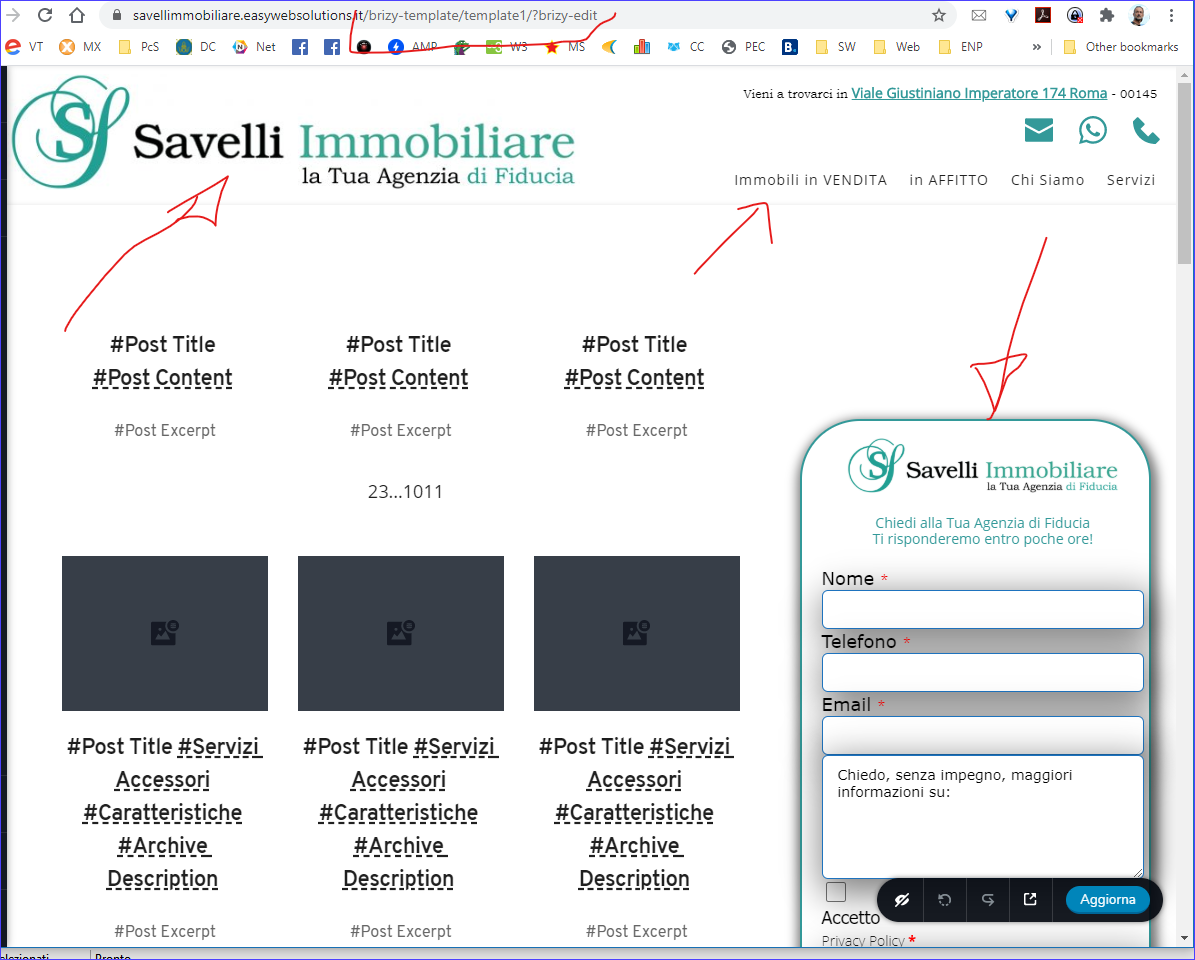
Yes, this is exactly what I'm talking about. Here is what I set up, in previous image you see what I get.
Pls note that this is not happening whit WP default archives, this happens only with pages related to this real estate plugin (ESTATIK). However is really weird that enabling Brizy template, I get some results, but not the espected.
To be totally clear:
- WITHOUT Brizy template activated I get Estatik template whole page (header, foooter, sidebar and content
- WITH Brizy template activated I just get Estatik content, but nothing displays about what I set into Brizy template.
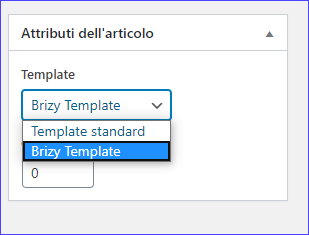
More, I've tried also to switch Brizy Template (as in small image bottom):
weird here too: if I set ESTATIK template (yes Estatik), I get what is inside Brizy template, but WITHOUT Estatik content; if I leave on Brizy template switch behaviour is what above described
 0
0 -
Hi,
The page templates and the Brizy templates (described in the video I sent you before) are quite different things. Brizy templates are mostly for WordPress archives posts with dynamic content. It offers a unique design, but different content. It doesn't make sense to create a Brizy template for pages. In this case, the template will overwrite the content of the page.
You need to check if the Estatik post appears on this list: https://jmp.sh/qwsSITi If no, you'll not be able to apply a Brizy Template to Estatik post.
The "Brizy template" in the page settings just disables the theme elements such as the header or footer. It was created for Brizy pages so you can add the Header&Footer directly in the builder. But, it has nothing to do with the Templates created here: https://jmp.sh/eYro1yi
0 -
Hi, I understand and I know what you mean, it's exactly for that that it seems weird to me.
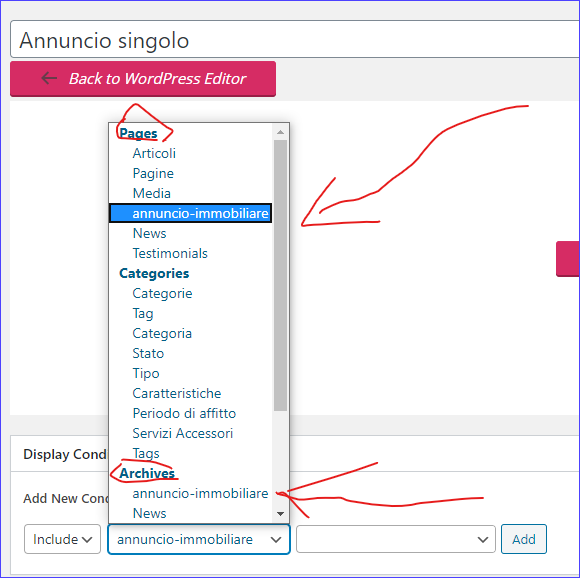
Of course, Estatik appears in page list, and in archives too, as you can check in image below. However, maybe can be useful:
- page name (annuncio-immobiliare) is entered by the user in Estatik settings;
- the same name (annuncio-immobiliare) appears in archives and pages... but is set just one time in Estatik's setting
- archive behaviour is like expected;
- page behaviour is not like expected
- only page input shows a second window to put page name or whatever, but it does not find anything
If you want I set up an admin access for you, so you can check directly at https://savellimmobiliare.easywebsolutions.it/adminareawp
user: Removed by admin
password: Removed by admin
 0
0 -
Hi,
I did some tests on your site and it seems that Brizy does not recognize the content that comes from this plugin. I'm afraid you can't use them together. This should be inspected and to see where the cause is. It can be on our side or maybe on the side of the plugin you use. Here you can find 4 tools that work with Brizy: https://www.brizy.io/dynamic-content/ for the others the compatibility was not created.
0 -
Hi, did you find the time to check if issue is on your side?
I've seen plugins you advice to check for, however, here issue is not about custom fields, problem is about not displaying Brizy's header and footer, and I think this is an important feature not only for me, but for everyone that use Brizy.
Maybe issue is about setting up something somewhere? I'm using Astra PRO so there is control on many things...
0 -
The Brizy header and footer will only appear on a Brizy page or post that is overwritten by the Brizy template. In your case, you try to display custom posts that come from the plugin, with a Brizy template that contains header and footer. It's about compatibility, and we can't inspect this, because the plugin you're using isn't one of the most popular or anything like that. If there are more requests, we will inspect this but until then Brizy can only be used with the plugins mentioned in the link above.
0
Please sign in to leave a comment.
Comments
10 comments