Random blocks make pages uneditable - "This page needs a refresh"

Hi,
After I migrated a website from a local sever to production on DigitalOcean servers I found that random Brizy blocks I have built cause pages to become uneditable with the error:
"This page needs a refresh. You’ve probably updated this page (or another page) in a different tab or browser."
Every time it is a different block that causes it. If it is of any clue, also blocks don't display properly in when I try to add a new one but show a perpetual spinning wheel:
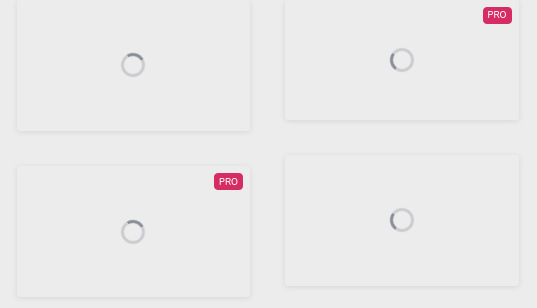
Updating the page from the WP Dashboard gives the error "Updating failed. The response is not a valid JSON response.". Interestingly, Quick Edit works however.
I am on Brizy 1.0.126 and downgrading to 1.0.124 made no difference. Everything works perfectly on my local server.
What could be going on here?
-

Hi,
How did you migrate the site? I suppose that in the migration process, some directories and/or files couldn't migrate correctly. For migrating the site, I suggest using the All in One Migration WP plugin.
0 -
That's the one I use. It is the first time this happens. I have already used the same procedure with multiple other websites. It also doesn't seem to be an issue with the server's php settings as I increased the ram and max files to 2048MB but the problem persists.
Could you please open a ticket so I can share the url?
Thanks
0 -
I just checked the console and the spinning loading circles are caused by:
uncaught exception: preloadImage("https://static.brizy.io/builds/free/144-wp/thumbs/block1110.jpg") onerror
It's the same thing for layouts:
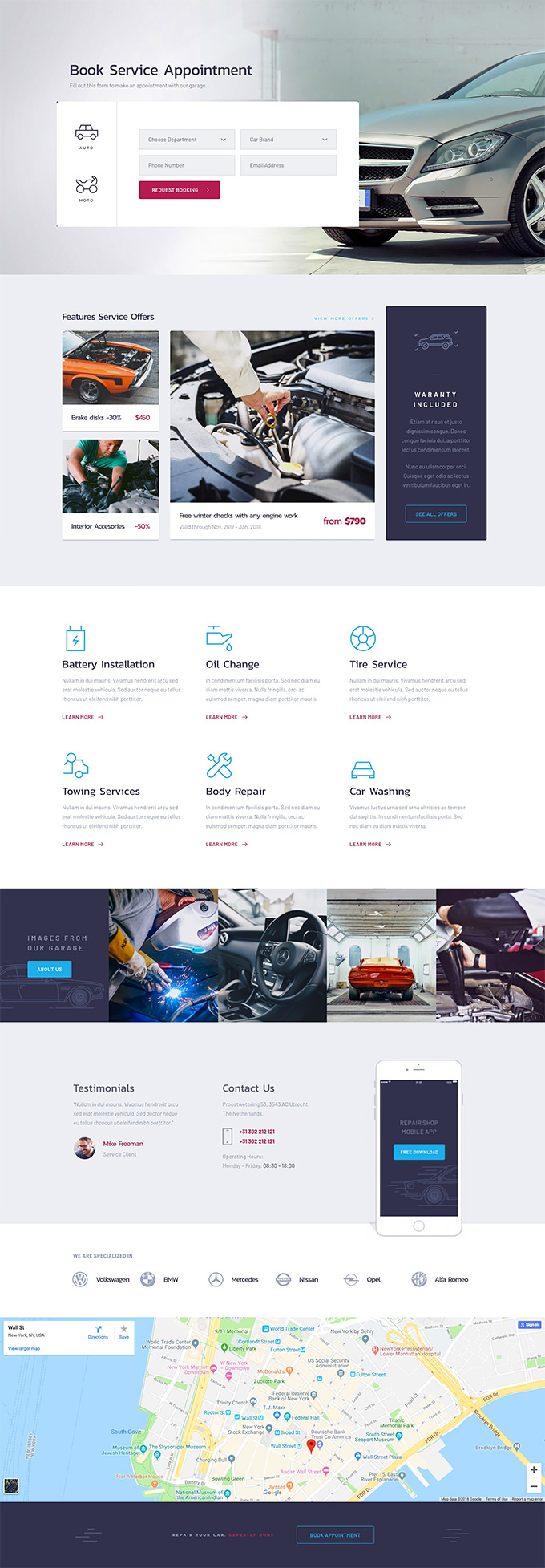
uncaught exception: preloadImage("https://static.brizy.io/builds/free/144-wp/thumbs/CarClinicHomepage.jpg") onerror
Could this be related to the failure of updating the pages and the message "Updating failed. The response is not a valid JSON response."? Perhaps the server is preventing the loading of some resources. There weren't other errors in the console though.
0 -
I just tried disabling all plugins and reverting to the Twenty Twenty theme. The error on the long Brizy pages still persists even with Brizy disabled when I try to change the title, for example. It is fine on shorter Brizy pages.
The server's PHP version is 7.0.9 and the MySQL version is 5.6.31. Both are roughly 4 years old. The versions on the development server are much newer - Dec 2019. Could this be causing some incompatibility?
0 -
Could you please update the plugin? I read once again whole our conversation and I find that you reverted to an old version. I'm sorry but this action isn't recommended. Also, the error you find only said that the screenshot of the block can't load but I can't find the cause of it.
Also, could I ask you to try to migrate again the site?Thanks!
0 -
Hi, I have migrated the site a few times already and tried numerous other things as aforementioned. We are on the latest Brizy on both the development and deployment servers. This is a consistent error that happens every time I try.
0 -
I created a private ticket on this request. You had to receive a notification regarding this on email. Could you send to us in that private message the WP credentials to this site?
Thanks!
Best regards,
Sandra0 -
Thank you Sandra, but I didn't receive any email about a ticket, nor do I see any notifications. Where can I access it?
0 -
I'm sorry. Could you please check again? Your ticket number is 8381.
Thanks!
Best regards,
Sandra0 -

Having a VERY similar issue - was this resolved for Viktor?
0 -
Hi Eric,
Could you please check if you have the latest Brizy Free 2.2.17 and Brizy Pro 2.2.11 version? When did you encounter this problem? Could you please give us more details about it?
Thanks!
Best regards,
Sandra0 -
yes, both plugins are the latest versions.
I encounter the issue whenever I try to create a title text block with certain text OR move my title text block around - really odd.
I created my own ticket here: https://support.brizy.io/hc/en-us/community/posts/360015652997-adding-text-block-causes-refresh?page=1
0 -
Hi Eric, it was an issue with the PHP memory limit set by the hosting. It wasn't something you could adjust from within Wordpress or its settings files.
0 -
Hi,
@Eric Tarasewicz, thank you for all these details. Soon, my colleague Alex will create a private ticket for you.
@Viktor M, thank you for sharing with us this detail and information!
Best regards,
Sandra0
Please sign in to leave a comment.
Comments
14 comments