Line brake

Hi,
how can I create a line break(BR) inside a paragraph?
normally alt+enter supposed to brake the line but it doesn't work here. only enter just create a new P.
any way?
Thanks
-

Hi,
you can use Enter or add <br> directly to the text: https://jmp.sh/3DFOPbw -> https://jmp.sh/17zOVW9
0 -
Great!
Thanks :)
0 -

Hi,
Ok, it works to put <br> directly in the text, but it breaks the design of the page when you do that! So, you have to pinpoint the design and once it's done, you put everything in a single line with <br> where you want line breaks. It defeats the purpose of having a wysiwyg builder interface no? Furthermore, if you don't put the <br> yourself and you are working in a h1 tag, each line will be in a different h1 tag, defeating the semantic purpose of the tag.
Would it be possible to hope for a way to specify to the Brizy editor when we want a line break that divides a tag or when we want a line break that effectively creates a new h1 (or h2, etc.)?
Best regards,
JP.
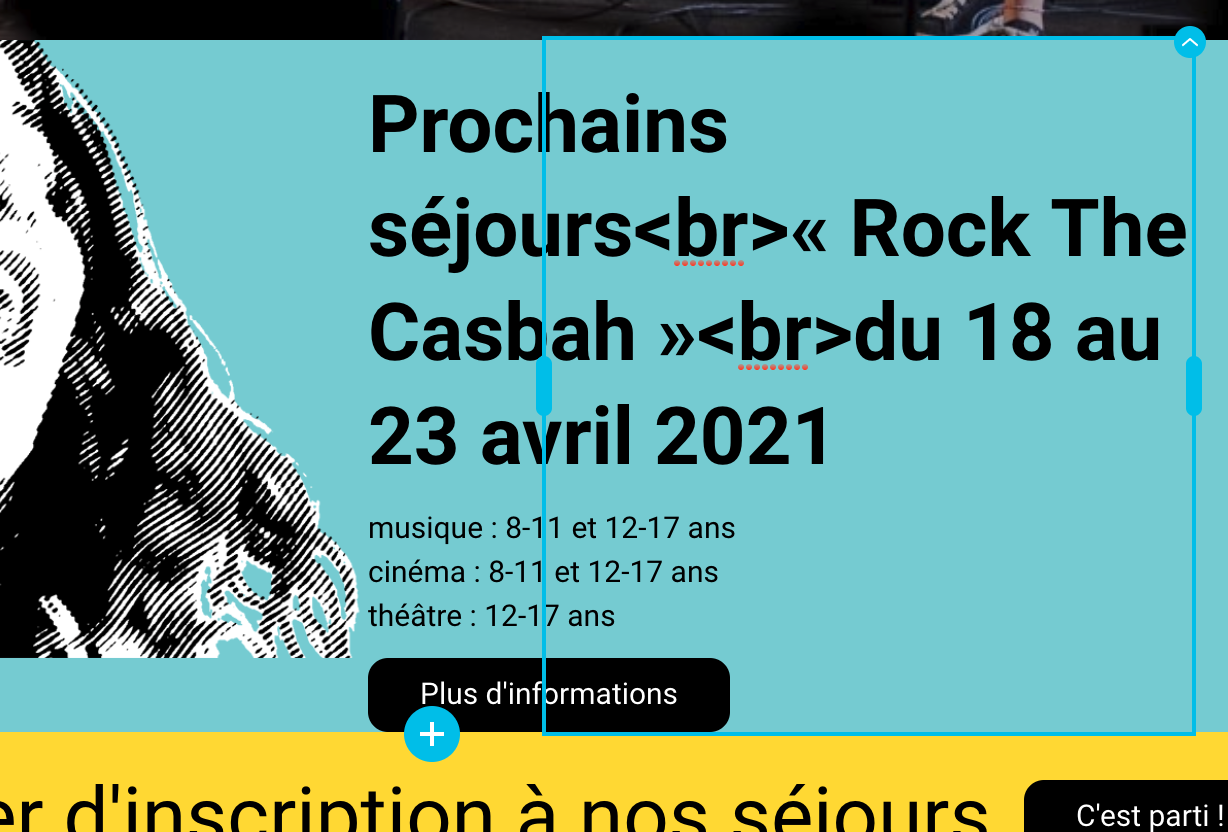
Here, by putting the <br> inside the text, the design breaks at the bottom left (the image is not touching the next block anymore). But if I don't do that, I will have 3 different h2 tags instead of one around the whole title.
 0
0 -
Hi,
"<br> directly in the text" was just a workaround that I offered to solve the problem temporarily. We have in our to-do list a note about improving the text editor, which also includes the ability to add line breaks in a tag. But, at the moment we do not have a solution for this. There is something that will be added along the way.
0 -
Great! Thank you for your quick answer!
Best regards,
JP.
0 -
anytime.
I'm sorry we can't deliver the functions as quickly as the answers))
0 -

I'm trying to use <br> in the text but it renders out without any line break and with the <br> visibile in the text.
Is it possibile that after 5 years you didn't solved this problem yet?0 -

Hello Osmel,
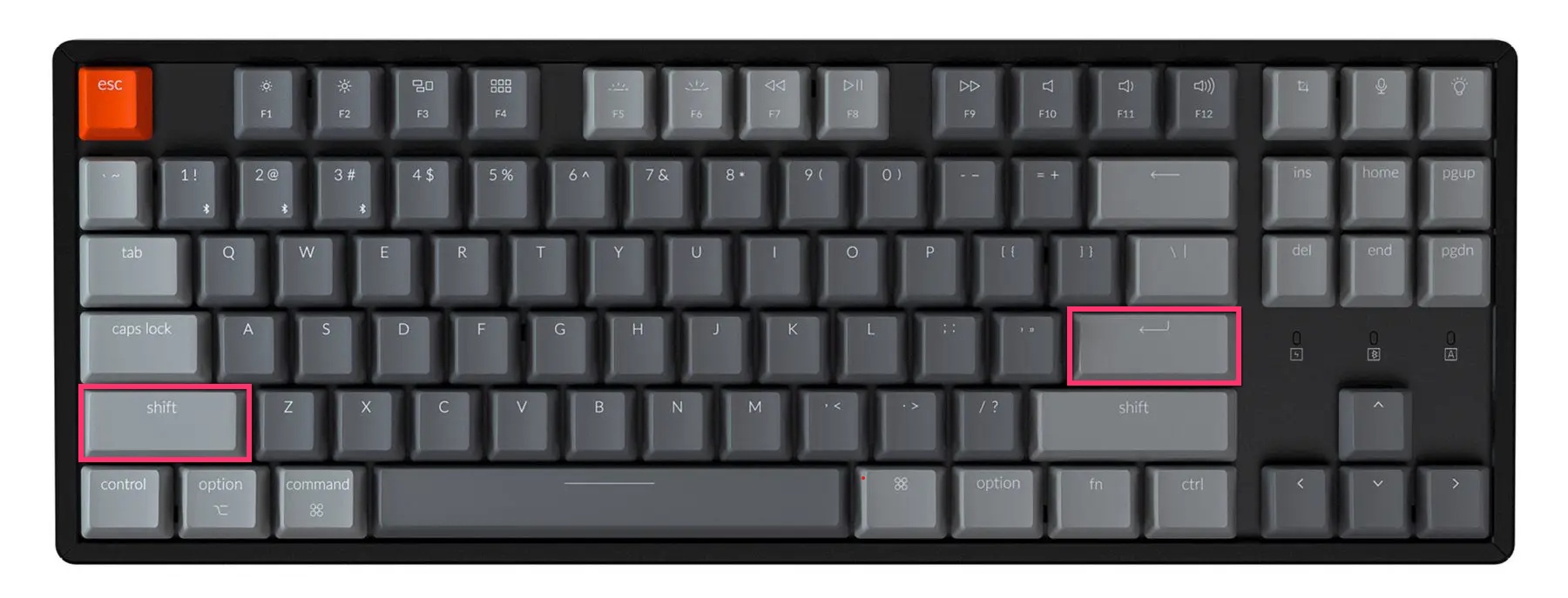
To add a line break within the Text element, please try the combination of "Shift" + "Enter" keys.
 0
0 -
Thank you George, but it doesn't work either.
The real problem is something that your software brings back since 5 years: It treats every line break as a different <p>paragraph</p> even the ones that should be a simple <br>.
I've found in your css a line.brz .brz-rich-text > * {- white-space: pre-wrap;
}This style setted to "white-space: normal; " changes the games. The probl is that this line is only on the preview.min.css and I can't find where to change this line in the render view and not just in the preview.
Can you help me?0 -

Hi Osmel,
Thank you for the update.
I understand how this behavior can be frustrating. Even with the CSS override, the text will still be rendered as separate paragraphs because Brizy Cloud currently converts each line break into its own <p> or <span> element.
This is a known limitation of the text element. While there isn’t a fix available at the moment, I will forward your feedback to our senior support team.
If you have any further questions, please don’t hesitate to let us know.
Best regards,
Ariel H.0
Please sign in to leave a comment.
Comments
10 comments