Links of buttons not updated / photos on mobile version still default

Hello dears,
I don't know if i'm the only one, but I have put 2 links to external URL on button, but despite the update button, and CTRL-S command, the buttons still lead to the porject page itself.
Also, I have put a block with 3 photos, but the photos I have added are only showing correctly on Desktop version, while the mobile version is showing the template default photos.
Is there a trick to avoid these bugs?
Thank you very much by advance.
-

Hi,
Did you add 2 links to a single button? I'm sorry but isn't possible to do this. On a button should be added only one link overwise, the button will not link to any page.
What block did you use for adding photos? We have this inconvenience you describe on our old pre-made block. If so, I would suggest you recreate the block and using another pre-made block.
Thanks!
Best regards,
Sandra0 -
1 )
Oh no sorry I missed my explanation.
I have 2 classical buttons created from 2 classical differents blocks in my page.And for both of them, the custom link I added is not recorded, and it's still "#".
https://nectarine2336203.brizy.site/
the 2 buttons are "Visitez la page d'investissement" and "S'inscrire au webinvest talk"
2)
ok for the photo block, no problem.
Best regards,
Soufiane,0 -
Thank you for clarification and updates!
Could you please send to us a screenshot of how did you add the link for these 2 buttons?
Thanks!
Best regards,
Sandra0 -
Hello,
thank you for your answer. Here are the buttons :
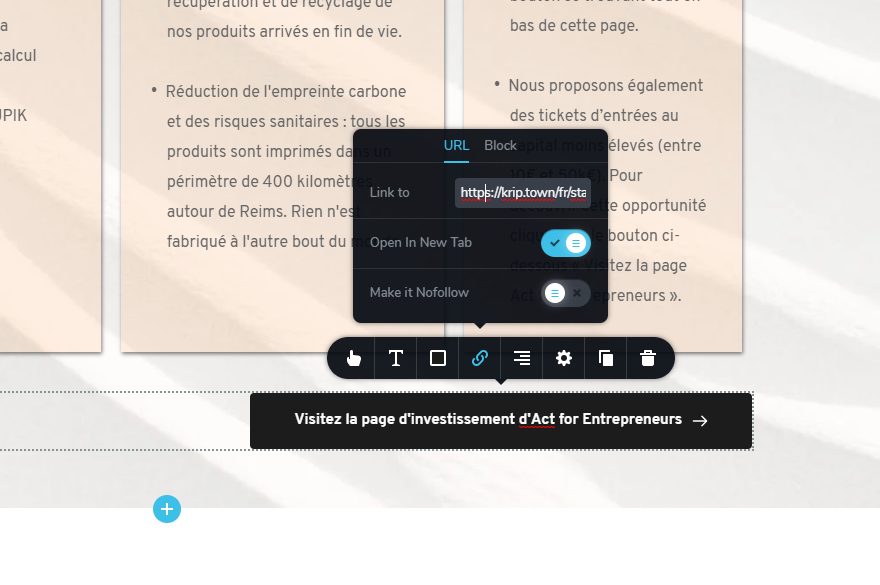
and the other one :
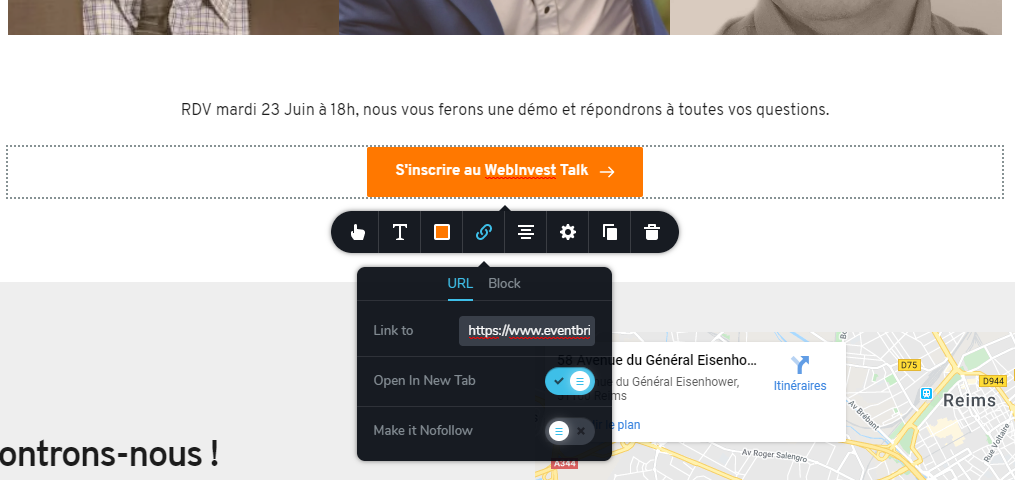
i think it's the normal way to do it, but when I click on the update button,
and anytime I come afterwards, the link is still "#".
In order to solve the problem for the moment, I had to export the HTML version, host it in one of my servers, and modify directly in the HTML code the href of the link...
I think this is a real bug, but one of my friend didn't had this problem, so maybe it's localized on some of your servers or so.best regards
0 -
Hi,
Thanks for these updates. I already created a private ticket on this request. You had to receive a notification regarding this on email. Could you send to us in that private message the email of your Brizy Cloud account and where we can fin this project (sub-account' name and project's name)?
Thanks!
Best regards,
Sandra0 -
Hi,
problem solved.
My account was not validated and I didn't receive any validation e-mail. that's why the external links were blocked.
Thank you,
best regards
0 -
Thank you too!
Have a great day!Best regards,
Sandra0
Please sign in to leave a comment.
Comments
7 comments