Image resize unexpectedly

Hi Brizy Team,
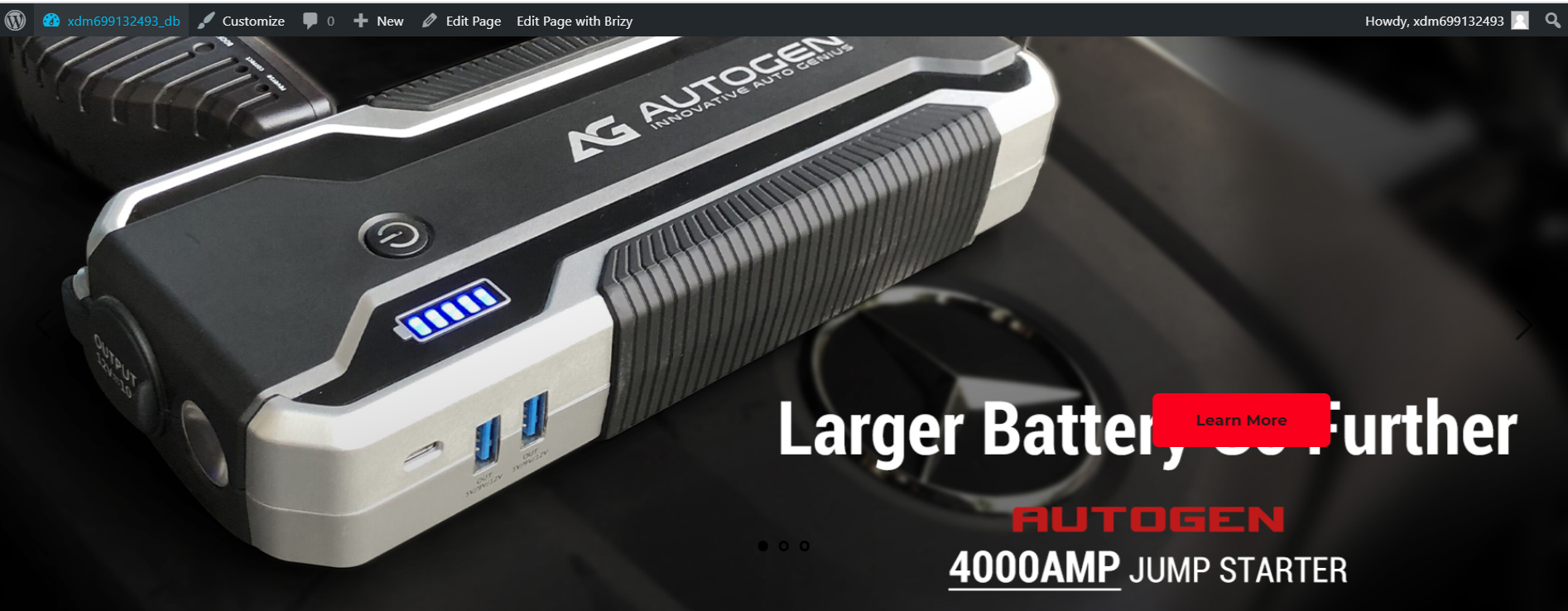
I tried Brizy today and find it is a very handly tool. But there were some issues I cannot solve. I created a featured image on my homepage it looked all fine. However, when I previewed it in my wordpress the image just be resized for no reason (the top of the image was cutted off). And I don't know why it has been resized and want to get help to fix it. Apart from that, the "learn more" button changed its location and moved to the top of the text which looks ugly...
I attached two images one from Brizy editing view, another one from wordpress preview. Hope you can solve my problems. Thanks. 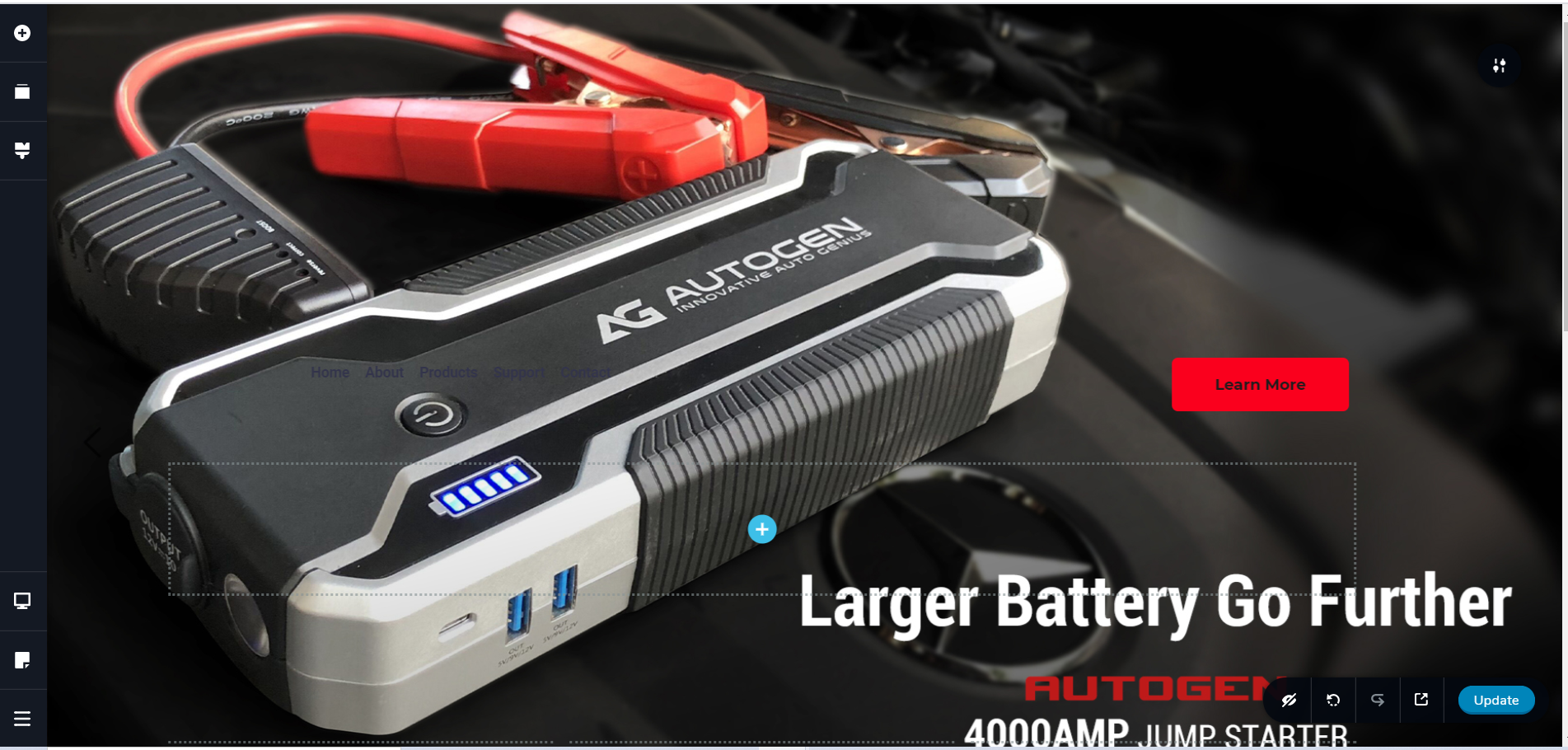
Regards,
Coco
-

Hi Coco,
Could you try to set the block height with "Full height" value? https://jumpshare.com/v/r0GuKctdScyP4rfHKVcp, In this case, the height of the block will be set on full screen. The problem is caused because in the build mode is an empty place, this one https://jumpshare.com/v/AsAwN3Nnssp90nrJ7mAz, that in the preview it disappears and create this strange view. The second solution is to add in that empty place a Space element and set it with 150px (for example). If you will find that it is small or big, you can set another value for Space element.
Best regards,
Sandra0
Please sign in to leave a comment.
Comments
1 comment