Underline text

Hello,
How to underline text in the Brizy Builder?
-

Hi Jeremie,
Yes, it is possible to underline text. For this I can recommend 2 different methods:
1 - Select the word you want to underline and press CTRL+U (for Windows) or Command+U (for Mac);2 - Add this inline CSS code <span style="text-decoration: underline;">mobile</span> for the word you want to underline https://jumpshare.com/v/m2pJOSKtK23MnhQrhpTC
In the editor mode, you will see the code without the underline but in the preview mode, all will be displayed fineThanks!
Best regards,
Sandra0 -

Hi Sandra,
appearantly, the inline css method doesn't work anymore. There's still your workaraound for unlines, but what about strikethrough and othe css effects?
See the picture below, this is not in preview mode but the uploaded page:

Please bring back the inline css option!
Best regards
Adrian
0 -
Hi, Adrian,
I'm sorry but all are still working fine on my test site. See here the editor mode and here the preview mode. Could you please check if you have the latest versions of Brizy Free (2.0.5) and Brizy Pro (2.0.2)? Also, could you try to activate a WP default theme?
Thanks!
Best regards,
Sandra0 -
Hi Sandra,
sorry, forgot to mention that I created the page in Brizy cloud, not on WP.
Here's another example:
Preview:
https://coconut2780763.brizy.site/
Uploaded Page:
https://lp.fid-shop.de/mon/blitz-gewinn/
Neither the <marquee> nor the <u> tag work.
0 -
Hi,
Could you please try another tip? Select the text you want to underline and press CTRL+U (for Window) or Command+U (for Mac).
If this will not help you, please make sure you have the latest versions of Brizy Free (2.0.5) and Brizy Pro (2.0.2). Also, deactivate all plugins (except Brizy Free and Pro) and activate one WP default theme.
Thanks!Best regards,
Sandra0 -
Hi Sandra,
as mentioned above, I didn't use Brizy for WP but Brizy Cloud to create
https://coconut2780763.brizy.site/
For the underline, your workaround with the shortcut works. But not for bg-color, marquee etc.
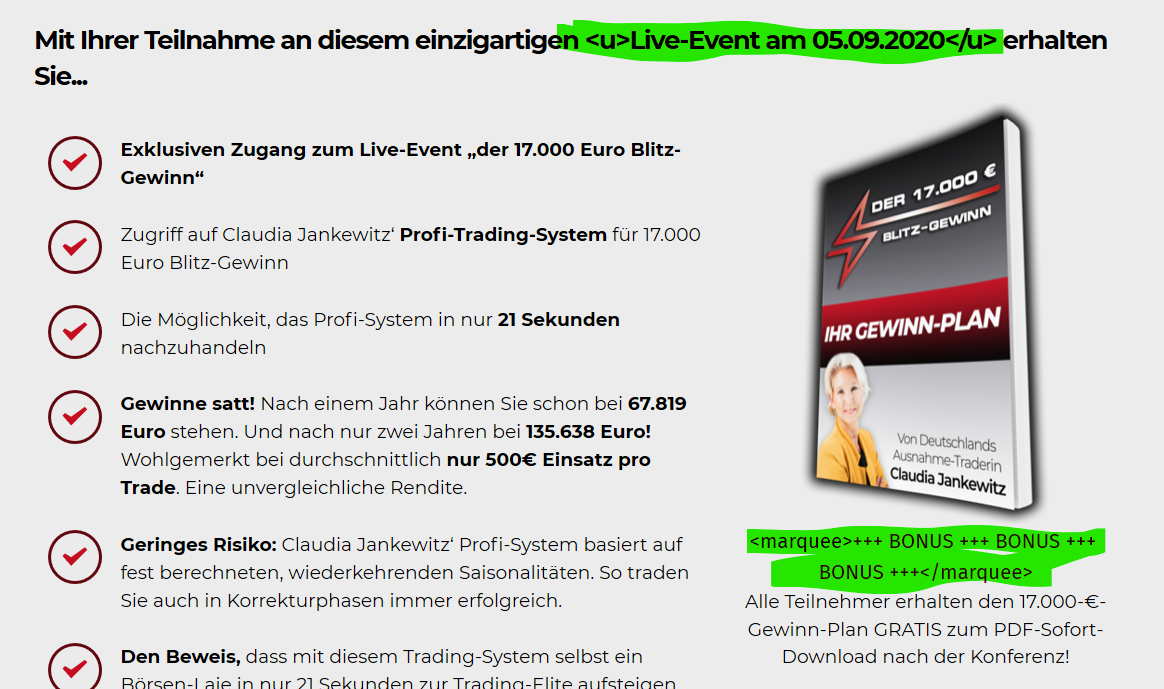
For example, when I wanted to higlight something, I used:
lorem ipsum <span style="bg-color:yellow"> highlighted text </span> lorem ipsum...
Why did I even try to use inline css? Becaus you recommended it:
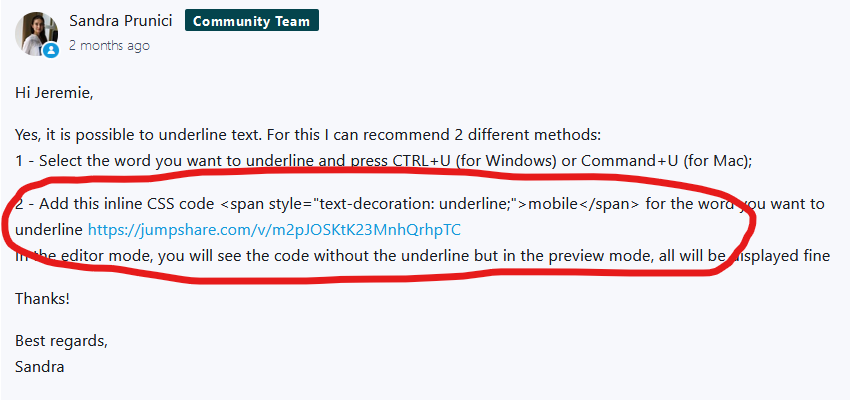
--> Doesnt' work any more!

Maybe the same problem like here? https://support.brizy.io/hc/en-us/community/posts/360071945431-css-missing
0 -
I'm sorry for my second part of the message. Did you try the tip I suggested to you? Could you please select the text you want to underline and press CTRL+U (for Window) or Command+U (for Mac)? Just now, I tried this tip in the Brizy Cloud project and all worked fine. https://jmp.sh/z12Mctw
Best regards,
Sandra0 -
Hi Sandra,
do you acutally read my comments? :-D
CTRL + U worked and that's awesome, but what about the rest? Background color for highlighted text, for example.
Please just use a text element an copy the following text:
Lorem ipsum dolor <span style="background-color:yellow;">sit amet</span>, consetetur sadipscing elit.
"sit amet" should have a yellow background!
Tested with empty cache on Firefox...

... and Edge...

And again: Inline CSS used to work, you explained it yourself!!!
 0
0 -
Hi,
Yes, I read the message but seems I forget to add the most important part of the message. :) I forget to add that we could reproduce the problem with inline CSS in Brizy Cloud and already create an issue on this topic. The issue is already investigating by one of our developers.
Thanks!Best regards,
Sandra0
Please sign in to leave a comment.
Comments
9 comments