Custom Fonts not loading on Browsers

HI support,
I updated to the latest version of Brizy yesterday and custom (uploaded) fonts are now not displaying on all the browsers. What could be the issue?
NOTE: The fonts display well in editing mode of Brizy.
Regards,
Freddie.
-

Hi Frederick,
I'm sorry but I can't reproduce the problem you encounter. Could you please try to clean the browser and site cache and after this to check again the preview mode of the page? Or could you open the page in an Incognito browser?
Also, could you send to us the link to this page?
Thanks!Best regards,
Sandra0 -

One thing I just noticed and I think is a bug, is that when the site is in maintainance mode, custom fonts do not load. Tried in multiple browsers, clearing cache. This should not be the case...
0 -
Hi, Tel Amiel,
I'm sorry but I can't reproduce the problem you described. As you can see here, I have activated the maintenance mode and the Custom font is displayed fine.
Did you activated the Maintenance mode from Brizy or do you have a thirty-party plugin for this?Best regards,
Sandra0 -
I am using the Brizy maintenance mode. I it doesn't seem to matter if it is in 'coming soon' or 'maintenance' (because of this I am not sure what the difference is...).
- Here is the site when I am logged in: https://imgur.com/N7ZHJNm
- And you can see the difference in the live site (link) or image, which I get with a private tab or going to another browser.
I am using the latest version of Brizy and Pro, and I have only Brizy Starter Theme installed.
0 -
Thank you for these details. I find that this problem is happening on the Maintenance or Comming soon page. I could reproduce it and already have created an issue for our developers on this topic. I'm sorry for this problem, we will strive to fix it in one of the future updates.
Thanks!Best regards,
Sandra1 -
I'm glad you found it. Thank you, as usual, for the quick replies ;)
0 -
Thank you too for reporting this problem!
Best regards,
Sandra0 -

Hello Support,
I am having a similar issue as they described. My custom font will load perfectly fine when in editing mode and in incognito mode.
But it will not load correctly in my browser despite multiple hard refreshes.
The font I am using is from a WOFF file.
Any help is appreciated, thank you.
0 -

Hi Thomas,
The post is 2 years old, so I have to ask you if you have this issue with the latest versions of Brizy: Free 2.3.23 and PRO 2.3.17? Also, do you have any optimization plugins? If it works in incognito it is most likely a cache issue. Try to disable all your external plugins and check again.
0 -
Hi Alex,
Yes, this issue is with the latest version of Brizy.
I tried turning off all of my external plugins and the issue still occurred. And today it won't work in incognito mode either.
I've attached a video here to show the difference between the preview mode of the site versus the live version.

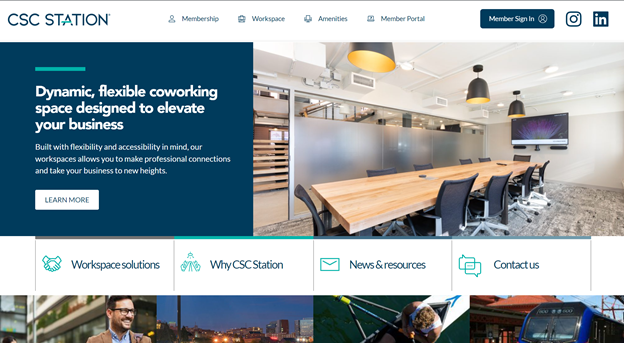
These two photos display the difference between what is being displayed on the brizy editor and what is being displayed on the incognito browser.
I already tried- Duplicating my page and testing it on a new URL.
- Deleting all other fonts.
- Turning Off external plugins.- Re-uploading my font as TTF, WOFF, and WOFF2.
-Deactivating the currently active theme on Wordpress.I read on a separate post that it could be an issue with my hosting provider but I'm not sure why that would be the case.
Do you know of any other possible solutions or settings I can change within Wordpress that could be inhibiting the Custom font to render?
Would it be possible to import a custom font outside of brizy and then integrate it to the brizy builder using an CSS ID or Class?Thank you in advance,
Daniel
0 -
Hi Daniel,
From what I see, the problem seems to appear when you are not logged in to WordPress. When you are logged, in the frontend, the page has a custom font but in incognito (when you are not logged in) the font does not load. Can you please send the link to your website so we can take a look? Do you have errors in the browser console when you are in incognito mode?
0 -
Hi Alex,
Yes, you are correct. It loads the custom font when logged into WordPress but it doesn't load the font when on any browser including incognito mode.
The link is here so you can check for yourself.I have already tried to load it in google chrome and internet explorer with no luck.
Thank you for your continued support.
0 -
Works for me:
Chrome: https://jmp.sh/yRzjMiOSafari: https://jmp.sh/Dy8YAo2
Firefox: https://jmp.sh/94dXWZP
Did you check the browser console? Do you have any errors? Did you ask a friend to check this on another device?
btw: I like the way the header looks. it's well done. Maybe I would have reduced the size of the social icons a bit to complete the rest of the icons in the menu, but it's nice anyway. :)
0 -
Yes, it started to work. Thank you. I will have to check my browser settings to see why it isn't coming up on my computer.
0 -
I'm glad to hear that.
Let us know if you need anything else.0
Please sign in to leave a comment.
Comments
15 comments