Plugin error

Not sure if this is where I should post this but here goes. I'm currently a pro user looking at the lifetime subscription, however, I needed a way to organize my photographs to create galleries for my work and so I downloaded WP Media Folder by Joomunited. This plugin works with other visual page builders like brizy however, I'm struggling to use it with brizy and want to know if it's my issue or Joomunited's plugin but it syncs from Dropbox and you can create multiple folders which can also be converted to a stylish gallery display of folder contents.
Anyhow, how can I enjoy brizy AND WP Media Folder? They're both such great plugins!
-

Hi Jeff,
Could you please give details regarding the problem you encounter? Where did you find it? How it is manifest? What do you want to do?
Thanks!
Best regards,
Sandra
0 -
For example:
I'm using WP Media Folder by Joomunited and it's done a sync of a Dropbox folder to make the file and folder directories accessible to Wordpress - like a 2nd Media Library without having to upload all the files from Dropbox to the built in Wordpress Media Library.
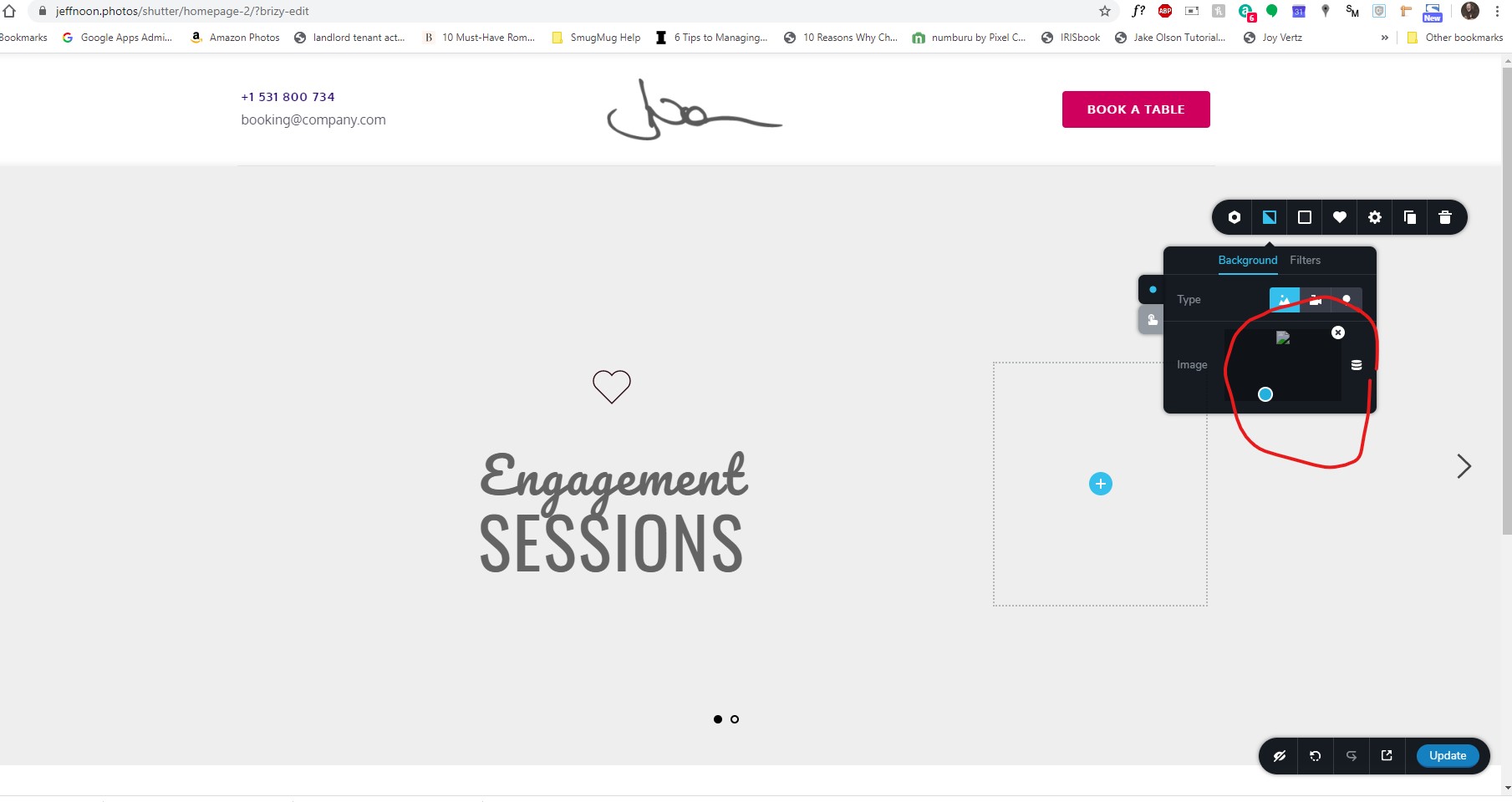
I have my photography portfolio in folders in dropbox and they're nice and organized, but when I try to use Brizy to edit and add an image from my Library, it sees the images and thumbnails of the folders and files in dropbox, but I when I choose one, I get a broken link icon. Circled by the red.
 0
0 -
For some reason, the image link is from https://dropbox.com/folder...but when I use brizy editor, the image link gets changed to add some brizy code and it breaks the actual path to the image. How can I turn off this feature as though it's trying to copy over to the Media Library but doesn't...I dunno - I just want to keep using brizy but the third party gallery and cloud directory sync plugins don't seem to work well and I'm starting to think it's brizy. I'll be devastated not going forward with brizy.
0 -
Hi Jeff,
If images aren't stored in the WP Media Library, in this case, the Brizy can't access them and use in Brizy pages. Brizy has its own method to handle images. In this article https://support.brizy.io/hc/en-us/articles/360031704031-How-does-Brizy-handle-images- you can find more details regarding this.
Thanks!
Best regards,
Sandra0
Please sign in to leave a comment.
Comments
4 comments