Attempting to update brizy plugin crashes site?

Hello,
Having an issue when attempting to update the brizy plugin (We also have the pro plugin to update), it takes the server a long time to update the plugin and then it goes into an internal server error and crashes the site. I launched the wordpress in recovery mode and was able to see the error message below.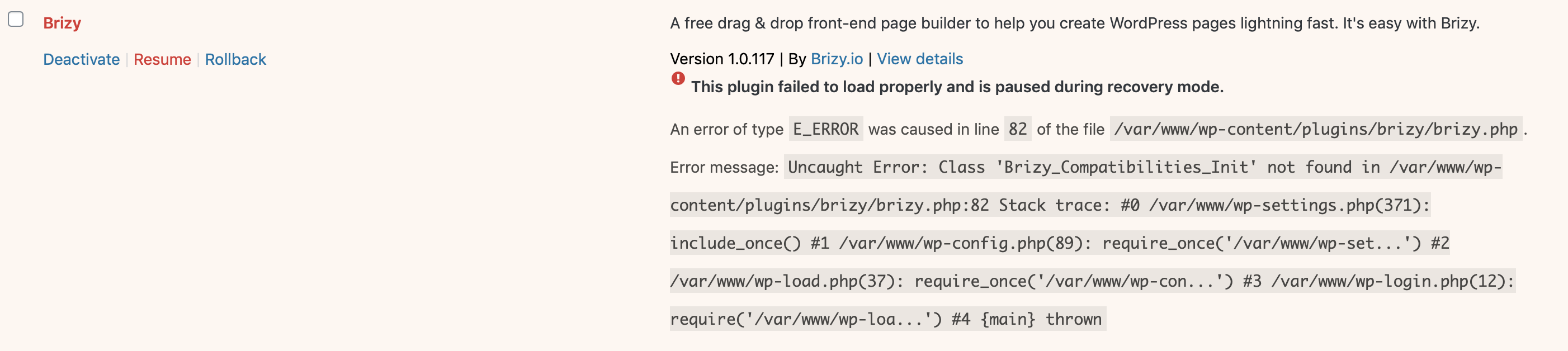
I'm not sure what this means or what we should attempt to do, but GoDaddy, is currently working on restoring the site. I have had this issue updating the brizy plugin in the past where an internal server error has occurred and the site has crashed. Unsure if our plugin is missing essential items and should be reinstalled or if it seems like there is an issue with our server and this is not a brizy issue.
Please advise thank you.
-

Hi,
you have a very old version. In the latest versions, we've made some changes regarding the automatic update, so there may be some issues. A manual re-install will fix the problem. You need to delete the Brizy folders via FTP and then re-install the latest versions manually( Brizy Free 1.0.117 and PRO 0.0.41)
1 -

Alex,
I am having the same issue - it is just that I am using Brizy on 6 different websites. I got this error updating www.taktrucking.com.
The website crashed after trying to update.
Please see the image below.
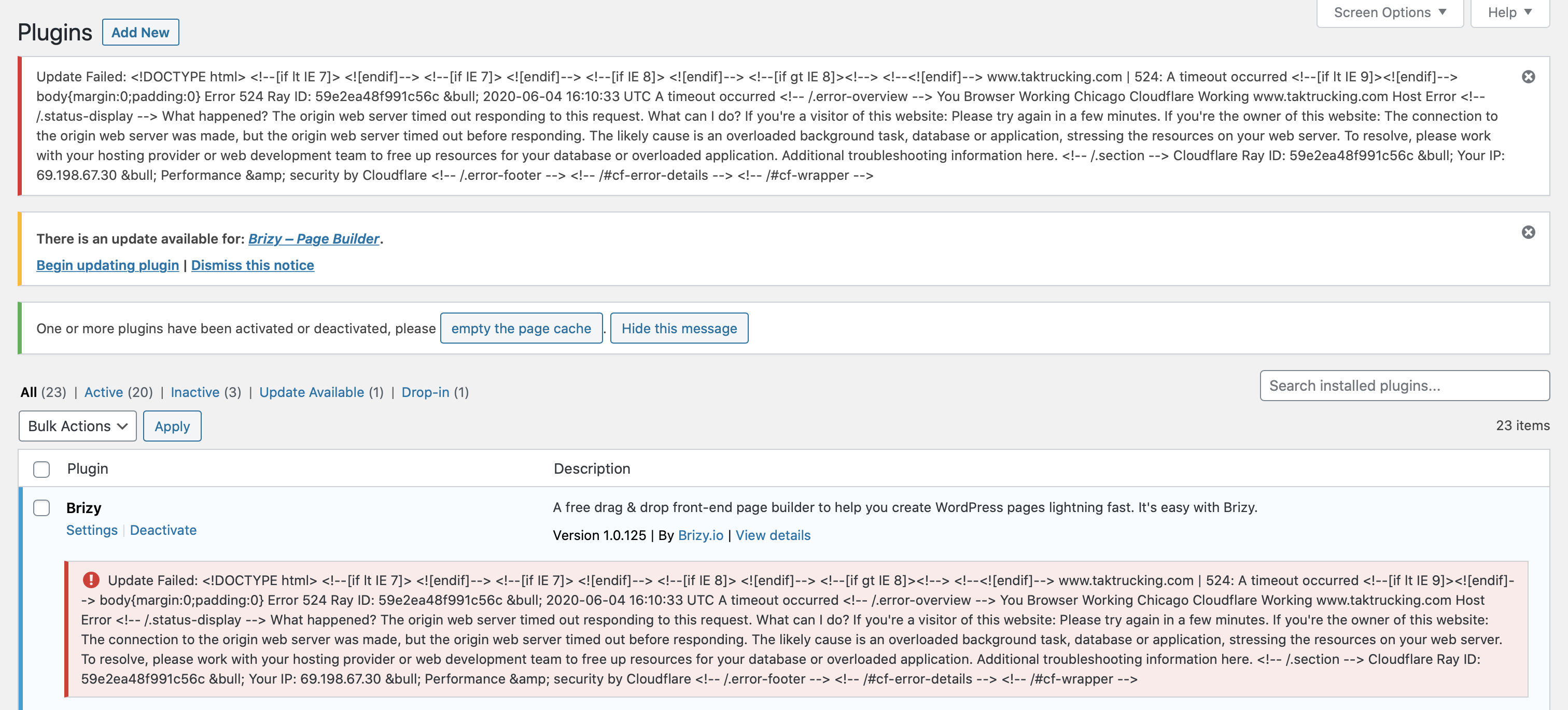 It is obviously a different version of the plugin (Brizy 1.0.125 / Brizy Pro 0.0.41). The fact that I have to do the same thing on 6 different websites is unacceptable. You guys should fix this on your end so we don't have to struggle with FTP. We have been with you since the beginning and all I get is my website crashing due to Brizy.1
 -
Hi,
We are grateful for your support but this issue is not the same as in the subject of the post. The problem on your website is not because of Brizy. Did you read the error message? The error occurred because your server's resources are overloaded. You need to get in touch with your hosting provider for more details.
0
Please sign in to leave a comment.
Comments
3 comments