Can't access menu styling

I'm trying to change the color of my menu items, as they are currently the same color as the background. The issue is that the grey arrow id covered by large global element styling icon. Is there any other way to change the color of my menu items?

-

Hi Taylor,
To change the colour for menu items, you have to select one menu item and after this to select the Colour option. From here you can change the colour and hover colour of the menu item. https://jumpshare.com/v/r5RYnDZ7KrgTnzlGqHIW
Best regards,
Sandra
0 -
Ah, thank you - I was making it more difficult than it needed to be!
0 -
Thank you too! It's my pleasure to help you! It is good to know that now all is fine!
Have a great day!
Best regards,
Sandra
0 -

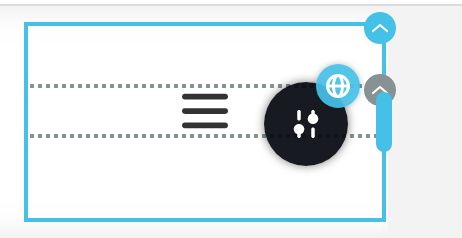
Hello There,I've got similar problem, but the above solution didn't work for me as I wanna change the colour of the hamburger icon, please advice.
0 -
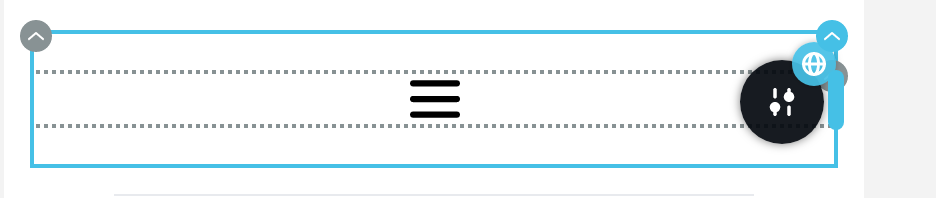
as you can see, when I hover over the menu, the setting button ( gray) completely covered by the container settings/global icons
0 -
Hi,
In this case, I can recommend to temporary add a padding-right to the column where is added the menu, access the menu option, change the hamburger colour and after this set again the padding-right of the column with 0. See here.
We plan to improve this aspect in the future but at the moment it is working in such a way and it can be a solution for you.Best regards,
Sandra0 -
Hi Sandra,
Thank you for getting back to me so quickly,
I think such solution is fair enough. I would recommend if you add a dropdown menu at the top of the above pane to allow us to select the item/section in the targeted section/area. it would improve the accessibility in brizy pro builder .
Cheers,
Bader
0 -
Hi,
Thank you for your reply!
Could you please give us more details regarding this "I would recommend if you add a dropdown menu at the top of the above pane to allow us to select the item/section in the targeted section/area"? Do you want to add anchor links to the menu items? If you make the site in the Brizy Cloud it is very simple. For this you have to:
1 - Add a Block name to the block you want to link when you will click on the menu item https://jmp.sh/lQFlZBI; for this access the Block options -> Settings -> More settings -> Advanced;
2 - Go to the menu and add a custom link/anchor;
3 - In the URL field add the "#" symbol and after this the name of the block. See here.Thanks!
Best regards,
Sandra0
Please sign in to leave a comment.
Comments
8 comments