I hope this is a mistake?

Hi,
The support asks me to wait then they mark the problem as resolved but nothing is resolved ???
https://support.brizy.io/hc/en-us/requests/7897
I can't even reopen the request!
Easy to solve problems. But not very serious.
Very disappointed with the support.
Best regards
-

Hi,
I checked the issue 7897 you opened and find that my colleague gives you the information that the inconvenience reported by you and Suki theme sent to our developer team and managers. She created an internal ticket for our developers and I saw now that it is open and our team are investigating this inconvenience. Also, she asked you if you have other questions and you said that you don't have others, therefore she closed the ticket to avoid redundancy. When we will receive a notification from our developer team regarding this question we will inform you regarding it, but at the moment this question needs a bit more time to be investigated.
Also, I can update the ticket opened by my colleague with some other details and in such a way to help our developers in inspecting this problem. Therefore, could you please say when did you find this problem? Did you find this problem in the Brizy page? Did you add in the Brizy page the menu from Suki theme? Is the Suki theme's menu display wrong? Other details regarding this problem will help us!
Thanks!
Best regards,
Sandra
0 -
Hi,
Thank you very much for your help!
I understand better. I didn't know you were still working on my problem. And as the ticket was closed impossible to ask the progress of the problem.
So sorry to have opened another post.
I had the problem on 2020-05-07
but I'm not technical so I asked Suki and he replied this message to me
"After spending some hours investigating this issue, here is what we found:
The issue is caused by Brizy Pro's javascript (preview.pro.js) which works on the frontend layer.If a Menu widget is found in the Brizy content, the javascript would automatically modify the original tags from Menu widget to support mobile header drawer.This is required to get a functional Mobile Menu, but the problem is, they mistakenly also move the Footer part into the Header wrapper as well."the problem did not occur that with "Suki" "envira gallery" does not work properlyBut at first I thought it came from Sukithank you again for your helpBest regards0 -
I enclose an example with envira without suki
0 -
Thank you for your reply and all these details. Could you also describe how did you create this page? If you try to edit with Brizy a page that is already created with theme or another page builder, I'm sorry to say but isn't possible to edit with Brizy a page that is already created with the theme or another page builder. You can create new pages and edit them with Brizy.
Thank you in advance!
Best regards,
Sandra
0 -
Uses the Template option. i don't use other builder. Just to edit dynamic pages.
Here is a screenshot in template
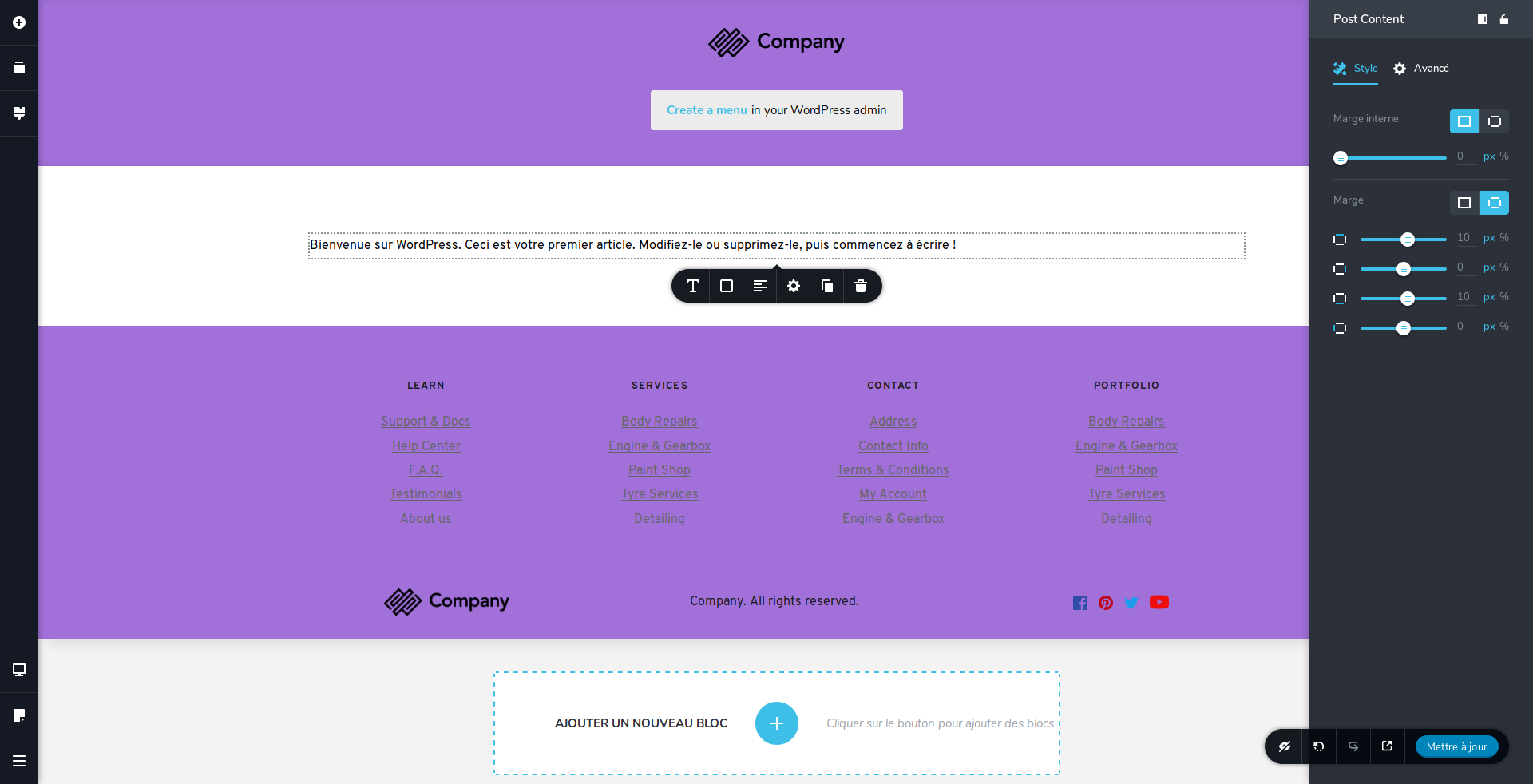
thanks again
Best regards0 -
Hi,
Using this template did you try to edit the Album pages? The Album is a Custom Post Type like a Portfolio or is a Category of Pages/Posts?
Thanks!
Best regards,
Sandra
0 -
Hi,
this is the dynamic content generated by Envira Gallery

thanks again
Best regards
0 -
Thank you for this information. I investigated a little bit the Envira Gallery and found that it is a plugin that allows users to create Galleries. Unfortunately, at the moment, Brizy doesn't have integration with this plugin and don't have a functionality to import with Dynamic Content the images from the Gallery but we are working on this functional and we will have it. I can't say exactly when, but we will strive to release it as soon as possible.
Thank you!
Best regards,
Sandra
0 -
is there a way to put the Brizy header and footer throughout the site? Just an option in all pages
If there is such an option I will manage to wait for a patch ;-)
thanks again
Best regards
0 -
I'm sorry but isn't possible to display Brizy header and footer for all pages, also on non-Brizy pages.
Thanks!
Best regards,
Sandra
0 -
Hi,
What a shame I would have liked to use brizy without worrying about the theme.
I hope it will become possible.
Best regards
0 -
Hi,
You can use Brizy and don't worry about the theme, but you will not be able to use the Brizy header and footer for non-Brizy pages. You are able to use them inside the Brizy editor for Brizy pages.
I can't promise that will be possible to add the Brizy header and footer on non-Brizy pages, but I can promise that we will add some other stunning features and options.
Thanks!
Best regards,
Sandra
0
Please sign in to leave a comment.
Comments
12 comments