Featured images not showing in Wordpress Editor when Brizy enabled

Hi. I have a problem where featured images are not showing the Wordpress editor when Brizy is Activated. If I deactivate Brizy, then the image shows.
Any ideas what's going on?
Brizy activated:
Brizy deactivated:
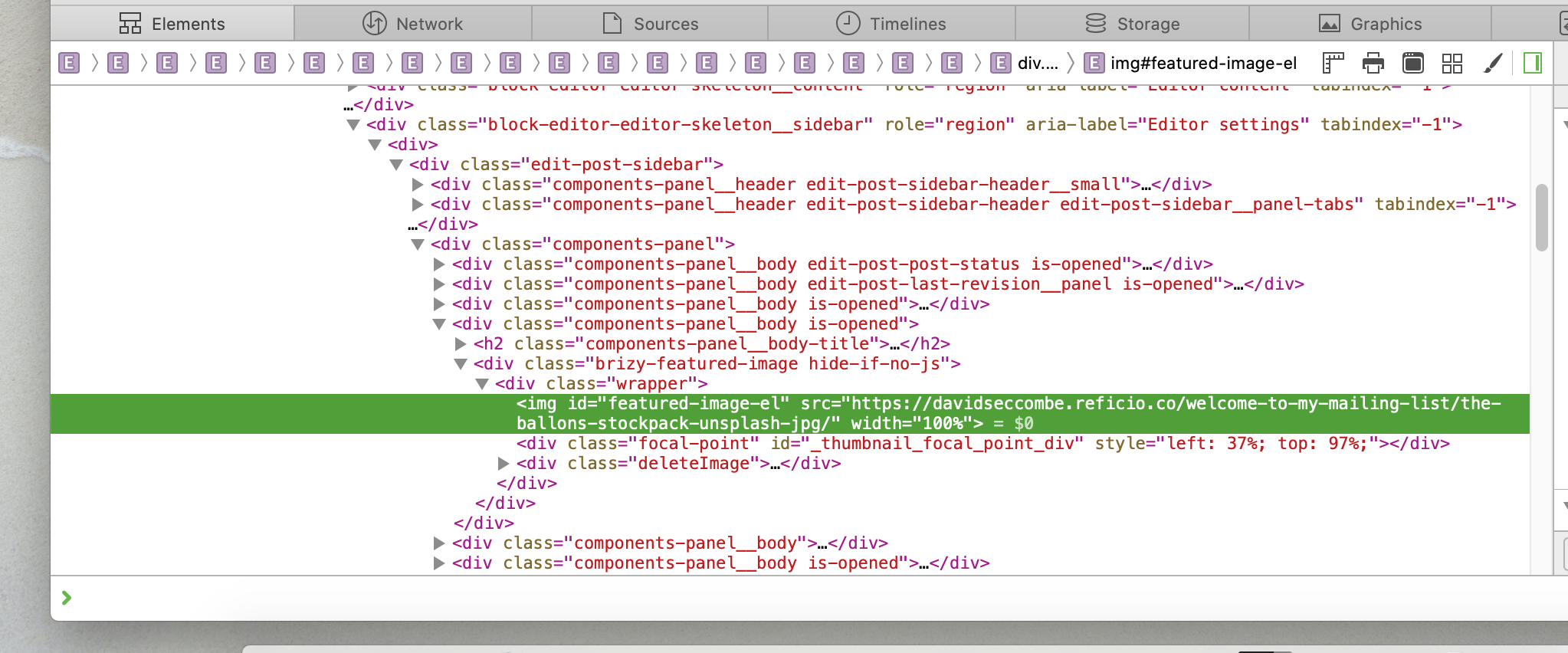
Here are some debugging screenshots:

-

Hi Sam,
Can you please confirm you have the latest Brizy versions - Free 1.0.124 and PRO 0.0.41? Also, have you tried to check this with all plugins disabled? With another theme? Do you have the same problem?
0 -

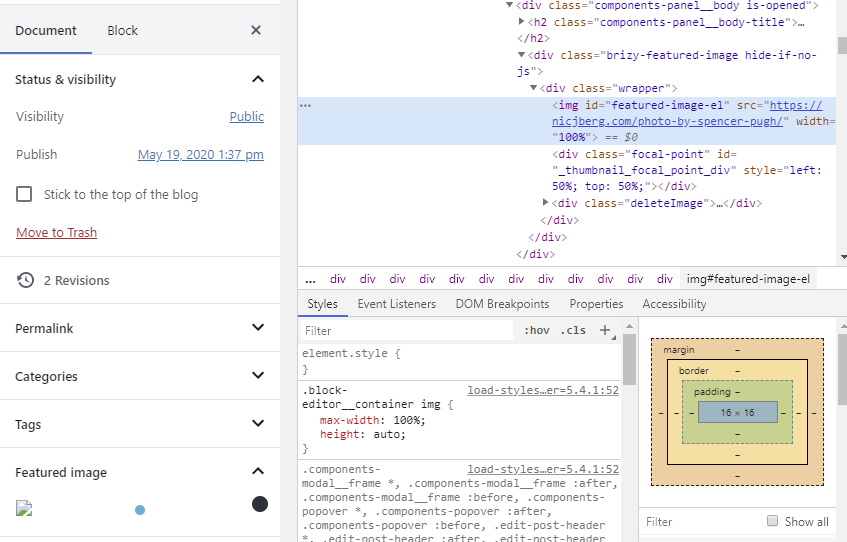
I am having a similar issue. I can confirm that I am using the latest versions of Brizy and Brizy Pro, and I have tested this with all other plugins disabled and in Troubleshooting mode. As you can see from my screenshot, my problem is that the src url for the image is missing a "/" before the file name. If I add the slash in manually using Chrome's developer tools, the image appears as normal. This behavior continues with "Use Brizy for Posts" disabled. Please advise. Thank you.
 1
1 -
I found another example where the src url points to the media page rather than the file itself.
 1
1 -
Hi Nicolas,
I can't reproduce the problem on my side. I have created a ticket for you so please send the login details there and we will look into it. Thanks.
0 -
I can confirm I have Brizy Free 1.0.124 and PRO 0.0.41.
I've tried with multiple themes (Hestia, Blocky, Twenty Twenty), and the problem is still there. When I disable all plugins except Brizy Free and PRO, the image is still not showing.
0 -
Hi Sam,
I have created a ticket for you so please send the login details there and we will look into it.
0 -
Thanks, Alex!
0
Please sign in to leave a comment.
Comments
7 comments