Font awesome font inside a text element

Hi,
Just wondering if it is possible to include an <i> tag inside a text element. For example, let's say I have multiple lines of text and I want each line to begin with a different icon. In HTML you could drop in something like <i class="fas fa-star"></i> at the start of each line and then include the font awesome "kit" code in the head of your html. I see how I can inject the "kit" code into the head under the settings, but I can't find a way to include an <i> tag. So I'm wondering, how you would achieve this same list effect with icons in the Brizy Builder?
-

Hi Robert,
If you will add the library of Font awesome in the head of the site, you can add the <i> inside the text element. In the editor, you will not be able to see this modification but in the preview mode, you will see how will look the icon.
Also, I want to recommend you using the Brizy font library, you can use the Icon Box element for this purpose. See this screen record https://jumpshare.com/v/HqivOjCM29mxWRA9NTT4
Best regards,
Sandra
0 -
Hi Sandra,
Thank you for getting back to me. I tried your suggestion of just dropping in the <i> tag from font awesome into the text element and that does work, and viewing it in preview shows the actual icon. There is some default brizy styling applied to the <i> tag so it is italicized which was not really the desired effect. If I wanted to turn off the styling on that <i> tag would I just modify the css or is there another alternative.
Here is the page I have been experimenting with https://greenvalley.brizy.site
The jumpshare link you provided seems to be broken. I tried the Icon Box element as you can see in my example and it is an improvement in the design of this page, compared to the centred list above, and for lists like this it is definitely the way to go.
Thanks again.
0 -
I'm sorry Robert, for the jumpshare link. I wanted to send to you this link https://jumpshare.com/v/HqivOjCM29mxWRA9NTT4
Yes, you are right. In the Brizy code is applied for <i> tag the italic font-style. If you want to change it, it is necessary to add some Custom CSS.
Let me know if I can help you with something else!
Best regards,
Sandra
0 -

Hello, when i add a icon box element, i am unable to center the whole icon box! only the text is centered, but not the icon, any idea on how to do it?
0 -
Hi,
Yes, if you use the Icon box, isn't possible to align to centre the icon, but you can align it to the right and left from here.
Best regards,
Sandra0 -
Yes i know that it can be aligned right and left, but my need is to center it along with text.
Or is there any other way i can achieve centering the icon and text together other than with icon box.0 -
I'm sorry but at the moment, isn't possible to align the icon from Icon Box to the centre but you can try adding some Custom CSS to the Icon Box. Another solution can be to place the icon element and the text element in 2 different columns. It isn't the perfect solution but maybe will help you.
Best regards,
Sandra0 -

Guys, please make this happen ASAP. We've just wasted an inordinate amount of time trying to align the icon and the text--using Font Awesome makes the icon italic which looks bad. How do we remove the italics with CSS? It's not very clear. Thank you for your help!
0 -

Hello Seb,
Thank you for your message!
We will try our best to implement this as soon as possible and I will forward your request to our developers! Thank you for understanding!
Kind regards,
Doina
0 -
Thanks for your reply Doina.
IMO, there needs to be a way to center text and icons together, or to include Font Awesome icons without them becoming italicized. This should be prioritized.
Thanks!
0 -

Hi Seb
I am not sure if I understand what you mean by a way to center text and icons together. Please watch this video and see if this this what you mean by it. https://www.loom.com/share/0ef3ea32685c40bd9dd7f9039e2b532c
I checked the Font Awesome icons, The font awesome icons do not look italicized to me. I could not reproduce the problem you are taking about. Please help me understand your problem better with a screenshot or a video recording. Thank you
0 -
Hi KC, thanks for your reply and for taking the time to put that video together for me.
The issue with italics is acknowledged by others earlier in this thread, so it is a known issue with using Font Awesome and Brizy together. If you add a Font Awesome shortcode within a Brizy text element the icons will be shown italicized. However, after some time I was able to figure out how to mitigate this with CSS.
Now, as far as being able to center icons and text together, I believe there is a misunderstanding here. I believe some of us are talking about centering text and icons as in "freely", without having to wrap them inside a box and constrain its width. What you show in the video, while technically it achieves the same effect, it is not a true centering of an icon and text, as it requires that we use a div/row element, and specify a width for the box.
I will send you video of how the same thing is done in Nicepage, so that you can see how it can be done in another builder. While Brizy is our preferred builder, I believe Nicepage may have the upper hand when it comes to centering icons and text.
Here's the link to the video:
http://triphitz-hosting.com/temp/nicepage-text-and-icon-centering.mp4
Thank you for looking into it.
0 -
Hi Seb
I just tried adding Font awesome icons using the SVG code. The embed seems to work fine without any problem
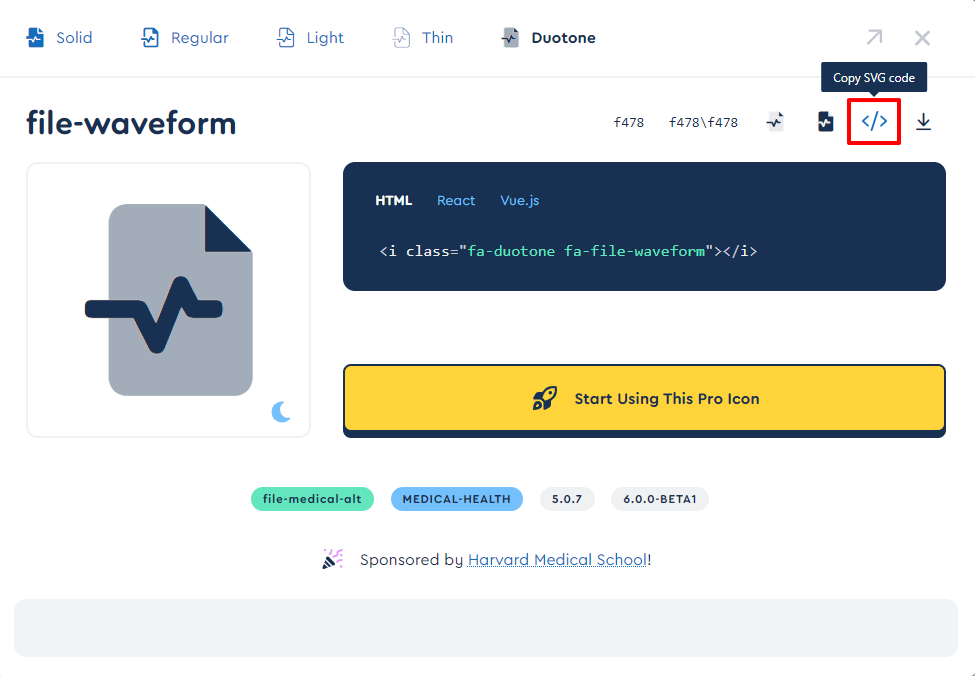
Brizy also has native integration with Font Awesome. It would be much easier to use the Font Awesome using Icon element.

Please take a look at my test page here. https://homi.kctest.online/font-awesome
I agree that it is much easier to center text along with an icon using the Nicepage;. they do have the upper hand when it comes to centering icons and text.
0 -
Thanks for the reply. It may be that the italics was due to me using a shortcode and a plugin rather than simply pasting the SVG code from the FA site (I figured that wouldn't work). Thank you for your time.
0 -
Font Awesome icons no longer work inside text elements as of 2.4.3. This is similar to another issue affecting HTML elements placed inside text elements. It looks like this functionality has either been disabled or is broken. Please see my open support ticket regarding the HTML elements.
Thank you for your help.
0 -
I've downgraded back down to 2.4.1 and all issues are fixed. Hopefully your team will fix these issues that were introduced with versions 2.4.2 and 2.4.3.
0 -
Hi Seb,
Do you mean to say that HTML code and font awesome icons used to work within the text element? The text element is not designed to work with either HTML code or icons. This could have worked in the past by chance and not be design.
0
Please sign in to leave a comment.
Comments
17 comments