Images not showing (Coming Soon)

Hi There,
Created a COMING SOON page and set it up as a 'Coming Soon' in the 'Maintenance Mode' within Brizy Its a countdown Element from your template block with some small element changes including a Logo (replacing the template symbol). I have selected the PLUG and made sure the 'email' goes through correctly (which it does).
However, when I look at the Live page outside of Maintenance mode on my desktop (via Chrome incognito) or iPhone the PNG Logo I added via the MEDIA tab in Wordpress is not visible. This is in WP desktop or iPhone (although my Iphone shows a square outline where the logo should be.
the website in question is fashionintern.co.uk
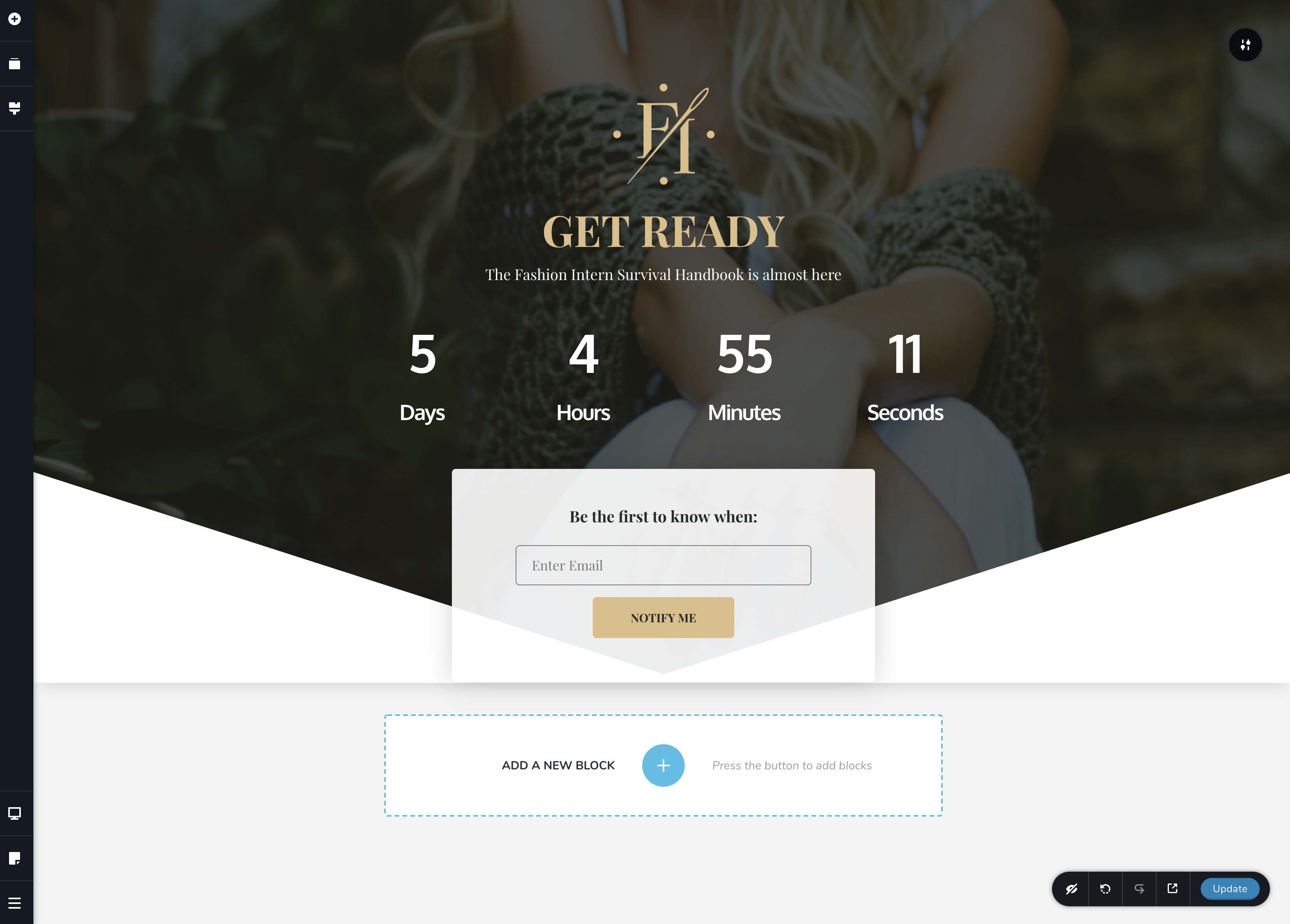
Here's what it looks like in Brizy
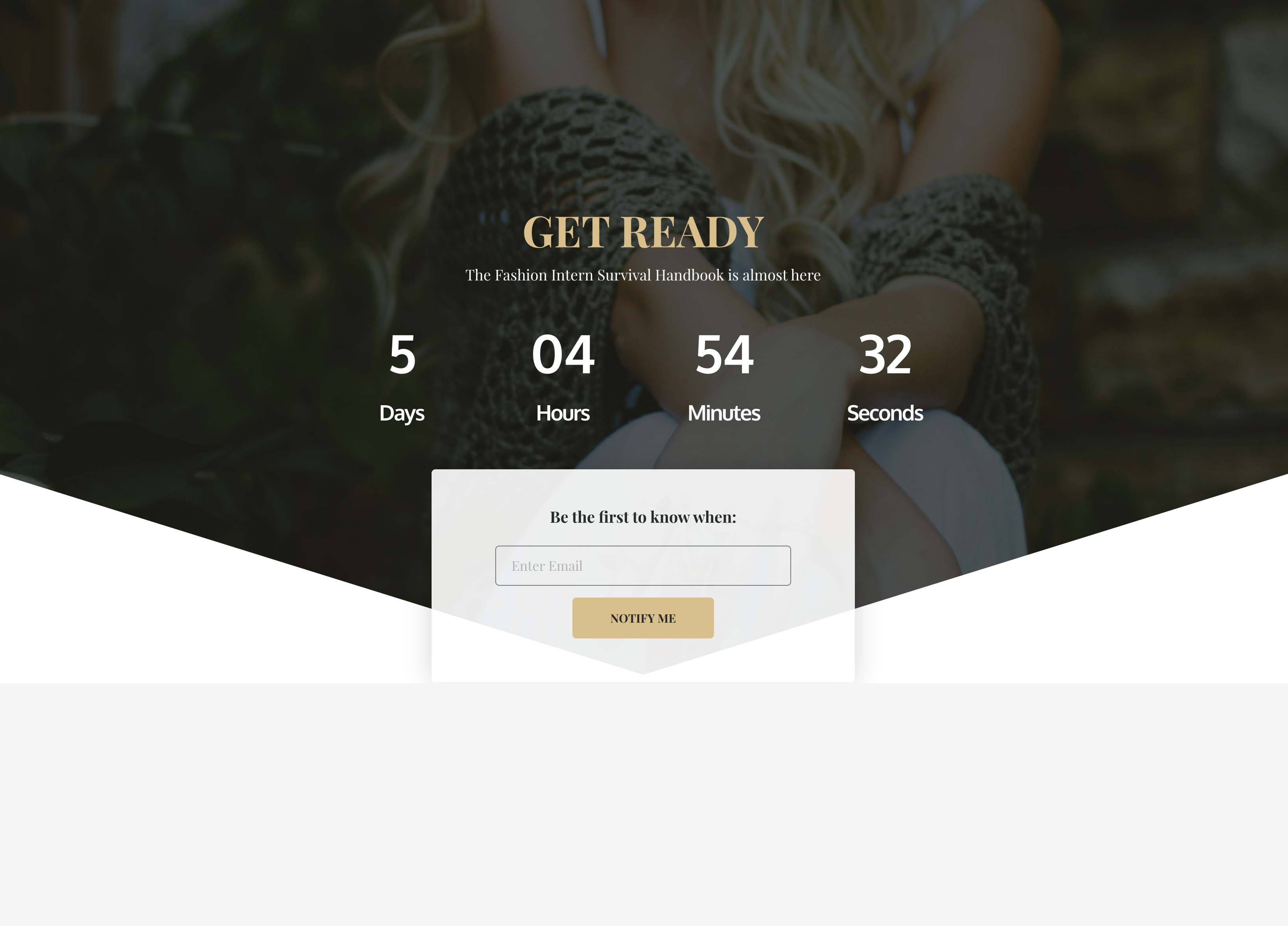
and here's what it looks like outside of Brizy in WP Live mode (as the public will see it) *NOTICE the missing logo at the top. This is the same for all devices (desktop, ipad and iphone). There's nothing hidden and ive replaced the image several time. This logo works fine in pages within the normal site so its not the logo itself. The logo is designed by me in Illustrator and then used in WP as a transparent PNG
Thank you
-
Ive also noticed that when I test this page on my iPhone 11 and on my iPad Pro that the layouts are wrong. Normally when I adjust these individually in Brizy WP for mobile devices it keeps the layout settings but on the Coming Soon page it doesn't. So if I change the layout for one it keeps it for the others (not keeping the indiv settings for each device screen setup.)
Also there's no way to change the layout setting in the countdown clock as the 'hourglass' disappears in the mobile layout structure. So even though the text on the iphone layout is wrong (its overlapping as the character spacing is wrong) there's no way for me to correct this unlike in desktop view where I can.
0 -

Hi Andrew,
did you check this post: https://support.brizy.io/hc/en-us/community/posts/360059937471/comments/360010326412 ? There is a known issue with this option. The thing is that it should work if you do not make changes to the page after it has been selected as a maintenance page.
0 -
**URGENT**
Hi there,
Didnt work for me. I saved the designed block as a template. Deleted that page, reset the maintenance mode. Then created a new page where I inserted that template block. I saved it, came back out to WP before resetting the maintenance to COMING SOON with it pointing at the new page. I didnt touch it after I dropped in the template and saved it.
It still didn't work!
Im due to go live with this today (as you will have seen by the countdown timer) so can you suggest a temp workaround so we can get it up and running. Shall I just create a full page background in Photoshop and use that?
Regards
Andy
0 -
Preferred not to have done this but as there's no solution I abandoned using PNG files and activated SVG. I exported the logo as an SVG and it worked.
*Also there are huge discrepancies between what your mobile viewer sees and the actual live views on both Iphone and Ipads. Its also not possible to amend in one view (iphone) and then do something different on another platform as the changes ripple through. The changes are not independent.
0 -
Hi Andrew,
I'm glad you found a solution.
If you do not work on the page while it is selected in Brizy settings as the maintenance page then it will behave normally. Like a standard Brizy page. From what I noticed from the tests, problems occur when you change the page while it is active in the settings. We already have this on our list and the developers will fix it. Sorry for the created inconvenience.
0 -

Hi Team,
As of 12 February 2021 the issue with the PNG images on "Coming Soon" pages still exist. Good if this could be fixed any time soon.
Regards,
PP
0
Please sign in to leave a comment.
Comments
6 comments