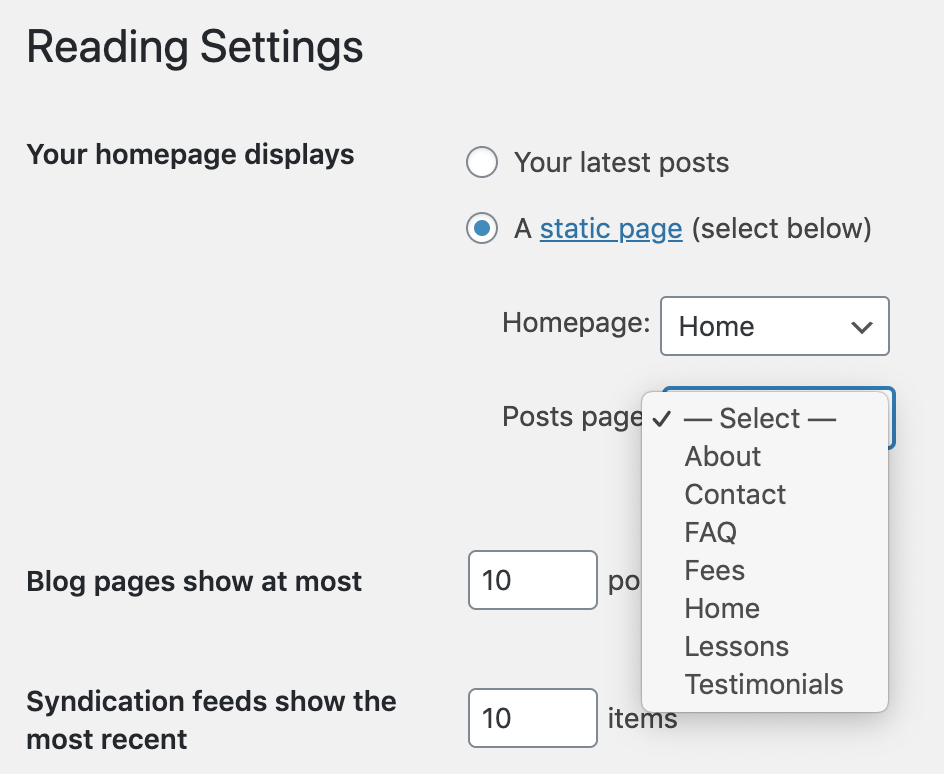
Reading settings -> Posts page

Hello Brizy,
Does the plugin work with this setting?
When I selected a page, it showed up as blank on the website.
Unselecting the page caused it to show again.
The page in question is https://violinteachersingapore.com/faq
(currently it is not set, which is the reason it shows)
You can see an example of a clone of the page above which is set as the posts page here:
https://violinteachersingapore.com/faq-demo/
(it doesn't show, but if you right-click there is source code appearing)
Thanks.
Regards,
Ivan Wong
-

Hi Ivan,
As you know, the Posts Page is the Blog page of the site and in such a way you indicate what page to set as the Blog Page. The Blog page is a something like a predefined page in WordPress and WordPress set for it one certain template. This page can't be edited directly in Pages with Brizy. For this reason, when you try to edit that page with Brizy you don't see in the preview all those modifications. Therefore, if you want to edit the Posts page with Brizy, I suggest deactivating Brizy builder on the Posts page (from Pages) and creating a template for this page. In the display conditions, you should have "Include -> Blog/Posts Page". Inside the template, you have to add all the elements that you need (but I suggest using the Archive element because it will display all posts from all category).
Best regards,
Sandra
0
Please sign in to leave a comment.
Comments
1 comment