Manager or Designer Role Team member - Unable to access the header/footer under the code injection setting

We have a test project where in I have, as the owner of the project (appsumo deal), have invited team members to collaborate on the project.
The invited designer member went through creating her Brizy account and validated it.
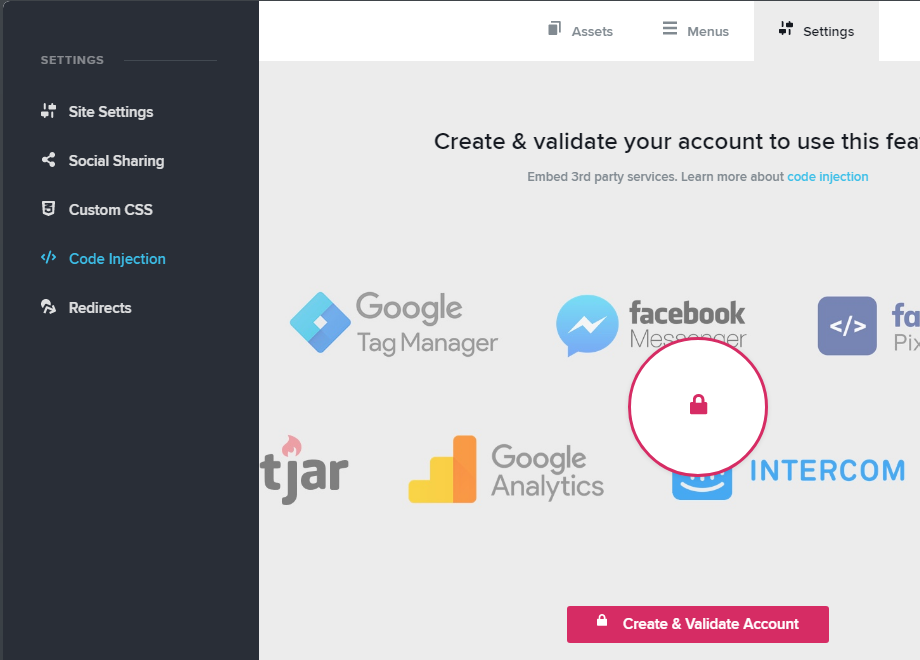
However, she is unable to access the project setting to embed the code for the popup under the Code Injection setting and is showing a lock icon with "Create & Validate Account".
Is there anything else that needs to be done on her account.
-

Hi Andy,
This message appears when the user accesses the Brizy Cloud and create projects using the Guest account or in the case when the user had created an account but didn't validate it. Therefore, to solve this inconvenience and be able to add code in the header and footer (and access other elements), the user has to create and validate the account and if he/she has it, only to validate it. For validating the email, the user has to access her/his email, with which was created the account, and find the Validation/confirmation email from Brizy. There you will find a validation link that should be accessed.
Best regards,
Sandra
0 -
Hi Sandra,
Thanks for replying.
As I have mentioned, the invited team member has already done the email validation for her brizy account but that "create and validate account" still shows.
0 -
Hi Andy,
Could you please send us the email of the person you set as a designer and receive this problem? We will check the status in our database and investigate this case.
Thanks!
Best regards,
Sandra
0 -
imsamlealATGMAILDOTCOM
0 -
I'm sorry but we need the email of the account. Could you please send to us the email of the user you set as a designer?
Thank you!
Best regards,
Sandra
0 -
Hi Sandra,
That is the email address (imsamleal@gmail.com). I didn't wanna put it in the scrapable format since this thread is widely open.
0 -
Hi Andy,
Thank you for the email. We already checked it and found some inconveniences with the account but we already fixed it and now all should work fine.
Could you please check this and confirm that all is fine?
Thanks!
Best regards,
Sandra1 -

Hello Sandra,
I encountered the same problem for my designer.
Could you please check his account?
tomiwarti@gmail.com
Regards,0 -
Hi Benjamin,
We fixed this problem for the tomiwarti@gmail.com user. Could you please check if all is fine now?
Thanks!
Best regards,
Sandra
0
Please sign in to leave a comment.
Comments
9 comments