Elements overlap

Hello Brizy team,
in certain situations the save button is covering some elements and i can't click on them to edit. There is a workaround for this problem?
Please see the attached file for reference.
Thanks.
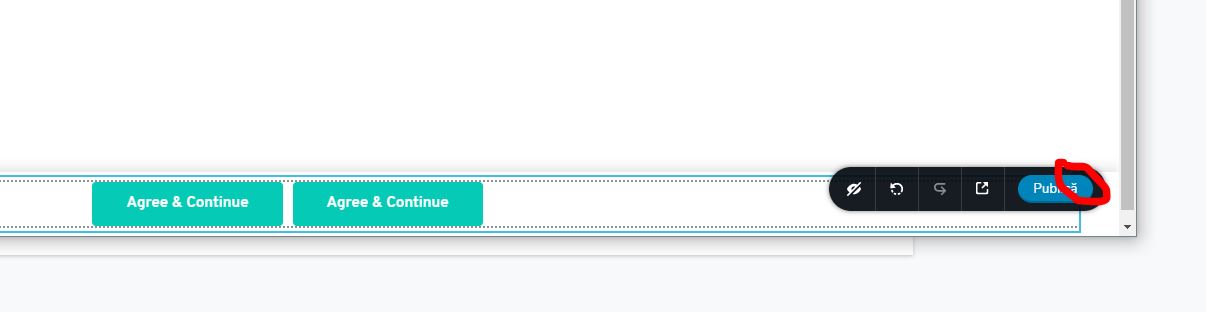
-

Hi Valeriu,
Can you give us more details on how to reproduce this? Does it happen on a page or in pop-up?
The solution, for now, will be to move the section above and edit it and then place it back at the bottom. However, we need to know when this is happening and fix it.
0 -

Ich habe das gleiche Problem.
Ich kann den Text von dem Button unter der Schaltfläche nicht sehen.
Es wäre gut, wenn die Schaltfläche keine feste Position hätte.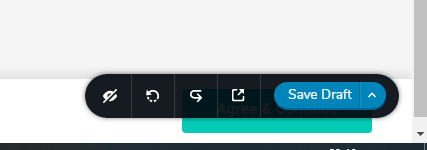 0
0 -
Hi,
from what I know this happens when you have a pop-up attached to the bottom of the page. You can change the position, edit the button, and then put it back at the bottom: https://jmp.sh/O4uPORv We will think about how to fix this problem but at the moment you can use the solution with position.
0 -
Hello Alex, i think you misunderstood me and Valeriu Costea. It's about the PUBLIC or SAVE DRAFT button or whatever it's called in another language. Can't it be moved? This is also annoying if a fixed UP ARROW icon or button is installed. See my picture.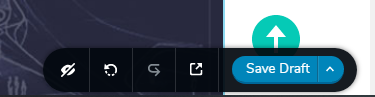 This has nothing to do with popup.0
 -
Hi,
the Save/Publish button cannot be moved. I noticed such a problem when I have a pop-up on the page and its position is on the bottom. In this case the pop-up button is behind the toolbar sections and so I can't edit it. I thought this was your case, but it seems not: https://jumpshare.com/v/uY9UombyTObLDDI0d8pR This does not happen on an edit page because there is another section at the bottom of the page that creates some space: https://jmp.sh/tM2SDEZ
However, the current solution is to change the position of the element you want to edit and then put it back.
0
Please sign in to leave a comment.
Comments
5 comments