OGIMAGE

Hey Dimi!
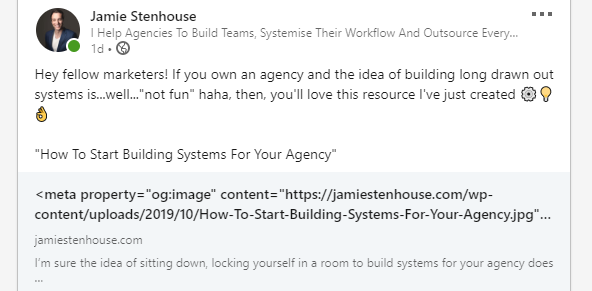
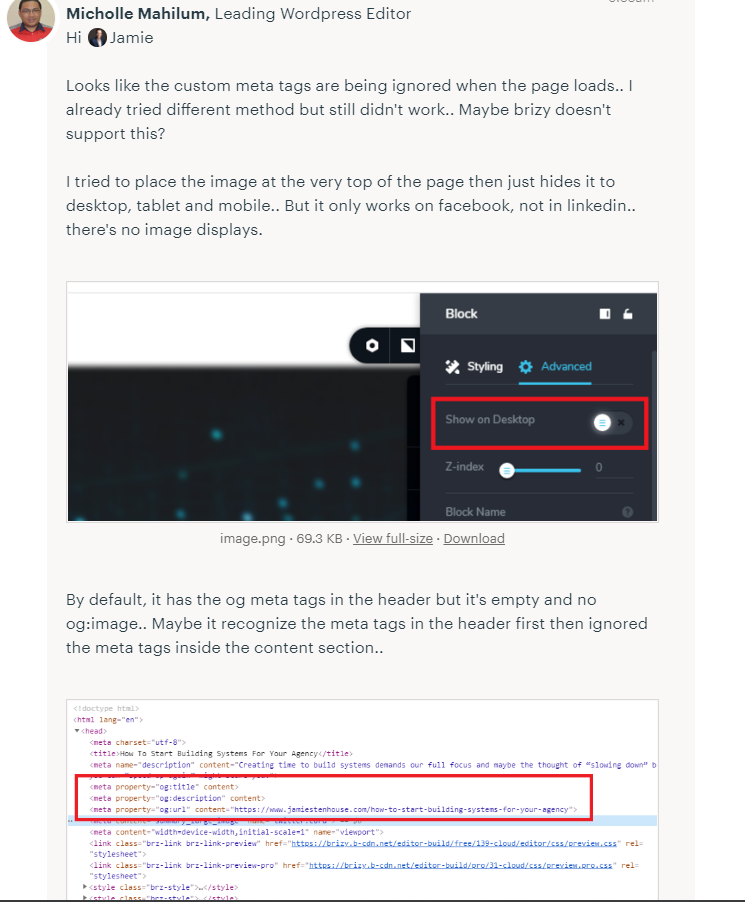
-

Hi,
I can see the image when I try to share your site: https://jmp.sh/yhrZ6cS Try clearing the preview cache on the platform you want to share.
This article could be useful: https://support.shareaholic.com/hc/en-us/articles/360000263426-How-to-Clear-Link-Preview-Cache-Stored-by-Facebook-Pinterest-LinkedIn-Twitter
0 -
Yes Alex but this is the wrong image haha. This is not the image inside the OGIMAGE tag
0 -
Is there anyway to force an image? Ive used the OGTAGs but still no such luck :(
0 -
Hi,
is this the right image: https://jmp.sh/cOC9pXV ?
0 -
Yes! We are struggling to get that to show on FB and LinkedIn
0 -
Hi,
The article I sent in my first answer should help you. I used the Facebook debugger and now I have the right image in link preview: https://jmp.sh/eiAFf4F
0 -
I just checked, it is still not working :(
It shows the same image on each page, it should be showing a different image on every page, not the same one.
0 -
Hi,
it seems that we are referring to different problems. I thought the problem was that the image set here is not displayed when you share the link. But you expect each page to have a different image. At the moment, we do not have the option to upload og: image for each page, this is only one image for your entire project that can be uploaded here.
0 -
Hey Alex, we are now having a new issue, whereby we cant publish to custom domains, has this feature been removed? There used to be a dropdown showing to publish / change domain? Where has this gone.
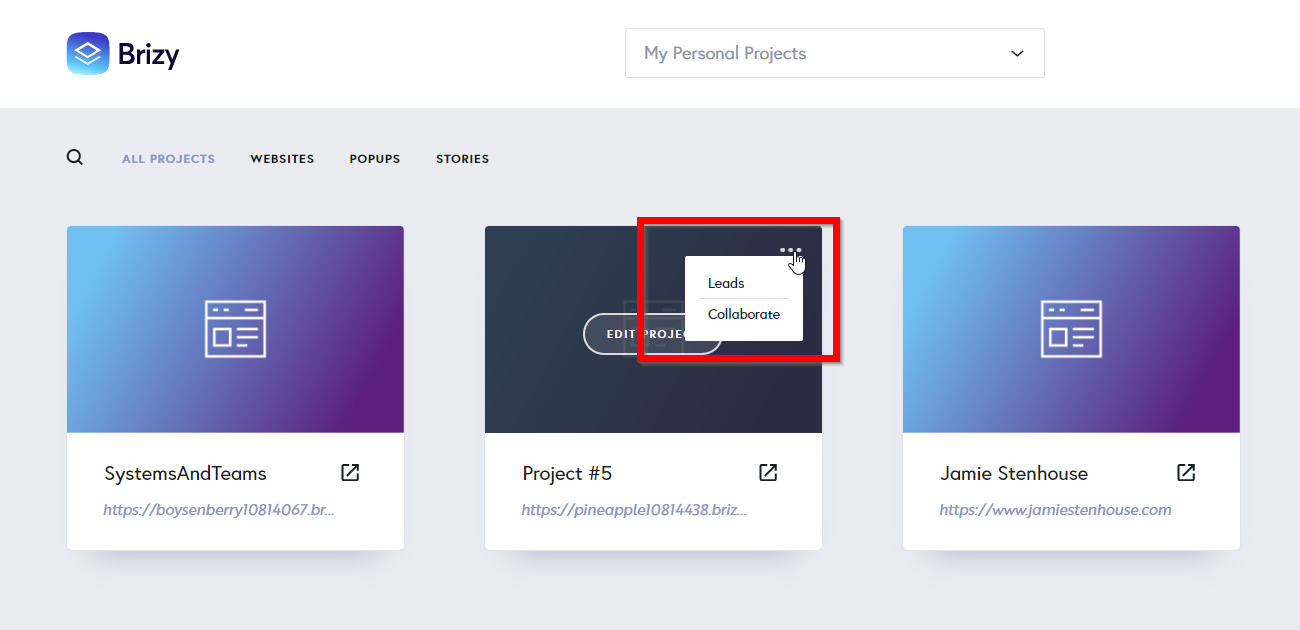 0
0 -

Hi Jamie,
If you are given Designer role in another user's Workspace, this can happen. Are you a Team Member in another user's workspace?
In your own workspaces, you should see this menu
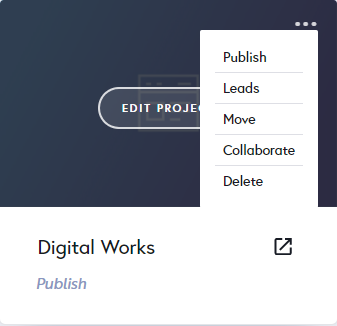 0
0
Please sign in to leave a comment.
Comments
10 comments