How to disable auto-play for gallery block

Hello,
I am using this block:
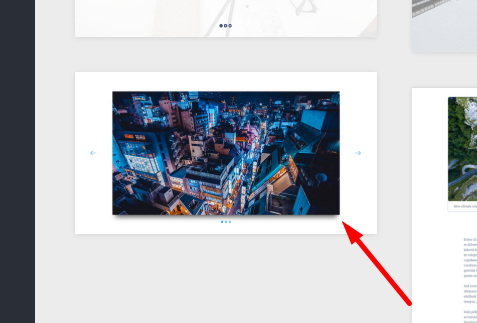
The only problem is that it has autoplay/auto switch behavior.
it is automatically changing the images after 3 seconds.
I am using it for videos and not for images so it is problem for me.
I found that in the generated code, there is a really auto-play flag but I could not able to edit this flag via the editor.
See:
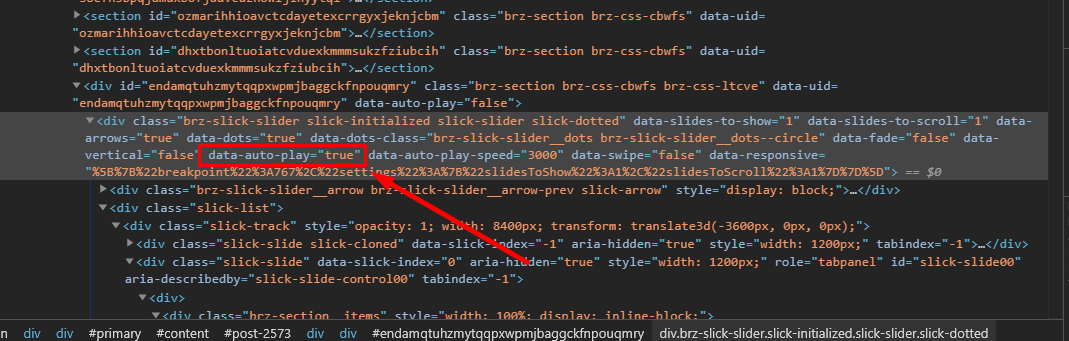
So I tried to figure it out..
I did this:
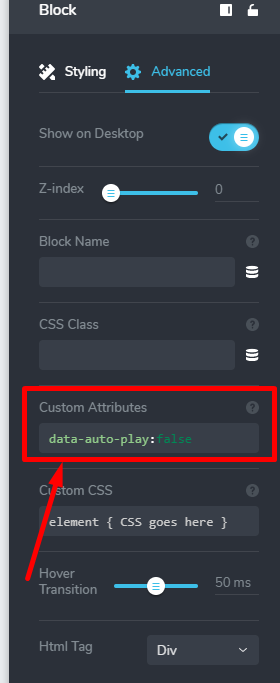
But unfortunately, it only added the flag at the wrong place (you also see it in the first image):
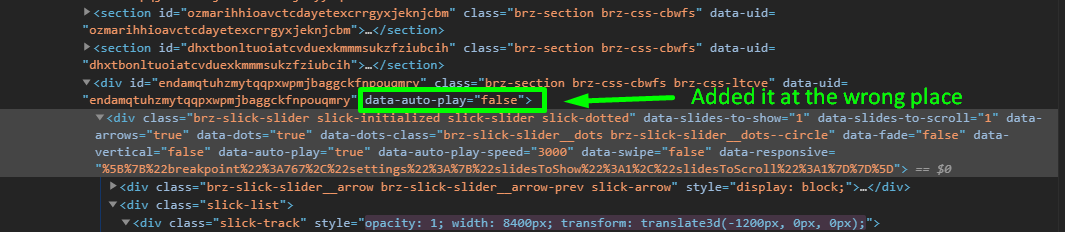
Any idea how to solve it?
Thanks!
-

Hi Gil,
Yes, it is possible to disable the autoplay for the slider. For this, you have to access the block options, go to the Block (it is the first option) and here select the Slider sub-option. From there you will be able to see the "Auto-play" option. You have to deactivate it. https://jumpshare.com/v/lptyG09UMIXqAaBV9e4E
Best regards,
Sandra
0
Please sign in to leave a comment.
Comments
1 comment