Brizy Pro WordPress Plugin Activation Issue

I have already purchased Brizy Pro, how do I activate my Pro account in WordPress plugin?
I can't figure out. I need help.
Thank You
-

Hi,
To activate the Brizy Pro on your dashboard you have to:
For this you have to:
1 - go to https://www.brizy.io/ or to your Brizy account https://www.brizy.io/account/login;
2 - upload the Brizy Pro plugin (don't unzip the folder);
3 - go back to the WP dashboard and access the Plugins -> Add new -> Upload plugin;
4 - upload the zip file you downloaded;
5 - activate the Brizy Pro.
For running well the Brizy Pro plugin, you should have installed in the dashboard the Brizy Free plugin too, because the Brizy Pro is an extension of Brizy Free.
After you will activate the Brizy Pro, you have to add the licence key. In this article, you can find how to do this - https://www.brizy.io/blog/licensing-system/
Best regards,
Sandra
1 -

By mistake I have added the plugin into the wrong wordpress (another client). Now, I can not charge it into the right one. How can I do.
0 -

Hi,
Thank you for contacting us.
Please delete the plugin from the wrong Wordpress dashboard then please add it to the new WordPress dashboard.
Best regards, Nelea.
0 -
I've already did that and it does not work...
0 -
Hi,
What exactly is not working, what error do you have ? Can you please send a video recording so we could understand the issue Unusually, you can add the Brizy plugin to any dashboard. Have you installed Brizy free and Brizy pro and it doesn't work? Did you have followed all the steps in this video https://www.youtube.com/watch?v=cNknGr8JH6Y
Best regards, Nelea.
0 -
 0
0 -
Really it's a mess. Can I do it differently ?
0 -

Hi Juliette,
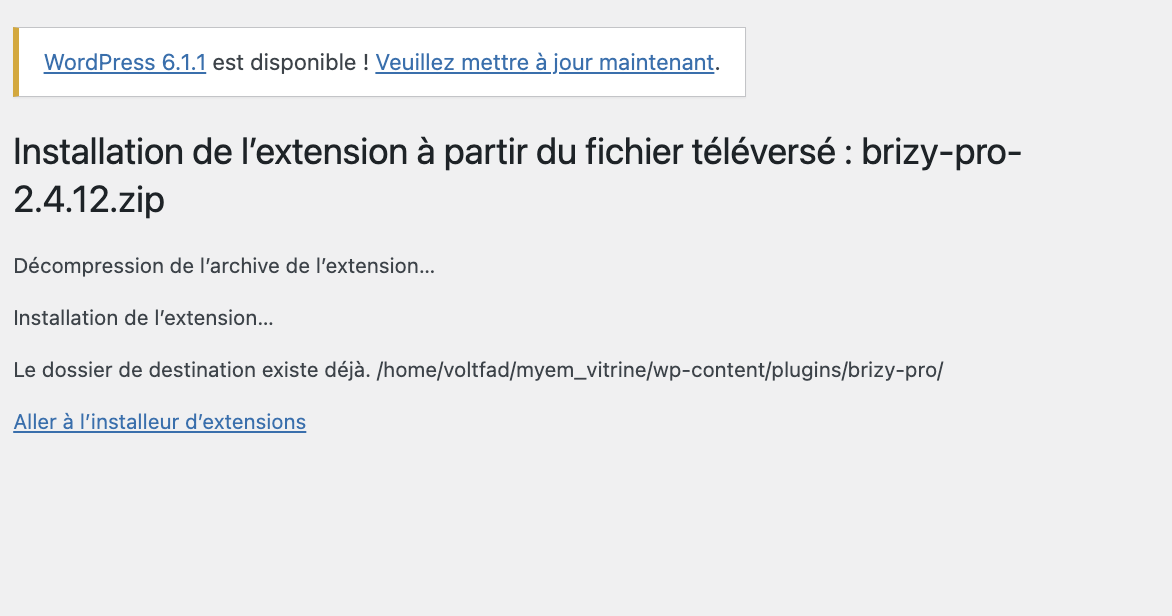
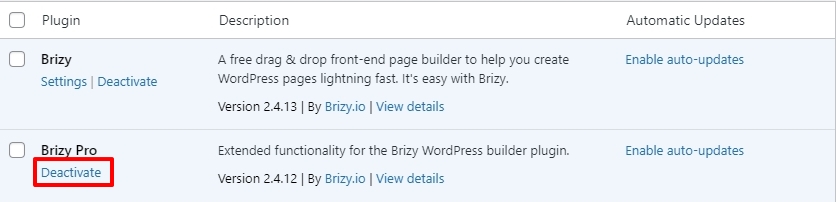
The error message says that the "The destination folder already exists: /home/voltfad/myem_vitrine/wp-content/plugins/brizy-pro/" This means that you are trying to install Brizy Pro when Brizy Pro is already installed. You will be able to reinstall Brizy Pro once you delete the previous instance. Please go to Plugins in your WordPress Dashboard and deactivate and delete Brizy Pro. Please also look at this video for the right procedure. https://youtu.be/cNknGr8JH6Y
 0
0 -
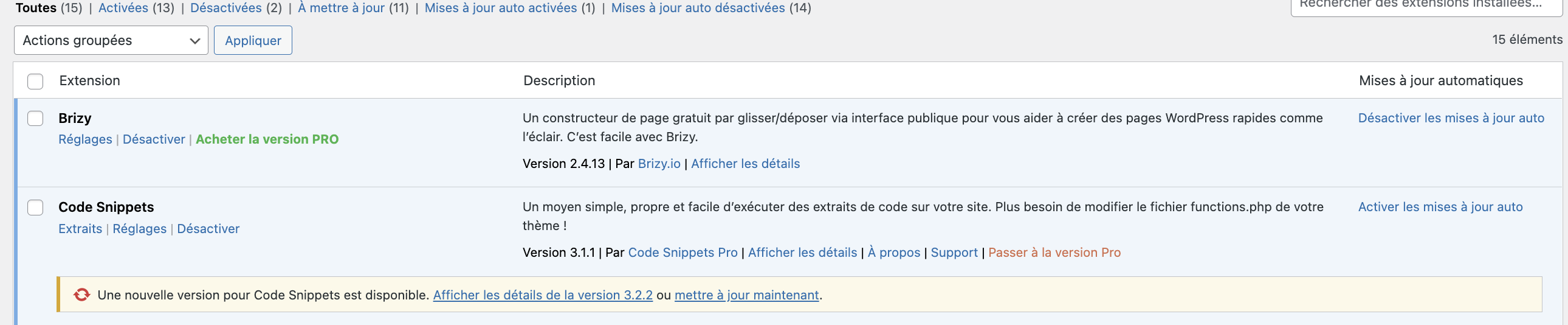
I already did that./ I've checked and the pro plugin is not into the plugin.
 0
0 -
Hi,
We would like to check this problem from your dashboard. Could you please send us the wp credentials for these sites? I have created a private ticket for this request. You had to receive a notification regarding this by email. Could you send us in that private message the wp credentials to them?
Best regards, Nelea.
0
Please sign in to leave a comment.
Comments
10 comments