How to import the wordpress elements in Brizy editor?

Hi Team me again,
I tried to look for similar questions but just yet to see so I post it here....
I am looking for ways to create several page templates: the "search result" page and a page showing a list of posts under a category in point form paragraphs. Is there any method I could make them with dynamic hashtags in the editor? (since I can't use "#post URL" myself on the template page...see the list in attached cap)
If dynamic hashtag is not the solution, could you recommend a solution so that I could import the list of search results / blog post....etc.?
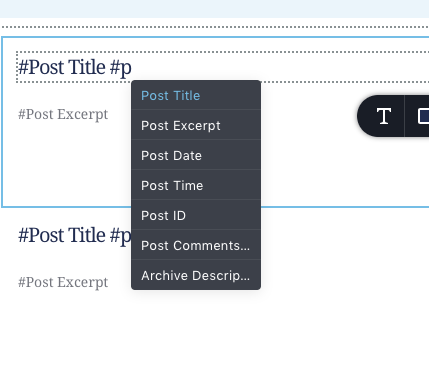
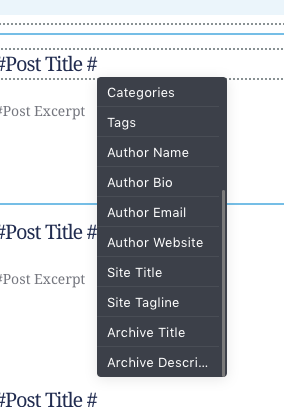 )
)
-

HI,
why not use the Posts element? You can remove all unused items and leave only the title of the post: https://jmp.sh/DiwdF9C
0 -
Thanks Alex,
Yes but now there is an issue that any modifications to the "posts" elements, the hashtags won't work. (related post : https://support.brizy.io/hc/en-us/community/posts/360061567152-Question-about-Post-list-Archives?page=1#community_comment_360010356272 )
And one more thing is....suppose that I should make a list of blog post with links on the title, right?.... That would definitely great if the Post element could have an horizontal versions instead of boxes ones...but the #Post Title is not working if I did any changes in the box....0 -
Did you check the link I posted in the post you sent? You just need to delete the #Post Title tag that comes with the Posts item and adding it manually. After that, you'll be able to style it.
You don't have to make a list of blog posts with links. You just need to add the Post URL to #Post Title: https://jmp.sh/ZxPp9N6
If you set the column to "1" as in my screenshot then it will look like a list.
0 -
Thanks Alex it works now! I am saved!
So... what about the "search result" thing?.....What dynamic hashtag should I use to "call out" the search result?.....0 -
If you want to create a template for the Search Result page you just need to create a Brizy template and add a display condition for the Search page. After that, you need to open the Brizy editor for this template and add the Archives element.
1
Please sign in to leave a comment.
Comments
5 comments