How to switch the Brizy produced template as the "default" one?

Hi guys,
I think this question is stupid but I'd guess it may be quite common.....though I can't find a related post in this community so I have to ask...
Is there a method to make the authors create posts, with the "template" become the one created with Brizy, instead of "Default Template"?
If it requires coding, could anyone share the instructions here? (I am a coding idiot..)
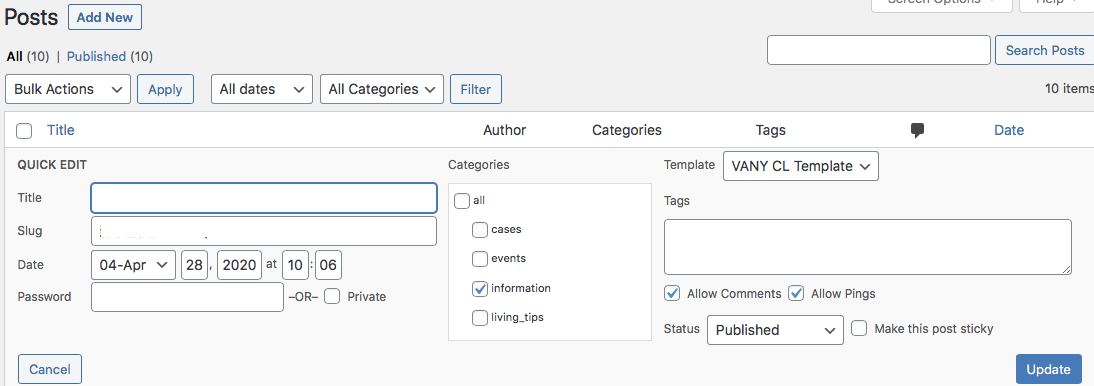
-

Hey, you don't require coding, you require Brizy PRO and to create a template that applies on certain posts, categories, etc.
From that point on you create new post in regular Wordpress and the display will be handled by the template in Brizy.
Here is a video that explains how to build a blog with Brizy, it will help you understand how dynamic content works:
1 -
Thanks Dimi....but my situation is, when I am creating a new post, the default setting is like this.... (the VANY CL is my white label of Brizy Pro so...)
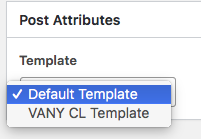
How could I make the default one never appear again...?
1 -
Hey, sorry for the late reply. You can't modify that. Why do you need it gone,?
What that means is basically what template that page or post will use, if you go default it will use the theme template you have installed, it will bring in the headers and footers from the theme and so on.
If you go with the other option, that is a clean slate to built it with Brizy.
0 -
Or in the other words.....how to make the "VANY CL Template(which it is created by Btizy)" become the default one? (so that all posts created later on will stick the to brizy one automatically)
0 -

Hello C Parnell,
You need to set the conditions for this template created with Brizy from the sidebar, under Brizy > Templates. Like in this screenshot below:
https://jmp.sh/GxPkkoV
Whatever you choose to include, like all Blog posts or a specific category from Blog, the template you have created will be automatically aplied to all of them. You do not need to go to each blog post to set it up like in your screenshot. Hope this helps.
Bogdan Condurache,
Brizy team1 -
Thanks Bogdan,
Exactly is what u meant.
The template I made was like that but it doesn't work, is that any steps I have missed?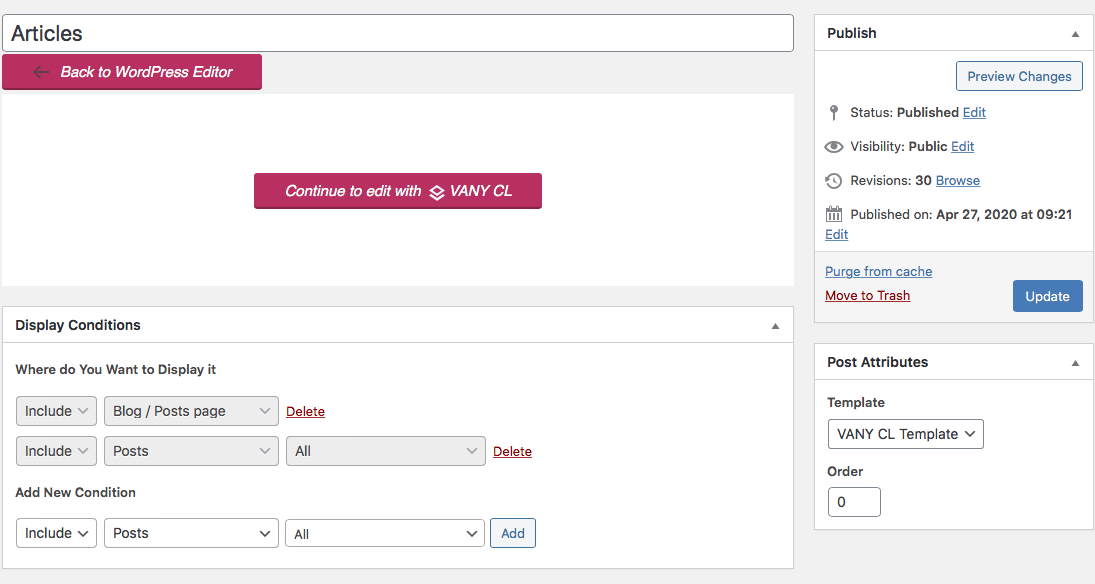 1
1
Please sign in to leave a comment.
Comments
6 comments