When to use a page, template and post?

Hello,
I'm creating a multilinagual website with Brizy Pro and I am confused in how to implement the following things:
- A home page (4 versions: one for every language) which I already created as a page, not via a template.
- An about page (4 versions, one for every language).
- A product list page per product category (4 versions, one for every language). The outcome must be an overview of products of a certain category in WooCommerce, combined with descriptive content, coming from Wordpress Gutenburg or Brizy page editor or Brizy template editor? Very confused here.
- A projects page based on the same product categories (4 versions, one for every language) for which I need to create a pod I guess, in order to have a structured way of showing images and description, combined with a Brizy template for the listing of the projects and another one for a project detail. So here I'd create a page for the overview or a template, but then, how to link to the overview?
- A blog page (4 versions, one for every language), for which I need to create a "blog" post category, combined with a brizy template for the listing of the blog items and another one for a blog detail. How do I link to the overview since I won't create a page but only separate projects?
- A contact page (4 versions, one for every language).
So you see, I'm thinking about how to put this off in the most efficient way, for which parts do I need a template, for which parts do I need to manually set up separate pages (considering I need to do this 4 times since I have 4 languages).
-

have you tried to work with polylang?
0 -
Hi Chris,
Thank you for your answer. Yes, I do work with Polylang.
0 -

Hi,
from what I understand you need a Template only for the Blog page. I recommend this video to better understand how Brizy Templates works: https://youtu.be/cWJEetL4f-s
You will have to manually create the product list pages. They will be fully Brizy pages and you will add the products on this page with products element: https://youtu.be/NC_yUtahD_A At the moment you can't edit with Brizy the WooCommerce pages so all you can to do is to "import" WooCommerce pages to a Brizy page.
Not sure what you mean by " A projects page based on the same product categories". If you refer to the single page for the product then Brizy can't be involved here.
Regarding the translating process: it also depends on how the plugin you are using works. You will most likely need to create one copy for each language. Here I recommend this video: https://youtu.be/Jl7NQ_UHYrU With TranslatePress you could translate everything from one place.
0 -
Thank you for your feedback. I think I'll be going to use posts under categories in order to address them via these categories and apply different templates to them.
One thing I can't figure out is to apply a template to be used for a single category. It simply doesn't work?
I did this:
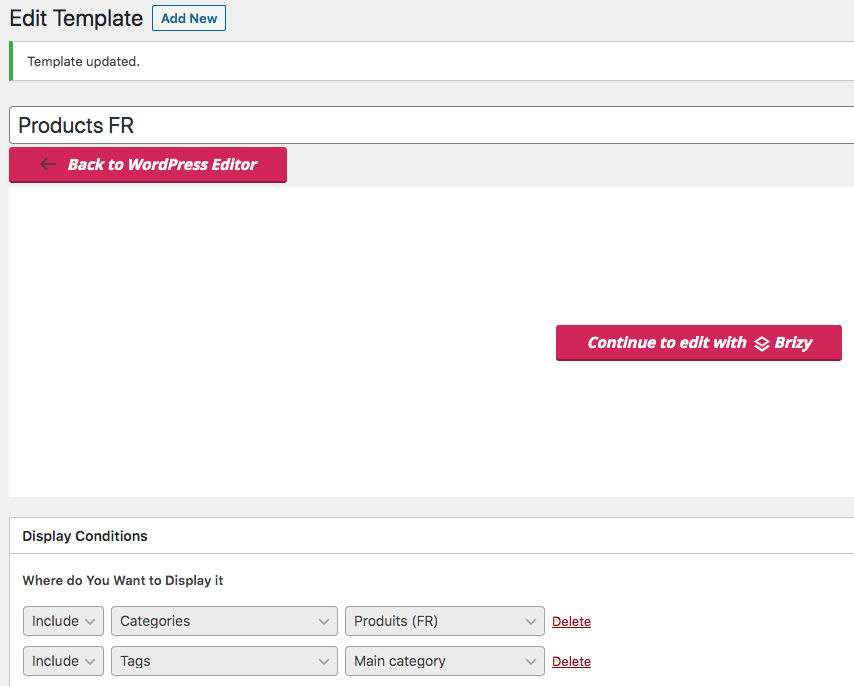
But the template isn't applied to the "Produits (FR)" category. Instead, the default Twentytwenty template is showing. https://dantasy.breynaert.eu/fr/fr/produits/impressions/
0 -
Also, since I would like to show some overview of product pages (first and second level), I think I need to work with posts + apply templates for them (which I can't get to work, see my above comment). I don't think it is possible to show a page overview like you can do with posts?
So I'm doing this on https://dantasy.breynaert.eu/en/home/.
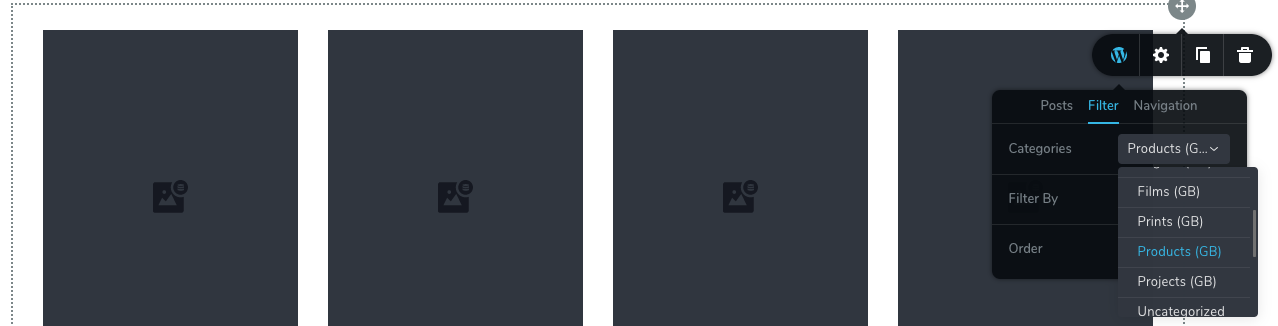
This also brings up the posts of all subcategories (which I don't want on this first level). Is there a way to only show posts from the same category, without the posts from all subcategories?
0 -
Edit: I found out I need to use include > posts > and select a tag.
Just he category or include > tags isn't working.
I hope this (strange) workaround can help some others.
0 -
Hi,
do you have the latest Brizy versions - Free 1.0.124 and PRO 0.0.41? I ask because I can't replicate any issues on my side. I created a template and assigned it to a category. It works well and does not apply to the sub-category.
0
Please sign in to leave a comment.
Comments
7 comments