Some little bugs and one request

Hello guys,
Congrats with your product. Brizy is amazing!
But I've come across some bugs, when designing my brand new website in the last few weeks. I hope you'll excuse me because this seems a lot. But contacting you guys for every little bug isn't very productive :)
- Editing text blocs: Justified text is left aligned in the preview. It's easy to make mistakes.
- Command + A: selected text. Typing new text doesn’t keep the specs off the deleted text.
- When editing the page with hidden elements visible (eye-icon), scrolling the page is terribly slow.
- When adding an image, the size is always 102%, resulting in a cropped image. Every time you need to adjust the percentage.
- A logged in user (subscriber role) can’t use the link ‘Return to dashboard’ in the left bottom corner.
- As mentioned before: all Google Fonts are loaded, including the not used ones. This would be taking care of. What's the progress of resolving this issue? I'm a webdesigner wanting to promote my new website. If my website is too slow, I look a bit ridiculous. I can imagine that's a dealbreaker for some clients.
One feature I was thinking off
- Giving saved and global blocks a name would be a great feature, certainly when you have many blocks. A search field and a list-view would make it complete.
-

Hey,
I've created an issue with all your points, my colleagues will take a look.
Some of the points are already on our lists we know of them.
The Google fonts can be deleted from the font library here: https://jmp.sh/IsJQIja
Good point about the blocks.
We've discussed about it and with this new sync feature we are preparing for beta it will come more apparent that we need to structure saved blocks and a way to get to the one you want easy.
Thanks for your contribution.
0 -
Good morning Dimi,
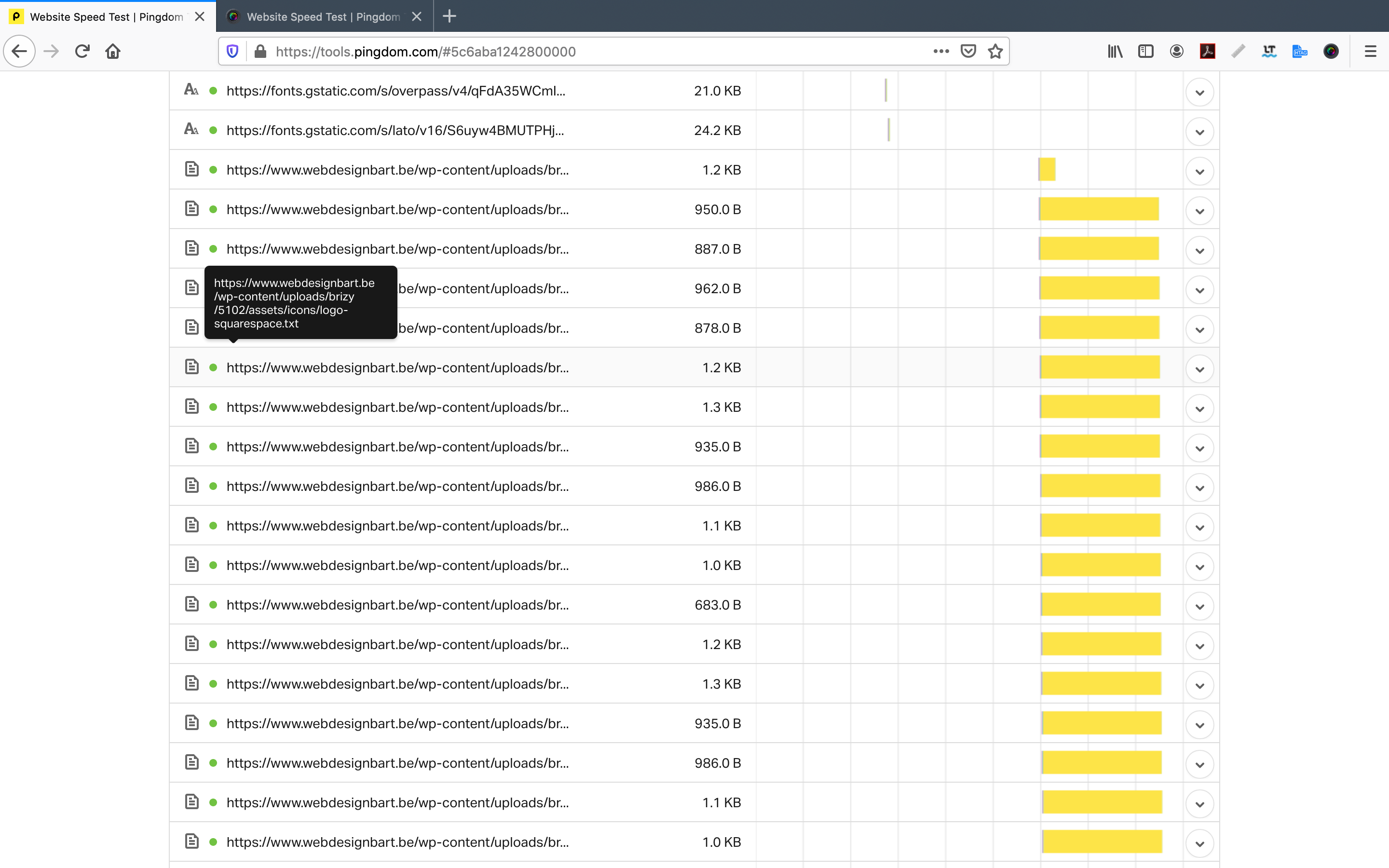
thank you for your reply. I've executed a new test from Pingdom, so I could compare it after deleting the unused fonts. You can see the result in these images. It seems all icon text assets are significantly delaying the page speed. Those assets seem very large, and there are a lot of them. Perhaps that's an error from my side? Is it possible to remove the unused assets, just until this is fixed?

 0
0 -
The score looks pretty good to me, great job. Put a cache plugin on top of that, gzip will also reduce the size and I see it is at 0 right now so that should bring your score over 90.
And if you really want to go the extra mile, put a CDN on top.
My colleagues tell me this is part of the grander optimisation we are doing at the CSS and JS level and eventually it will be reflected here as well,, but don't worry too much about 100kb or extra stuff, it is not that important in the grand scheme of things.
Cheers.
0 -
Hi Dimi,
I use LightSpeed for caching, together with image compression and ShortPixel. Those many yellow boxes next to the assets name made me worried. Google gave www.webdesignbart.be a desktop score of 97, but only a mobile score of 57. I'm trying to fix this without the costs of CDN.Kind regards, Bart
0 -
On the mobile side there are some things we need to do on our side on the way the images are used. On the list. Once we'll put it in it will take effect, nothing for you to do. further.
0
Please sign in to leave a comment.
Comments
5 comments