Brizy page not updating on live site

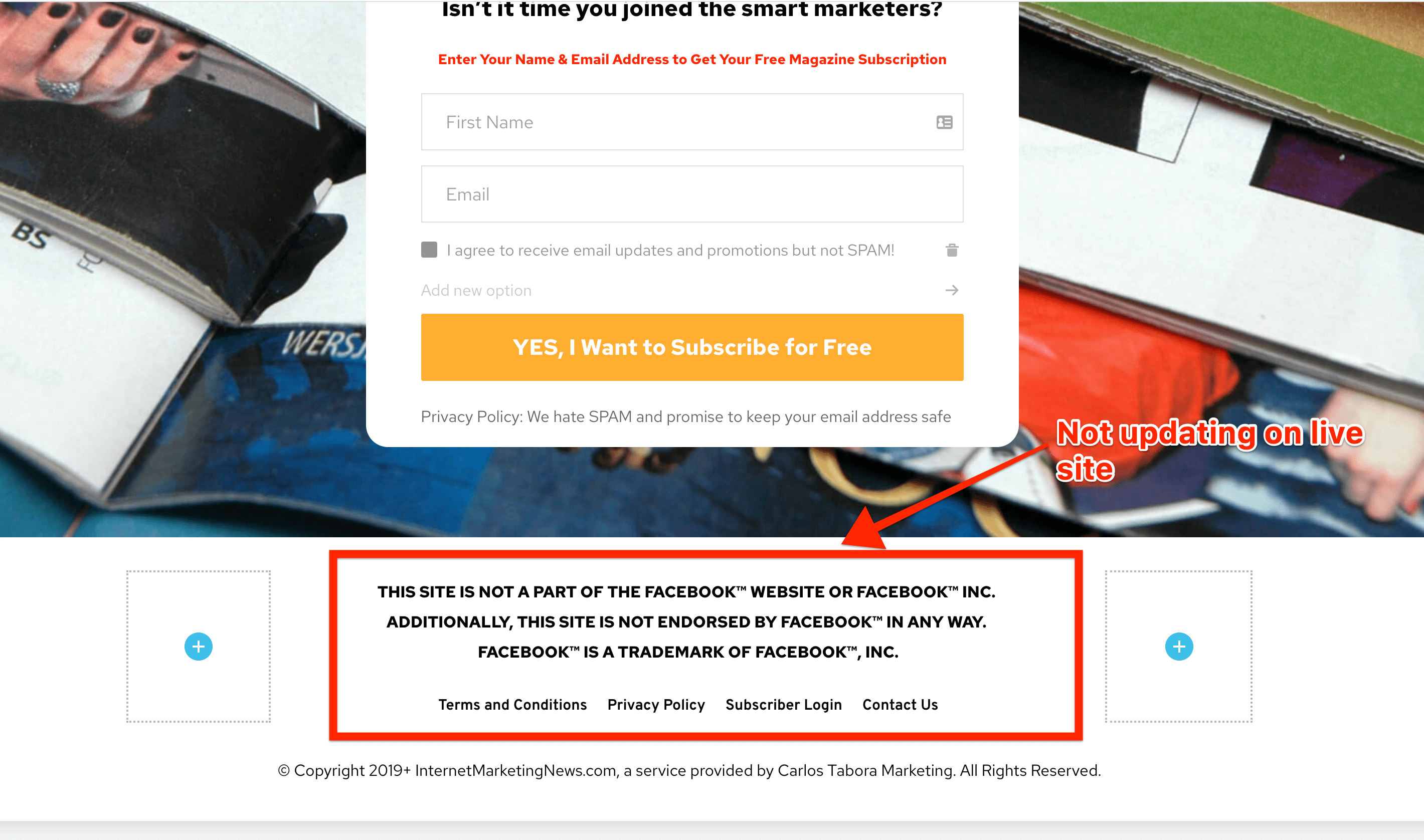
I cannot get my Brizy page to show the updates I've made on the live site. I click on the "Update" button and it saves correctly, but does not display the changes on the live site. My site is https://internetmarketingnews.com and below is a screen shot of what my footer looks like in Brizy, but if you go to the live site, the changes are not displaying.
-

Hello!
I see that section in your page: https://jmp.sh/fUJ6KNZ . Try to clear your browser cache and check again the preview.
Natalia
0 -
The section is there but it is missing my footer menu and other formatting for the existing "Facebook" disclaimer. That's what is not being updated. I need my footer menu to appear especially.
0 -
Any thoughts on why the Brizy page won't update? I need to have my footer menu displayed but it's not displaying.
0 -

Need help please! I cant seem to get the Brizy page to go live. How do I do this. Im seeing a lot of people are having this issue so if I am taught how I can help others do the same for you. Thank you!
0 -

Hi Jared,
Could you please give us more details about the problem you encounter? Where did you find it? On Brizy Cloud or in the Brizy plugin for WordPress? Could you send us a video with how this problem is manifesting? Did you delete the browser cache?
If you receive it on the Brizy Cloud, could you please send us the URL link of the page where you encounter the problem and the screenshot from the editor mode?
If you receive it on the Brizy for WordPress, could you please also check if you have the latest updates for Brizy Free 2.2.6 and Brizy Pro 2.2.2? If you temporary deactivate all external plugins (except Brizy Free and Pro) and activate a WP default theme, did you receive the same problem?Thanks!
Best regards,
Sandra0
Please sign in to leave a comment.
Comments
5 comments