This page needs a refresh. You’ve probably updated this page (or another page) in a different tab or browser.

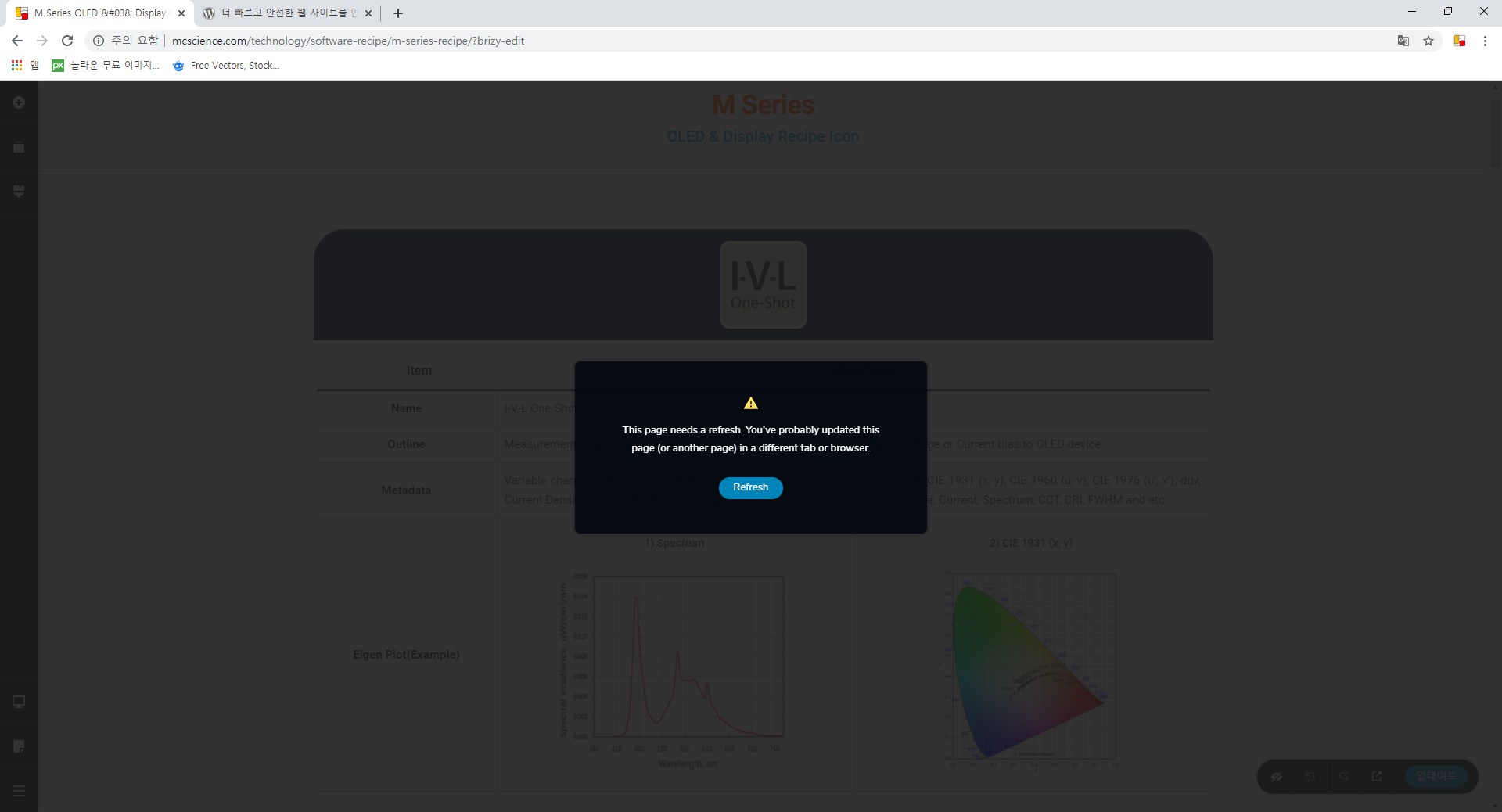
Wordpress editing also generates the following error screen:
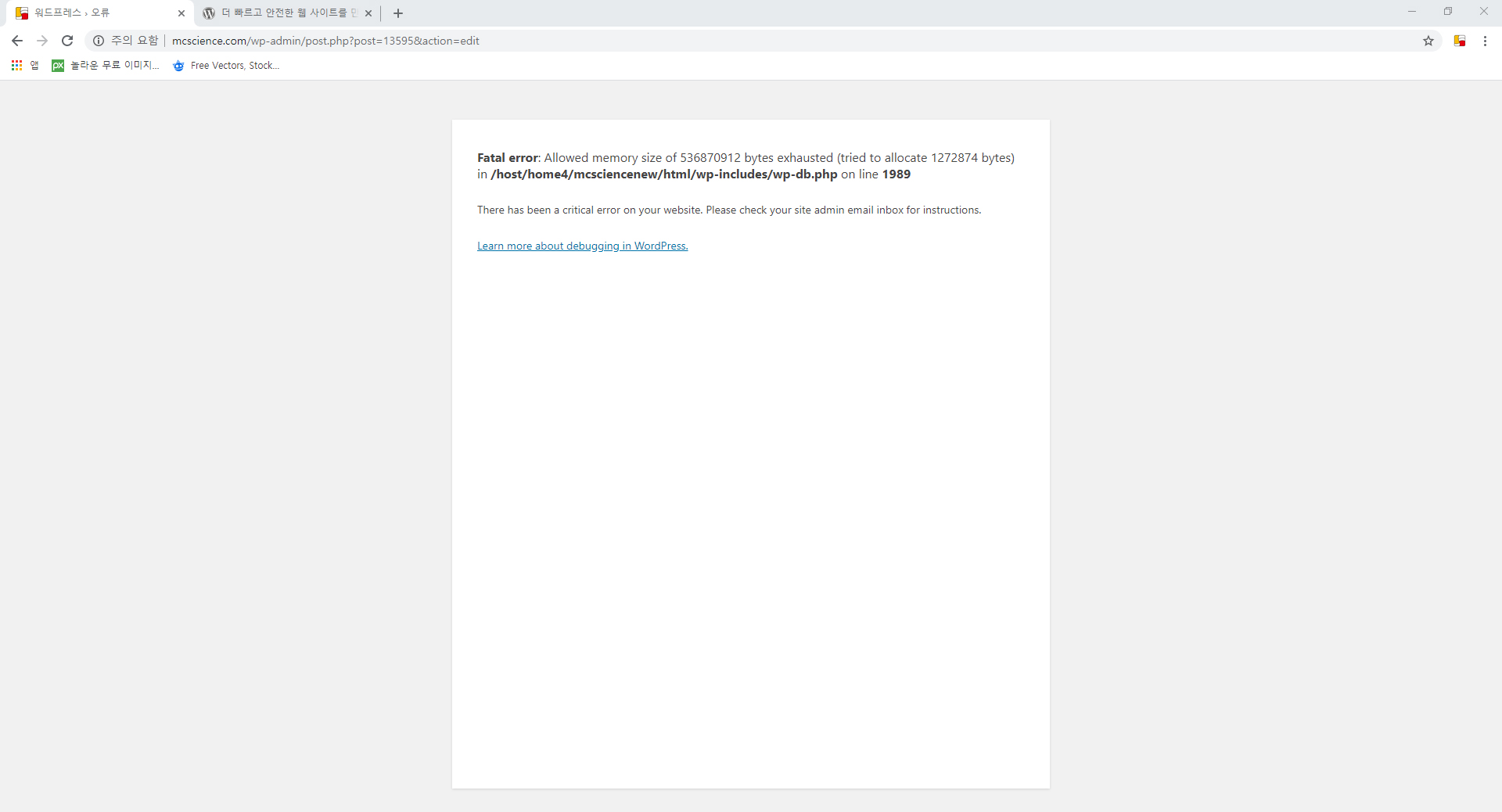
Help me fix it.
-

Looks like you don't have enough WP Memory limit on your server. If you don't know what that is, contact your hosting provider and ask them to increase your WordPress memory limit to 1024 MB.
This video will help: https://youtu.be/h0ngLioHT5A?t=87
-1 -

Whaaaat!!
Please! Are you reading what you are writting? Is an error that doesn't have relation with memory.
I'm installing brizy, locally in my computer. 6 Gb of ram 2 cores, and get the same error. Please, the community will be very glad if perceives an effort followig this kind of error.
(Also, don´t send a link of a video that DOESN´T have any explanation or help about the problem
Thankyou very much guys, the software seems great (I have a lot of problems updating contents, but looks really good),
Regards,
0 -
Take it easy, take a deep breath. You'll pop a vein mate.
You know ... humans ... sometimes make mistakes.
For the OP we've logged in and sorted out his problem from what my colleagues tell me.
Not sure how we can help you on your local, but I'lll create an internal ticket and my colleagues will ask you some questions and try to trouble shoot it from distance.
Cheers.
0 -

hello there
i get the same error and i have cpanel
This page needs a refresh. You’ve probably updated this page (or another page) in a different tab or browser.
It is strange because some days ago the website was working fine
in brizy_logs table i can see this error: a:2:{s:6:"action";s:17:"brizy_remove_lock";s:7:"version";s:6:"144-wp";}
brizy_remove_lock?
what is that?
thanks
Marios
0 -

Hi Marios,
Actually, this error message appears when the same page was opened in another tab, or another user works on the same page at the same time with you and updates it before you.
Some of our users report that they found this error in other conditions and for this reason, we created an issue for our team and they are investigating this behaviour to identify the cause and the fix.Thanks!
Best regards,
Sandra0 -

I'm getting the same error, and for sure noone is editing it at the same time.
I edit this website on different computers though, but always browsers and computers are shut down, and there is couple hours gap between edits.
Lately I cannot even make any progress, because that error prevents saving changes.
Please fix ASAP as deadline approaches!
1 -
Thanks, Piotr! Yes, we will strive to fix this problem as soon as possible!
Best regards,
Sandra0 -
Now, I dont have this anymore, now I can't change anything on my site: any brizy edits, despite hitting update button, are lost. cannot changge any page url. cannot add any more pages. cannot activate any plugin.
Any idea what had happened and how fix it?
0 -
Hi,
I'm not sure if this is a Brizy problem, it can be caused by hosting, WP etc. but could you give more details about it? What were your previous actions? Did you receive any error? Could you send a screenshot of it? What error is showing the console?
Best regards,
Sandra0 -
My excuses to brizy. Looks like it was NOT Brizy fault.
*** FIX ***
In my case, simple WordPress reinstall from dashboard (keeping content intact) solved issues.
How to: https://kinsta.com/blog/reinstall-wordpress/#dashboard
0 -
Thank you for your checkings and for proving us with this update. We are happy to hear that all is fine now!
Let us know if we can help you with something else.Best regards,
Sandra0 -
Sandra, unfortunately, after some edits with brizy, the problem is back.
I work on chromebook now, so cannot try another browser, but maybe incognito mode?
0 -
Same issue in incognito mode :(
0 -
Hi Piotr,
Did you have again the problem in Brizy pages? Or did you have the same problem with "now I can't change anything on my site: any brizy edits, despite hitting update button, are lost"?
Thanks!
Best regards,
Sandra0 -
Here's another FIX for everyone having this refresh issue:
I installed Advanced Database Cleaner plugin. That not only removes the issue, it also cleans awfully growing WP database of revisions (which I guess is another brizy issue)
0 -
Hi,
To solve the problem with the error message "This page needs a refresh...", we can recommend increasing the WP memory limit to 512M. https://www.wpbeginner.com/wp-tutorials/fix-wordpress-memory-exhausted-error-increase-php-memory/
Best regards,
Sandra0 -

Hello. I have followed all the advice in this post and others that talk about it, and I still have not been able to solve this problem.
How incredible that after 2 years this error still has no solution. Right now I have my client very angry that we cannot update his page. I've been very embarrassed by this plugin. How unfortunate!
I need a solution now!0 -

Hi Juan,
Thank you for contacting us.
We would like to check this problem from your dashboard. Could you please send us the WP credentials to this site? We have created a private ticket for this request. You had to receive a notification regarding this by email. Could you send us in that private message the WP credentials to this site?
Best regards, Nelea.
0 -
Hi Juan,
Although I don't encounter this issue to often now, once I had to fight it time after time.
I wouldn't count on Brizy team too much, they seem not to be able or willing to solve the issues...
I would recommend you to try my solution which is installing CleanDB plugin, and clean WP database right the moment before pushing Brizy Update button. Simply keep plugin settings open on another tab, ready to clean db. Clean it, then Update from editor.
0
Please sign in to leave a comment.
Comments
19 comments