Header menu problem

The header menu causes the main menu to be shown twice (see below)
-

Hi,
can you please confirm you have the latest Brizy versions - Free 1.0.122 and PRO 0.0.39? Also, please deactivate all your external plugins and check again. It could be caused by a third party plugin.
0 -

I have exactly the same problem and it happened after I update the latest version.
0 -
Hi Gary,
latest Free or PRO? It is important that both are the latest version.
0 -
I confirm that I have version free 1.0.122.
The problems started with this version.
I have disabled all other plug ins but still the problem exists ie;Duplication on Header block
Menu items are also cascaded.on the header block and not next to one anotherNo spacing of header options on the Menu block
They are holizontally right next to one another0 -
How about the PRO? You have not confirmed you have the latest version 0.0.39.
If both are up to date, please provide your login details in a private request and we will look into it.
0 -
I do not have the pro version at this stage but am firstly evaluating the free version before purchasing.
I confirm that I have got the latest version installed.
What login details do you require and how do I send them to you ?0 -
The header menu is a PRO feature. How did you add it with Brizy Free? Or, does the header you have come from the theme not from Brizy?
0 -
Yes in the previous version it was a Pro feature.
After the update it is offered in the free version (see screen shots below)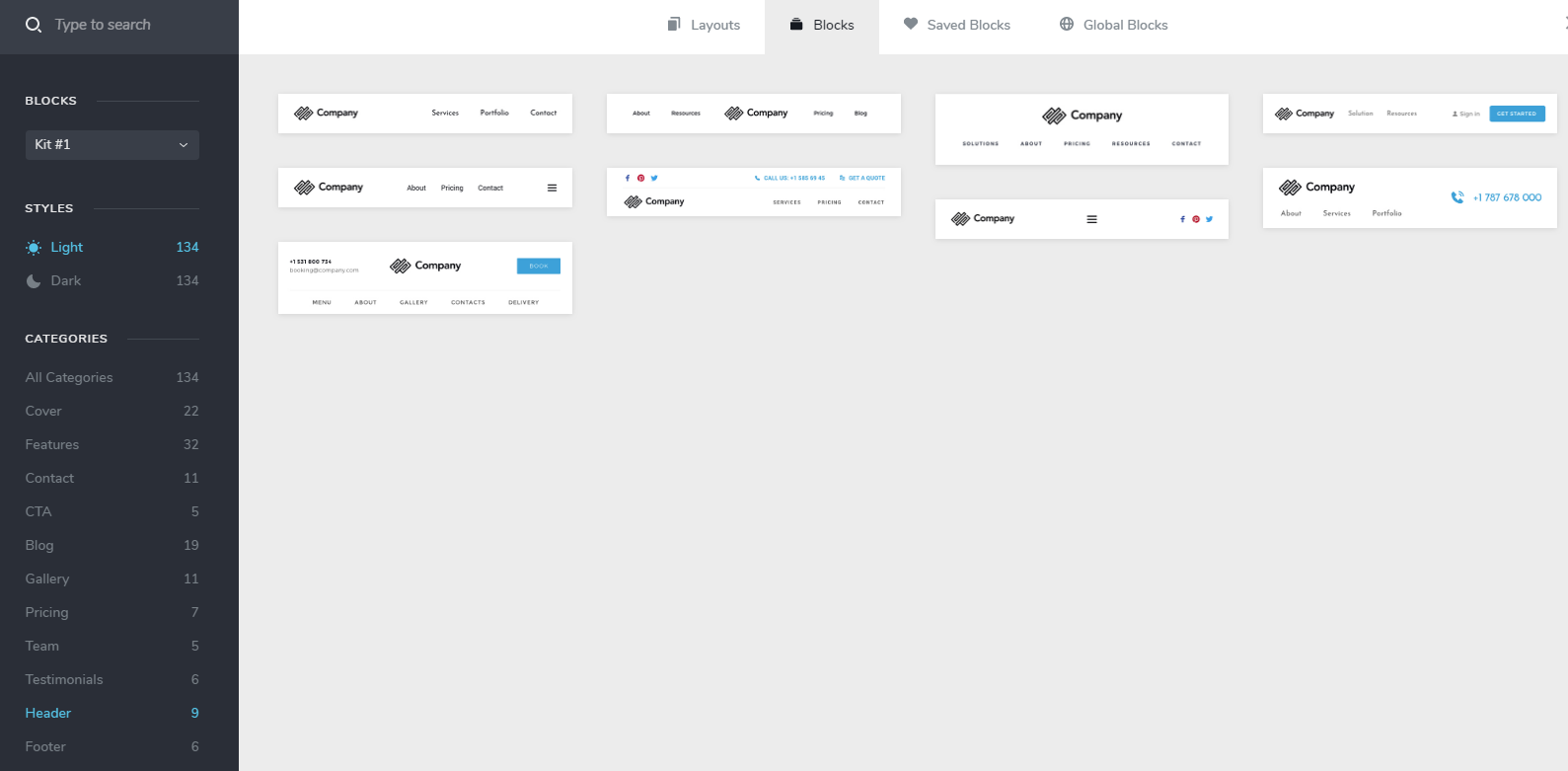
 0
0 -
Hi,
that's our mistake and we will fix this. You cannot use Header in Brizy Free. This is a PRO feature and some features and styles (for the header element) come with Brizy PRO extension.
0 -
I am very happy to upgrade to the Pro version if I know that the header option is working.
Will you also fix the problem with the Menu problem. ie No spaces between options.
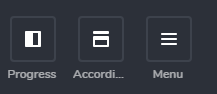
Should be Services Offered Comments Contact Us Oak Web Site
Each of these are menu options taken from the Word Press Menu
It worked fine in the earlier version.
Thanks0 -
Hi,
Header&Footer works well in the PRO feature.
Regarding the menu space: have you tried to increase this space: https://jmp.sh/JRmakvO ?
0 -
Hi Alex,
Yes I have.
It has absolutely no effect.
It worked in the previous version but not in this update.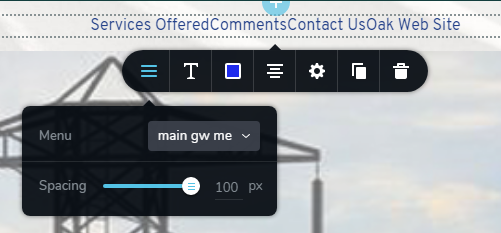 0
0 -
In the previous screenshot, I noticed that you have 1.0.122 version. Can you please update Brizy to 1.0.123 and check again? It works well for me and I have 1.0.123
0 -
Hi Alex,
I have updated to Version 1.0.123 and the problem is still exactly the same.
Many thanks0 -
That's strange. I can't replicate this problem on my end so maybe something overrides the Brizy styles on your site: https://jmp.sh/rrw2hUF
Try activating another theme and check again. Also, disable all external plugins and try again. It could be a third-party cause.
btw: maybe it's cache? Do you have a cache set up somewhere on the server or a cache plugin?
0 -
Hi Alex
I deactivated all the plug ins but it did not solve the menu problem.
I tried it on another theme and the menu option works ok so obviously there is a clash with the theme that I am using.
The strange thing is that it worked perfectly with the 'Virtue' theme before upgrading Brizy to version 1.0.122
This is the theme that I am using (Virtue)(Latest Virtue version) 0
0 -
This means that theme styles override the Brizy styles. You could easily fix this with CSS if you are familiar with it
0 -
No unfortunately not...
0 -
Please provide the link to your website and I will look into it. Thanks.
0 -
Hi Alex,
I have changed to a different theme ie Astra which seems to support Brizy better.
The menu option is working now and I am very happy with this theme and it's results.
I must thank you for your outstanding support and help.
The support has been awesome and I have written this on your website reviews and given a 5 Star rating.
Brizy is an outstanding product...
Well done and thanks again for your helpfulness and patience.
Kind Regards,
Graham Walker0 -
Hi Graham,
Thanks for this afternoon's motivation :) That really makes us happy.
We will be happy to help you with anything else when you need it.
0 -

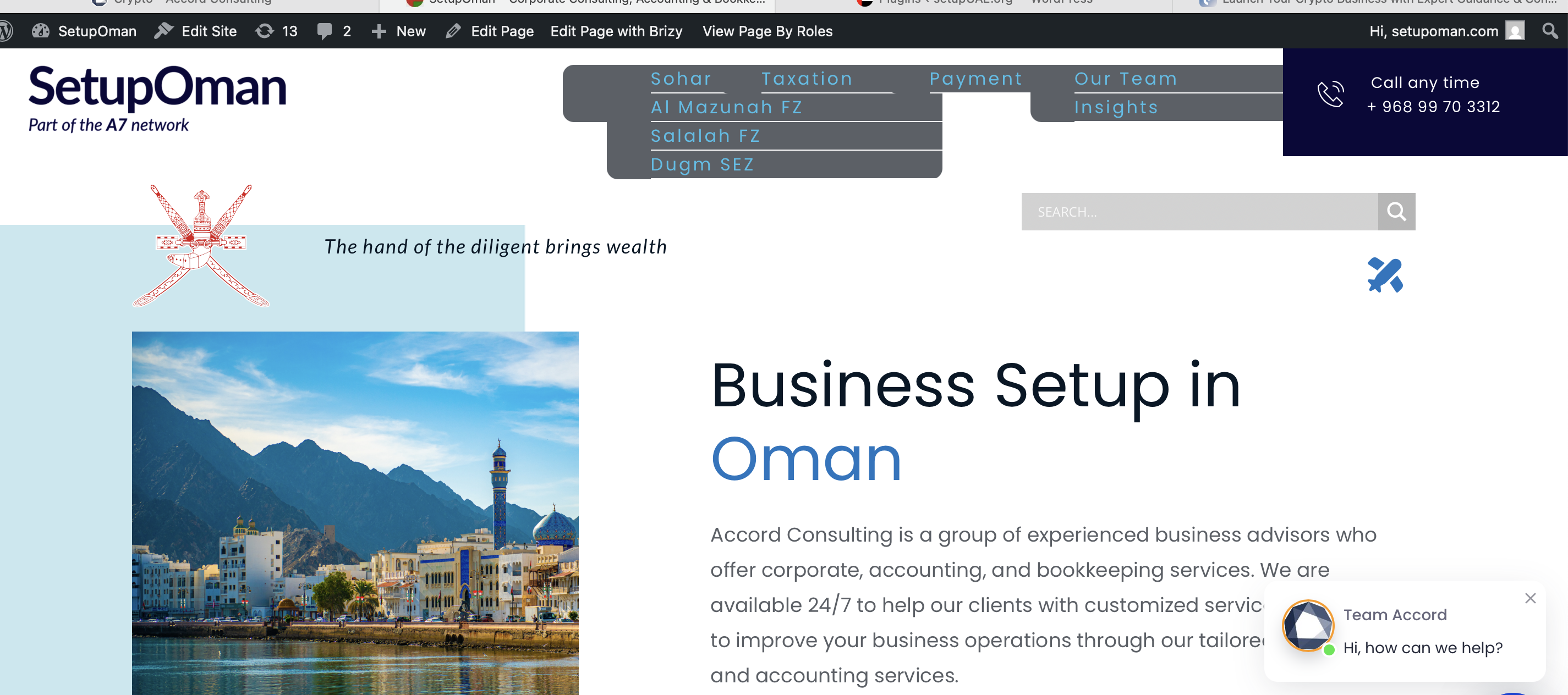
This is how my MENU looks like
Kindly HELP to fix it
 0
0 -

Hello Alexander,
Please try this fix.
- In the Brizy Editor, make a minor change to the global header (like increasing the padding by 1 pixel)
- Open the Display Conditions for the global header and click on the "Save" button.
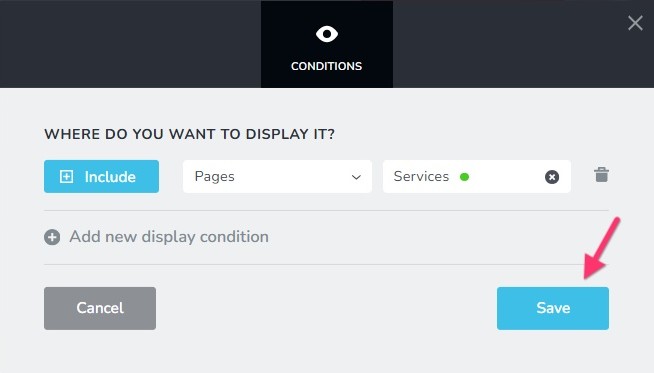
- Save your work by clicking the "Update" button towards the bottom right corner, purge any server cache and check if the header displays correctly.

If this does not help, can we take a look at your project to fix this issue? Please add a new user to your WordPress Dashboard and send the following details to our email: communitysupport@brizy.io
- Support Forum reference: https://support.brizy.io/hc/en-us/community/posts/360060841192
- WordPress Admin URL:
- Username
- Password
Please let us know in this forum when you send us the email.
0 -

Hi Alexander,
Thank you for the update.
This can usually be fixed by making a small modification to the global block, for example, adding a 1px adjustment or temporarily switching it to Boxed. This step forces the pages to recompile. After saving the changes, please check the front end to see if the issue is resolved. You can then revert the block back to its original settings.
Here’s a quick screencast demonstrating the steps: https://youtu.be/k7rsGkInmws
If you have any further questions, please let us know.
Best regards,
Ariel H.0
Please sign in to leave a comment.
Comments
24 comments