Do we need to install Brizy Pro on both staging and live sites?

I'm doing a website for a friend and I have set up two sites. One is a "Coming Soon" site (it's basically a one page site) to inform visitors that it's under construction and they can leave their email for updates. The other site is the Staging site where the actual development with be done. Once the staging site is ok then it will be pushed to live. So do I need to install Brizy Pro on both the staging site and the "Coming Soon" site?
-

Hi,
you just need to install Brizy PRO where you will use the PRO features. There is no point in installing Brizy PRO on the Coming Soon site if you don't need it there :)
0 -

I am having the same problem .. I have a main website where Brizy is installed but is not being used as yet live.acme.com for example. Brizy and Brizy Pro are active.
I have a staging site, staging1.acme.com that has the new design I am working on. Brizy and Brizy Pro are active.
When I enter the license key in staging1.acme.com, it automatically goes to live.acme.com and activates.
But when I am designing stuff on the staging1.acme.com blocks show that Pro is not available and Pro blocks etc are locked.
I tried disabling Brizy and Pro on the live.acme.com site, but then when I try to activate the license on the staging1.acme.com site it comes up with a cannot access this page error.
Just cannot figure out what is going on and how to proceed.
Help would greatly be appreciated.
0 -
Hi,
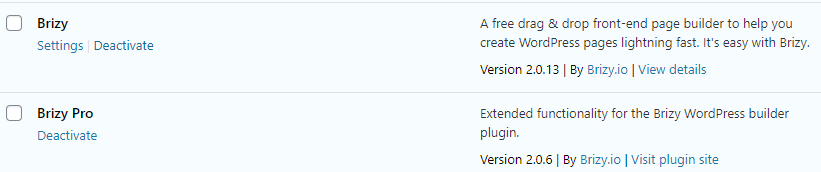
May I know what license you have? Try to generate a new license for your staging domain in your Brizy account and reactivate it. Also, please make sure you have the latest Brizy version - Free 2.0.13 and PRO 2.0.6
0 -
Good point but I cannot see how to do this.
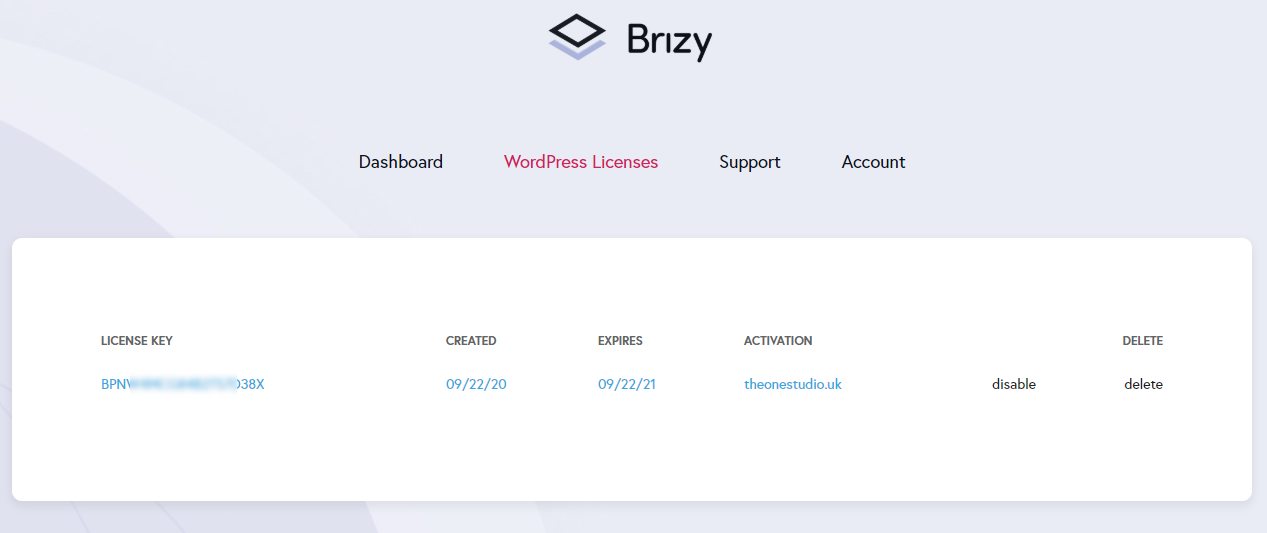
Where is the ADD or GENERATE license button?
0 -
Version info:
 0
0 -
Hi,
It seems that you have a Personal plan and you can only have one license. You cannot generate more licenses. I have created a private ticket for you so please send your login details to both websites and we will look into it. Thanks.
0 -

Hi,
i have a lifetime license and issued a new license for my staging site, yet still unable to edit with brizy.
please could you advise?
thanks
0 -
Hi,
Can you please confirm that you did everything as my colleague Dimi explains here: https://youtu.be/cNknGr8JH6Y ?
0
Please sign in to leave a comment.
Comments
8 comments