Critical error on website

Hello,
My website has been down since last night due to the Brizy update issue. I have tried the following but still no luck. Can someone please look into this and help?
1) I use Bluehost so through their cpanel I deactivated the plugins folder and reactivated it
2) Then I manually activated each plugin one at a time
3) I deleted Brizy FREE plugin, re-installed and activated it
4) I deleted BRIZY PRO plugin, re-installed and activated it
Unfortunately, it's still not working and the website does not load.
Please advise.
-

Same issue for me.
Only version that still works is 1.0.119.
0 -

Hi Sam Lodaria,
Please send the link to your website. What does "the site is down" mean? Do you have error messages? Isn't the content stylized or does it appear at all? Can you still use the editor? Also, please confirm you have this problem with the latest Brizy versions - Free 1.0.121 and PRO 0.0.38 It is important that both plugins are the latest version.
@Nobuki Kato - the same question for you. Do you have Brizy Free 1.0.121 and PRO 0.0.38 and have problems editing and displaying Brizy pages?
0 -
Thank you for your message.When I update your plugin (Brizy Free 1.0.121), I cannot access to the backend menu.
This is the message from Wordpress
Détails de l’erreur
======================
Une erreur de type E_ERROR a été causée dans la ligne 114 du fichier /home/clients/sochokun/prod/sochokun/wp-content/plugins/brizy/admin/settings.php. Message d’erreur : Uncaught Error: Call to private method BrizyPro_Admin_WhiteLabel::getEnabled() from context 'Brizy_Admin_Settings' in /home/clients/sochokun/prod/sochokun/wp-content/plugins/brizy/admin/settings.php:114
Stack trace:
#0 /home/clients/sochokun/prod/sochokun/wp-includes/class-wp-hook.php(288): Brizy_Admin_Settings->actionRegisterSubMenuGetHelpLink('')
#1 /home/clients/sochokun/prod/sochokun/wp-includes/class-wp-hook.php(312): WP_Hook->apply_filters(NULL, Array)
#2 /home/clients/sochokun/prod/sochokun/wp-includes/plugin.php(478): WP_Hook->do_action(Array)
#3 /home/clients/sochokun/prod/sochokun/wp-admin/includes/menu.php(155): do_action('admin_menu', '')
#4 /home/clients/sochokun/prod/sochokun/wp-admin/menu.php(326): require_once('/home/clients/s...')
#5 /home/clients/sochokun/prod/sochokun/wp-admin/admin.php(153): require('/home/clients/s...')
#6 {main}
thrown0 -
Hey Alex,
This morning, I see an option to update to the latest BRIZY FREE plugin version 1.0.121. That was not the case yesterday. I updated the plugin and now the site is up and running and I do not see any critical errors
I think there is a lag between when I received the BRIZY PRO update option vs. BRIZY FREE update option.
For now, it seems to have fixed the issue.
Appreciate your help!
Thanks,
Sam
0 -
@Nobuki Kato - try to delete the Brizy PRO plugin and then re-install it manually. If you cannot access the dashboard, all you have to do is delete the plugin folder from the File Manager. You can log in via cPanel or FTP. After you have deleted the folder, install the latest version of the Pro plugin manually. This will solve the problem.
@Sam Lodaria - yes, this update appeared a few hours ago. The thing is that there was a problem with the Free version. If Free is the latest version and PRO is an old version, an error will appear. Although we always recommend that you first upgrade Free then PRO. Paradoxical :)
In any case, this issue has been fixed and you will have no problems with updating in the future.
0 -
I deleted Brizy Pro. Can I now update Brizy to 1.0.121 before reinstalling Brizy Pro ?
0 -
Sure. Just update the Brizy Free to 1.0.121 and then install the latest version of PRO.
0 -

Hi, I'm still having this problem that around half the time when I open a page built on Brizy I get a message that says "critical error". I'm using Brizy 1.0.124 and WordPress 5.4.1 Is there an update in the works to fix this?
0 -
Hi,
I think there's another problem in your case so we need to know more details. Do you just have Brizy Free? PRO is not installed? Do you have the same problem if you disable all the external plugins? Is this a full error message "critical error"? Can you please send us a screenshot?
0 -
I think it was a conflict with another plugin - It was an intermittent problem but haven't encountered it since uninstalling some plugins so it seems to be cleared up. I'll get back in touch if I see it again!
0 -
okay, I'm glad to hear that.
Let us know if you need anything else.
0 -
The error is back! The full error message is "there has been a critical error on your website. Click here to learn more about debugging with wordpress". It's still intermittent goes away when I refresh the page but I'll attach a screenshot the next time it happens. It seems to follow a pattern of happening after changes have been made to the site - is it a case of it taking time to cache properly?
0 -
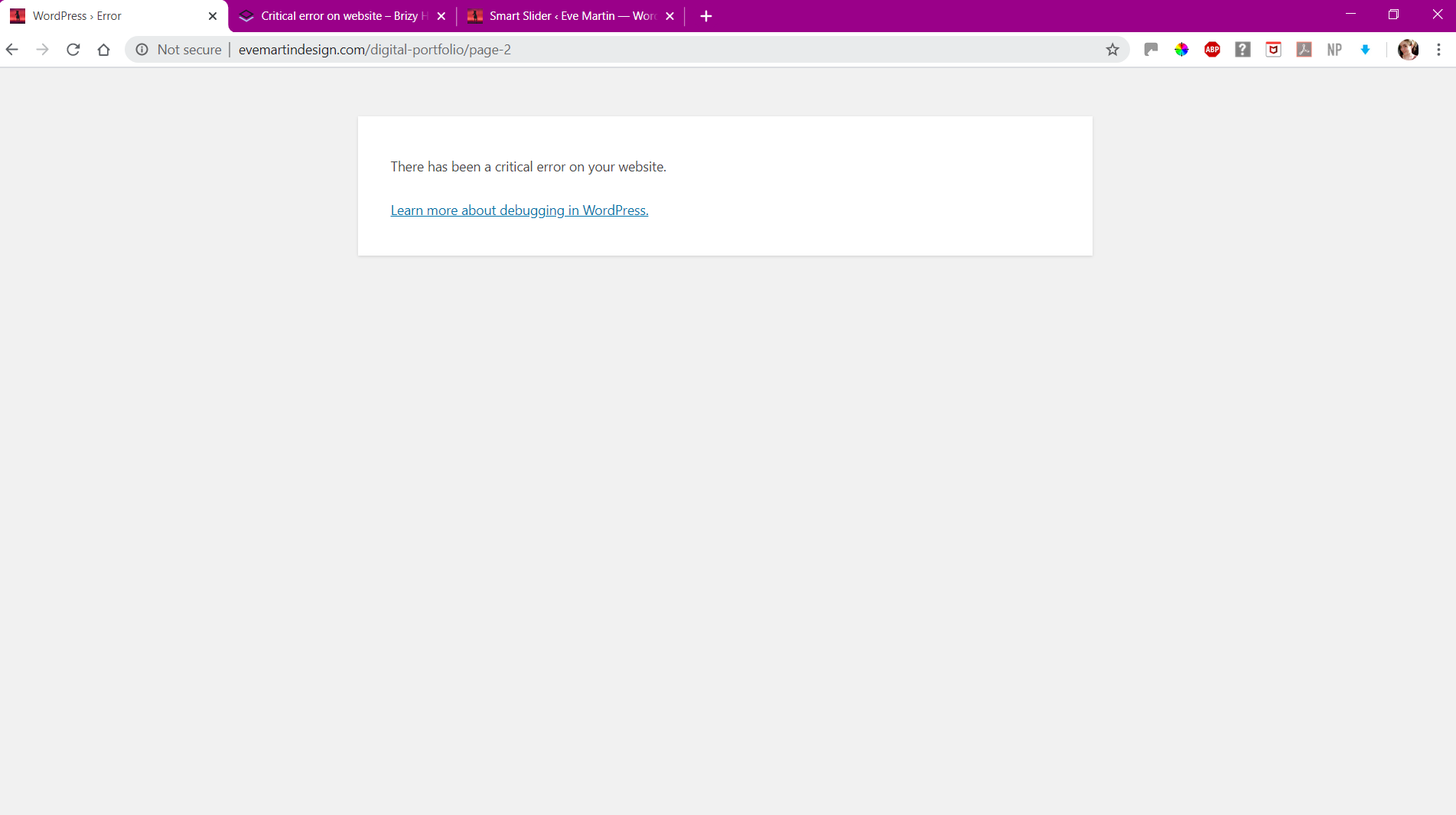
This is all I get!
0 -
Hi,
This error message does not tell us anything helpful. It can be caused by a plugin, theme or even WordPress installation. Was this page created with Brizy? You need to disable all your external plugins and check again. Also, please make sure you have the latest Brizy versions - Free 1.0.126 and PRO 0.0.41.
0 -
This page was made with Brizy and it's only the Brizy pages that bring up this message. I have the latest free version of Brizy which is apparently untested with Wordpress 5.4.1?
0 -
Did you check this with all disabled external plugins? Did you check this with a default theme? Do you have the same problem? We need to exclude a third party cause before continuing with the deeper inspection of the problem.
0 -

Hello Brizy team, I got the same critical error on Brizy WP when I try to edit. The page display works. The modification not.
In the console, I have this warning :
Failed to load resource: the server responded with a status of 500 (Internal Server Error)
The problem persists even when all other plugins are disabled (Duplicate Page, SimpLy Gallery Block & Lightbox, Widget for Google Reviews). I did the Brizy + Brizy Pro update and the result is the same.
I also attempted to unpublish / publish. No result.
Can you shed more light on this problem for us?0 -
Erratum : bug fixed by itself - you can close the ticket, thanks
0
Please sign in to leave a comment.
Comments
18 comments