Trying to understand Server Sync and how to best work with Brizy Cloud

Hi all,
I getting on great with Brizy Cloud, really like the editing interface and some great layouts. Better than other builders.
But the moment I try to use with Server Sync, things start going wrong. If I duplicate the account, server sync not activated, it's fine.
Three issues I am experiencing. Every other update (in Brizy Cloud) doesn't work and asks me to refresh the page (though I don't lose changes). This starting to happen after selecting Server Sync, downloading the files and uploading to my hosting.
Changes were transferring to the hosed version, not immediately but after some time. That's now stopped. Now I just have a page that says "This page is not yet created. Please start designing your page by clicking the button below". However it is created and has the custom domain.
I could previously solve the issue by redownloading the server sync files, then clicking Update, however that's not an ideal workflow (necessary after each edit to make it work in my case).
It's a great feature, so open to helping to work this out.
One thing. This is the second post I've written about this. The last one disappeared (having come up with the 'this post is in moderation'). I also contacted support privately but have not heard back.
Root folder (not using a sub folder) on my hosting is currently with 777 permissions. Also tried with 755, did not change above issues.
Anything I can try to resolve this would be appreciated.
If Server Sync is not ready, in Beta, not a recommended way to use Brizy Cloud, that's fine. I could use HTML export (appreciate that being an option)
-
Sorry to respond to my own post. One update. I experimented a little.
I had previously had a custom domain, which I removed, but it still shows the domain in the dashboard. So I accessed the site using Preview, which used the preview domain. I noticed in the corner it said 'Syncing in Progress'. I waited some minutes and refreshed the preview page until then message disappeared. I then access the hosting account and the site showed correctly, sync has worked.
I'm still getting the Update issue (where it says data may be old and needs to be refreshed) on each 2nd update.0 -

Hi Miike,
Please keep in mind that you cannot have one project published by several methods. You can choose only one: either custom domain or server sync. If you have added a custom domain and want to use Server Sync you must delete the custom domain: https://jmp.sh/3shGtEd Alos delete all records added for that domain on your server.
Regarding the update issue: how could we reproduce this problem? Can you send us a screen recorder to see the flow?
0 -
Hi Alex,
Thanks for getting back to me. Really struggling with this.
I had already deleted the custom domain from Brizy. I also, just in case, removed the cloudflare account that had previously been connected. It didn't solve the issue.
Regarding the update issue, it is regular, systematic. Each second update causes this message to be displayed: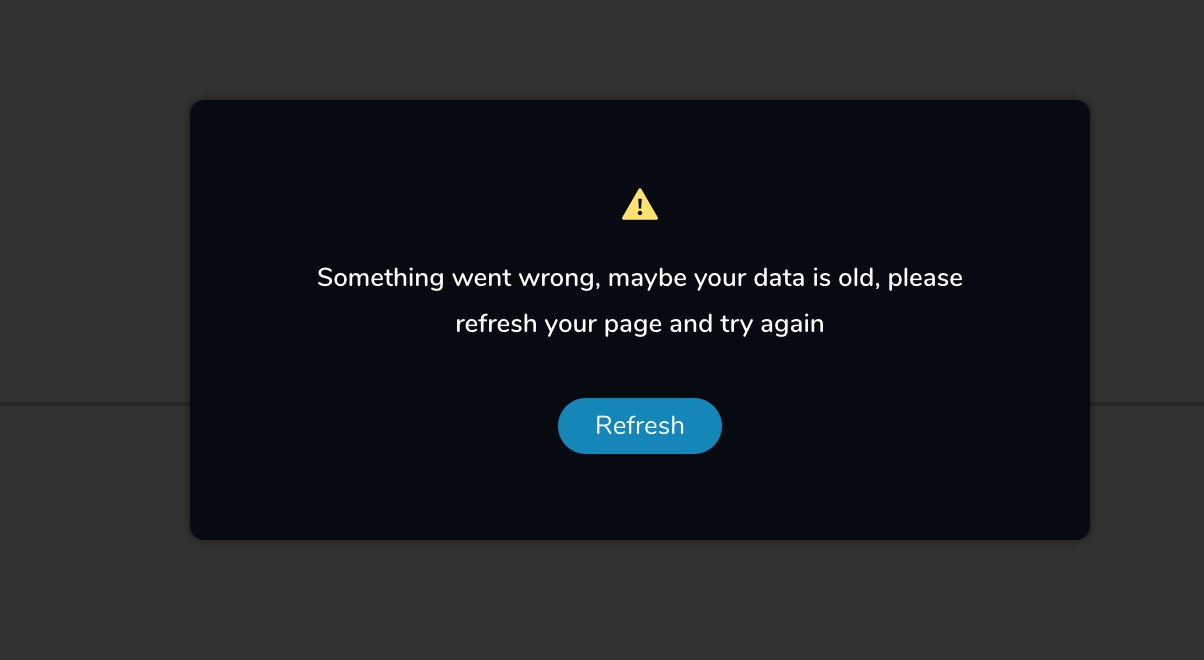
The only option therefore is refresh. 60-70% of the time changes are not lost, the other times they are.
Once I refresh, update works once. On the next update, that message displays.
I've checked the following, to ensure not other issues:- Only one tab open with Brizy (other than the preview site)
- Using Chrome on a Mac
- No Ad blockers or other plugin activated that might interfere
- Tried with third party cookies on and off. Not difference
As you can imagine, it is making Brizy unusable right now, which is a shame becuase otherwise I really like it. Other than starting a completely new project (and projects can't be duplicated), I don't know what to do.
EDIT: one thing. Brizy.cloud shows the previous custom domain under the project name (dashboard). It is deactivated in Brizy, and not DNS points to Brizy. Perhaps there is a bug in that custom domains are not cleared?
0 -
Hi,
I tried to check the problem with custom domain but I did not find any project in your account.
Regarding the update issue: we made some changes. Can you please check now? Does it behave the same?
0 -
Hi Alex,
Ah yes, in fact it is a different email (when I signed up I assumed it was separate to the editing account).
I've just tried it again. Pressed Update multiple times and I did not see the 'Refresh' message. So yes, it seems to be fixed (or better). Great.0 -
so now is everything okay?
0 -
Hi Alex,
Not had that message since, and checked the synced site and everything is working.So we can say that's all resolved now! So nice to use Brizy again without that issue.
Thanks for your help.0 -
I'm glad to hear that.
Should you need anything else, don't hesitate to contact us.
0 -

I had this issue too. I had custom domain set up and subdomain set up with server sync.
Now server sync doesn't work. I've removed custom domain but it seem subdomain can't be removed.
Any idea how we can resolve this?
0 -
Hi,
can you send us a project id? We will check which publishing methods have been activated for it.
0 -
Project ID: 3226264
We trying the server sync method but nothing work for now. Been days.
0 -
did you check the last email from my colleague Natalia? She said you did not upload the file in the correct path. Did you check this?
btw: Does Server Sync not work on any of your projects or just this one with id 3226264?
0
Please sign in to leave a comment.
Comments
12 comments