"In Shape" layout shows error inside builder on "Services" page

Greetings,
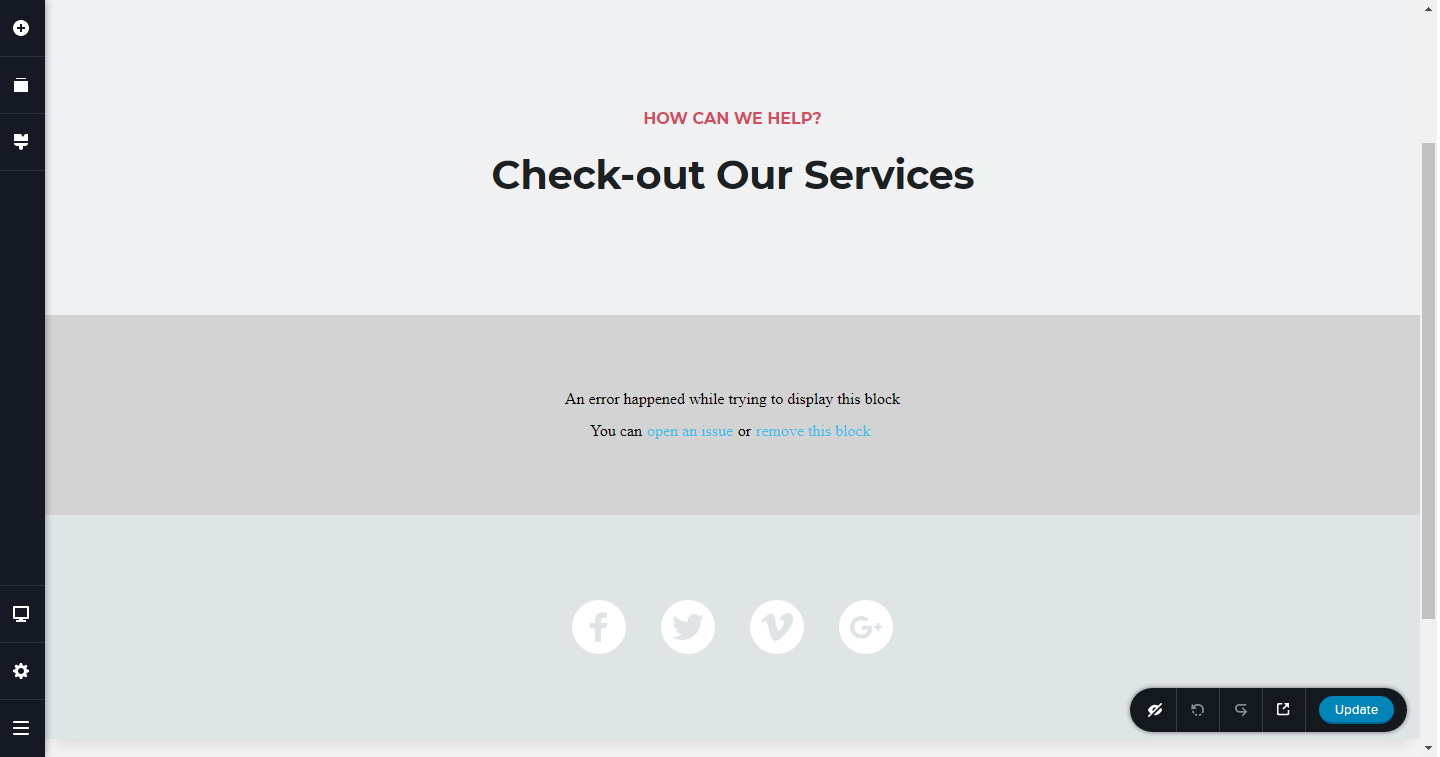
I'm using the "In Shape" layout pack, and on the "Services" page there's an error with a specific block. It's the 2nd block from top.
The Montserrat font doesn't render, and attempting to alter the block inside the builder renders this error msg: "An error happened while trying to display this block. You can open an issue or remove this block."
Any idea what's happening?
Thanks!
Josh
-

Hi Josh,
did you just import the layout and error appeared immediately? Do you use the pre-made section from the layout or have you added a carousel element there?
0 -
"did you just import the layout and error appeared immediately?"
Yes, I imported the "Services" page layout, and the block with grid of services which came with the layout could not be edited. If I attempted to edit anything in the block, I got the error posted above.
I could however look at the settings of each element, I just couldn't change any settings without triggering the error.
Does that help?
0 -
That strange. I just imported "In Shape" layout on my cloud project and works fine.
Can I know which browser you use? Do you work in IE or Edge?
0 -
I use latest Chrome on desktop PC.
You had me wondering if it was a one-time issue, so I just created a new project and imported that one page > In Shape > Services > replace Global styling > 2nd block (below page title block).
Same issue as before. That one specific block gives the error shown above if changes are attempted.
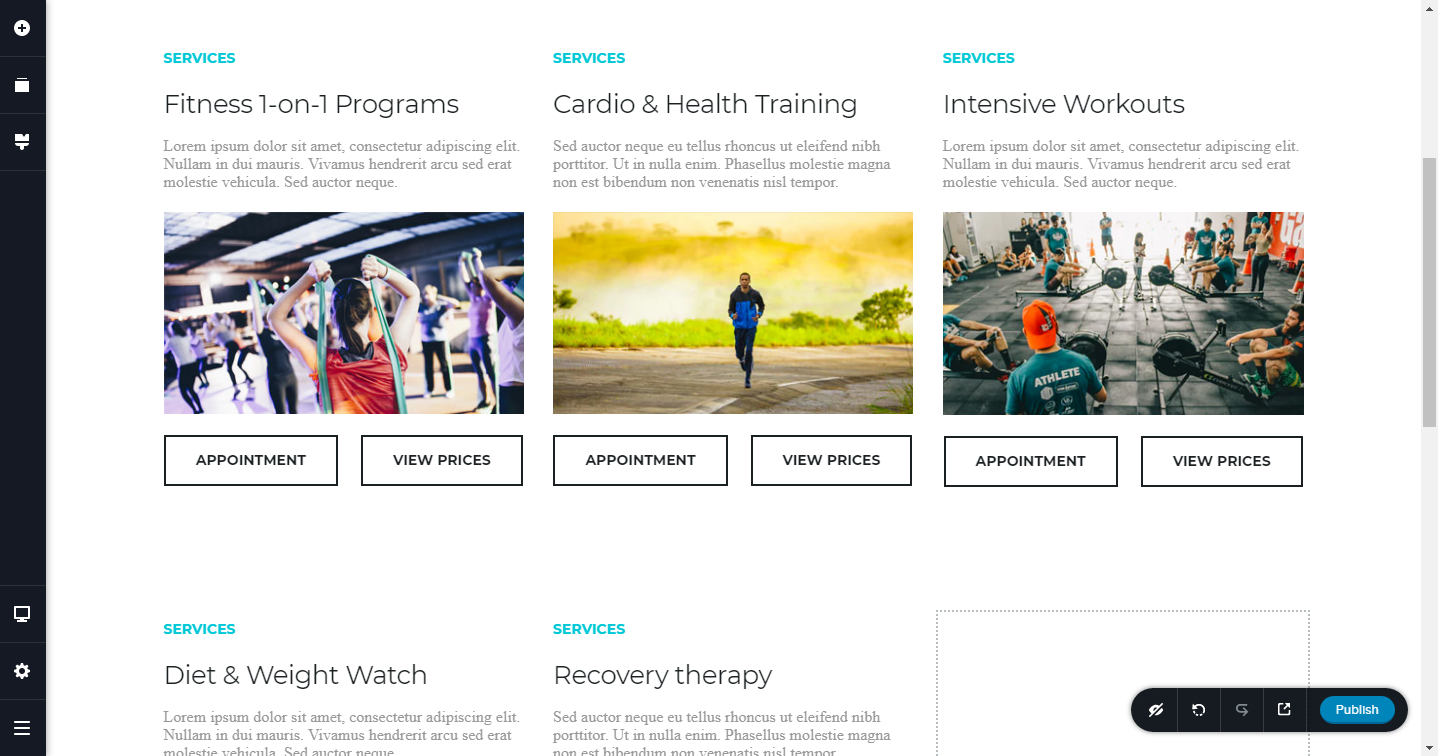
In the screenshot, notice that the paragraph font under each title is Times New Roman, when it should be larger, light grey, and Montserrat font (like rest of the theme).
 0
0 -
Just to be clear, this is within the Brizy Cloud platform.
0 -
Hi Josh,
I managed to reproduce the problem. It is related to the text element that was used in the "In Shape" layout. The same behavior in WordPress. I already sent this to our devs and they will fix the problem.
Meanwhile, If you want to use these blocks, you just need to replace the text element. Once you can't click on it and just delete it, you have to use a trick. And I have one: https://jumpshare.com/v/2IzXd75IamgcLWvF1Uj6
1 -
Thanks for help Alex!
0 -
Most welcome ;)
0
Please sign in to leave a comment.
Comments
8 comments