Menu Error: Please select a menu

Hi team,
How do I get past the error above while editing a page using the brizy template?
-

You create a menu in your WP admin Appearance > Menus and then select it in the Menu element.
0 -
Hi Dimi, the menu is already created, but it seems like I can't create/add website headers while using the Brizy template. How do I edit the design of website headers while using Brizy?
0 -
When using the Brizy headers you create the Headers from Brizy directly in the builder. Just add a Header block https://jmp.sh/GuWb8p4.
If you want this multiple pages, make it global https://jmp.sh/8KwPqU4 and then add it on other pages from the global panel https://jmp.sh/0aCt37Y
This until we bring in the block conditions in the near future that will let you tell any block to appear on any page.
0 -

@Dimi, can I create a global header/footer than I can apply to all the pages at once?
0 -
Right now you have to save them as global blocks and then add them manually on every page. We are working to introduce block conditions for some time now, we are nearly there, I think it will be ready in January.
0 -

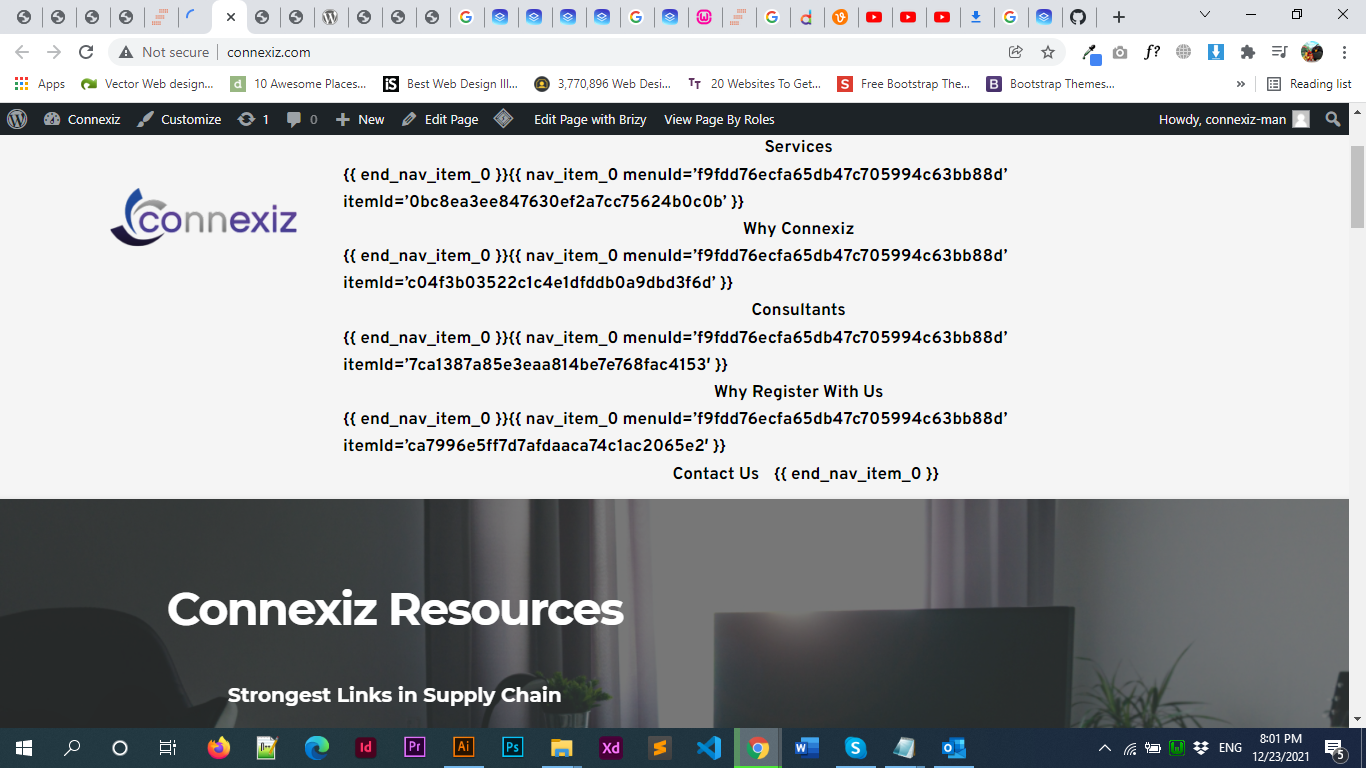
Hi,
I just add my Navmenu with the Brizy Builder but in my website it's showing me the raw text instead of the main menu.
Let me know how i can solve this bug?
Regards,0 -

Hello,
Thank you for contacting us.
This error occurred because the Brizy Free plugin was updated but the Pro plugin has not been updated. Please make sure that you are using the latest versions of Brizy Free 2.3.25 and Brizy Pro 2.3.18 Also, if you have a cache plugin please disable it, then clear the browser cache.
If you have any other questions, please let me know.
Best Regards,
Nelea0
Please sign in to leave a comment.
Comments
7 comments