Wordpress Plugin not syncing & showing different Home page

Hi Team,
Installed Brizy plugin on wordpress site almost an year ago. It was working perfectly.
Sync & everything was fine.
Since last couple of months, site is showing different page as Home page. No menu.
No sync on updating pages in Cloud.
I Disabled the License & then connected again.
Updated Brizy Free & Brizy Pro Plugins.
But there is no change.
Pl help.
The domain = marathi2englishspeaking.com
Thanks.
Rajesh
-

Hi Rajesh,
can you please confirm that we are talking about the latest Brizy versions - Free 2.2.17. and PRO 2.2.11? Do you have any optimization plugins? Do you have the same problem if you disable all your external plugins?
Regarding the menu: was the menu created with Brizy or is it a theme menu? Try changing the page template and check again: https://jmp.sh/CA0rdcu
0 -
Hi ALex,
Thanks for your help.
1. Yes I have already updated Brizy version to Free 2.2.17. and PRO 2.2.11.
2. Optimization Plugins - WP Rocket was just activated.
3. Menu - Created in Brizy Cloud.
4. Yes. Even if all plugins are disabled, then too it's showing same page.
5. Tried changing the page template. But it's not working. Still showing old page.
6. Tried to uninstall & reinstall Brizy Free & Pro Plugins. But still not working.
Rajesh
0 -
Hi Rajesh,
Thank you for investing your time in this. I have created a private ticket for you so please send your login details there and we will look into it. Thanks.
0 -

Hi goodmorning, I have same issue
Hi Team, goodmorning,
My wordpress site was originally build with the Core, thene advisors. Since change to Brzy I installed Brizy builder. But for some reason I see that suddenly the Homepage change and shows the part HOMEPAGE of wordpress below the menu. And on other pages the header has disappeared. What can I do? See picture as it shows blank section and HOME page -(
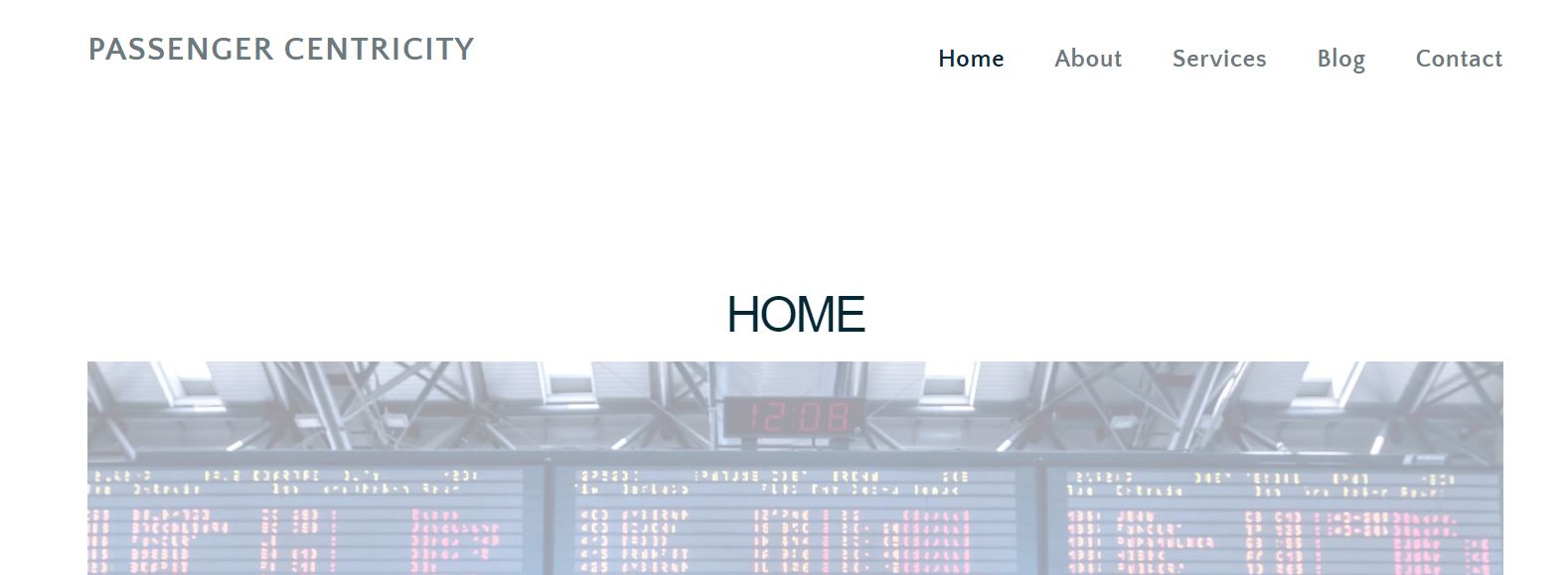 it takes from WP)0
 -

Hi Pauline,
We will need to take a look at your WordPress Dashboard to see why this is happening. If you need help with troubleshooting, please add me as a user to your WordPress Dashboard. My email: kc.george@brizy.io. Please enable the option "Send the new user an email about their account" as in this screenshot https://jmp.sh/tSRznJX
If you do this, we will also look at your Yoast SEO issue. Once you have sent me an invitation, please let me know here.
0 -
Hi Kc,
Have send you the access to my WP Dashboard of the newly website where I have the YOAST SEO issue.For this WP dashboard I have installed PRO version and build all the pages with BRizy
The other issue regarding the screenshot of the homepage issue is from another website which was build with the CORE theme of Themefuse. I have installed Brizy at the WP, but the free version. Did not rebuild the pages yet. The site looked ok all the time but recently the issue with the home page. Do you want me to add invigte you for the other WP dashboard as well?
0 -
I will do so anyway and see what you can do
0 -
Hi Pauline
The reason why your homepage does not display properly is because you have not developed it in Brizy. It is still the old Unysin page. Your About page which is developed using Brizy seems to load fine http://passengercentricity.com/about-us/
Looks like all your pages were developed initially using Uyson Framework. Please do not directly edit pages created using Unyson with Brizy by clicking on "Edit with Brizy". This procedure is incorrect. Instead follow this procedure
- Open a new blank page. Click on "Edit with Brizy"
- In another browser window, keep the page created using Unyson open in the front end (not in WordPress backend)
- Recreate the page design in Brizy from scratch. You can copy paste text content from the Unyson page front end.
0
Please sign in to leave a comment.
Comments
8 comments