Images not working on Brizy

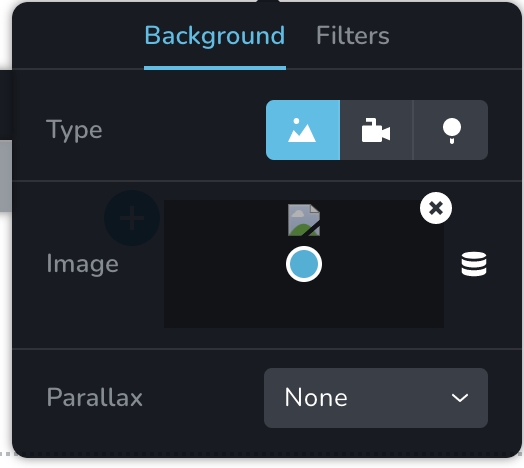
The images are not loading on Brizy, I have uninstalled and reinstalled Brizy and no difference. The theme is pulling in images fine (have used this theme and Brizy many times before), and all images are being uploaded successfully to Media.
Thanks!
-

Hi,
Do you have the latest Brizy Free 2.2.17 and Brizy Pro 2.2.11 version? Are images display as broken only in the editor mode or in the preview too? What actions did you make before this problem? Did you migrate the site? What method did you use? For the migration process, we recommend using the WP All in One Migration plugin. It can easily copy and transfer all files and folders from one site/domain to another one.
Could you please go to the WP media library and try to modify an image (e.g. crop or rotate) used in the Brizy builder too? Do you receive some problems?
Thanks!
Best regards,
Sandra0 -
Hi Sandra, yes I am using the latest version of both. This is a completely brand new website so did not migrate. Actions before was just start a new page and I soon discovered it was not working right away.
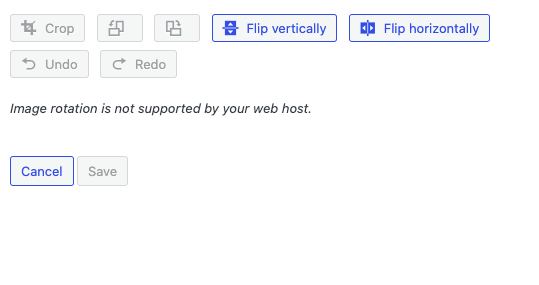
I did go to the media library to edit an image and it came up with "Image rotation is not supported by your web host." so does this mean that the brizy image issue maybe a host error?
 0
0 -
Hi,
If you receive this problem on the WP Media Library, seems that the problem is on the hosting part. Could you please check this aspect with the hosting?
Could you also check if you have enabled the php-gd or php-imagick options on the server?
Best regards,
Sandra0
Please sign in to leave a comment.
Comments
3 comments